


Automotive Accounting Software: How Auto Repair Shops Track Jobs, Parts and Profit


Last updated: November 11, 2026
What it is
Software that runs an auto repair shop’s finances: invoicing parts and labour, tracking expenses and parts stock, paying technicians, and producing financial reports.
Why workshops use it
One work order becomes the invoice, the stock movement, and the journal entry, so nothing is retyped and every job shows its profit.
What to look for
Work orders with custom stages, parts inventory, technician time and payroll, bookings, tax rules for your country, and reports by job.
Where Enerpize fits
Accounting, work orders, bookings, parts inventory, POS, CRM, and payroll in one cloud system, from $14.95 a month.
Automotive accounting software can change how an auto repair shop runs, because it connects the whole business cycle: the booking, the job, the parts, the technician’s hours, the invoice, and the payment. Everyone in the workshop works from the same record.
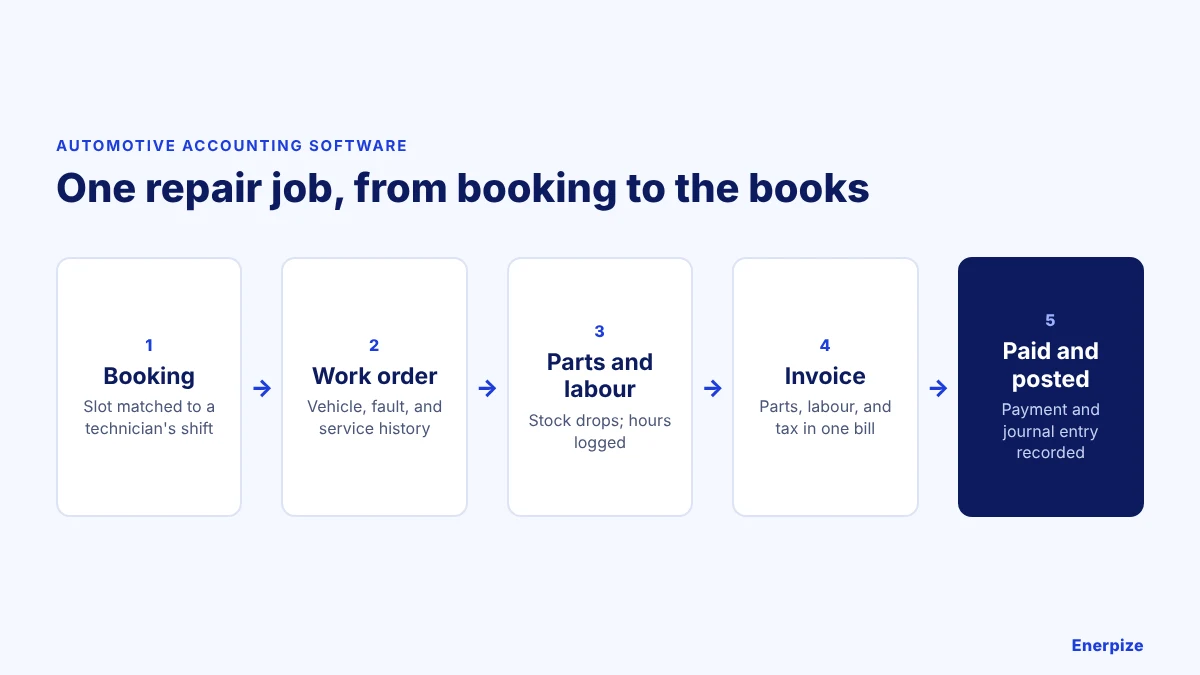
It also makes your financial records more accurate and saves time. From tracking expenses and income to paying technicians and producing financial reports, automotive accounting software helps a shop run smoothly and make decisions on real numbers.
What Is Accounting Software for Automotive Repair Shops?
Accounting software for automotive repair shops is a digital tool built to manage the financial side of an automotive business. It brings invoicing, expense tracking, payroll, parts inventory, and financial reporting together, and adds the workshop features a general accounting tool lacks.
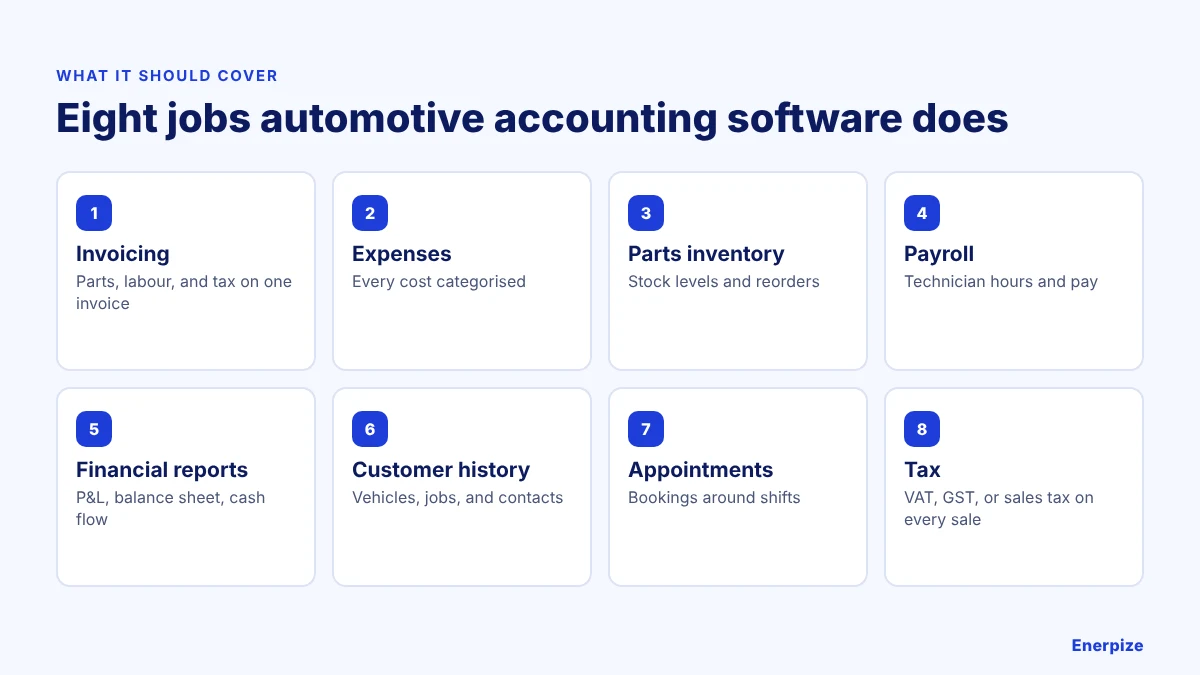
| Feature | What it does in a workshop |
|---|---|
| Invoicing and billing | Creates invoices for services and parts sold, and sends them to customers |
| Expense tracking | Records and categorises business costs so you can control them |
| Parts inventory | Monitors parts and supplies so the shop keeps the right stock levels |
| Payroll | Calculates technicians’ pay, including hours worked, overtime, and deductions |
| Financial reporting | Produces income statements, balance sheets, and cash flow statements |
| Customer management | Keeps customer details, vehicles, service history, and communication in one place |
| Appointment scheduling | Manages bookings around technicians’ shifts |
| Tax | Applies your tax rules, such as VAT, GST, or sales tax, to every sale and purchase |
Read also: Free Auto Repair Invoice Template from Enerpize
Why Do Automotive Workshops Need Accounting Software?
Managing a workshop’s finances by hand is hard to sustain. Accounting software built for workshops saves time on admin and keeps operations moving, from allocating jobs to billing accurately and managing work orders.
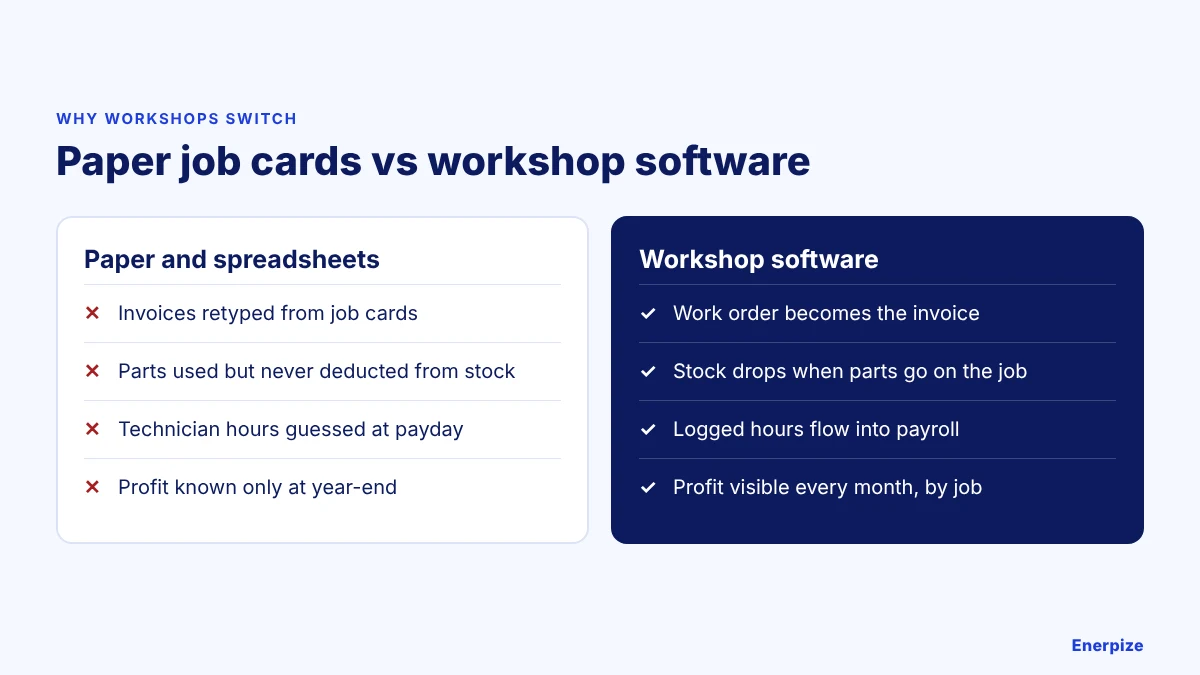
Streamlined Financial Management
Accounting software automates invoicing, expense tracking, and payroll, so every financial transaction is recorded accurately.
Read also: What is POS Transaction: Types, Benefits, & How They Work?
Save Time
Automating day-to-day financial tasks cuts admin time, so staff can focus on repairing vehicles and serving customers.
Assign Tasks and Monitor Technicians’ Performance
Assign jobs to your team, set deadlines, and follow progress in real time, so you know who is working on what and how each technician is performing.
Enhanced Customer Service
With connected invoicing, customers get accurate, timely bills, which improves satisfaction and reduces disputes over payments.
Read also: 6 Reasons that Show You Why to Use Online Accounting Software
How to See the Profit on Every Job
Shop-level profit hides the jobs that lose money. When parts and technician hours sit on the work order, you can see the margin on each repair before you price the next one.
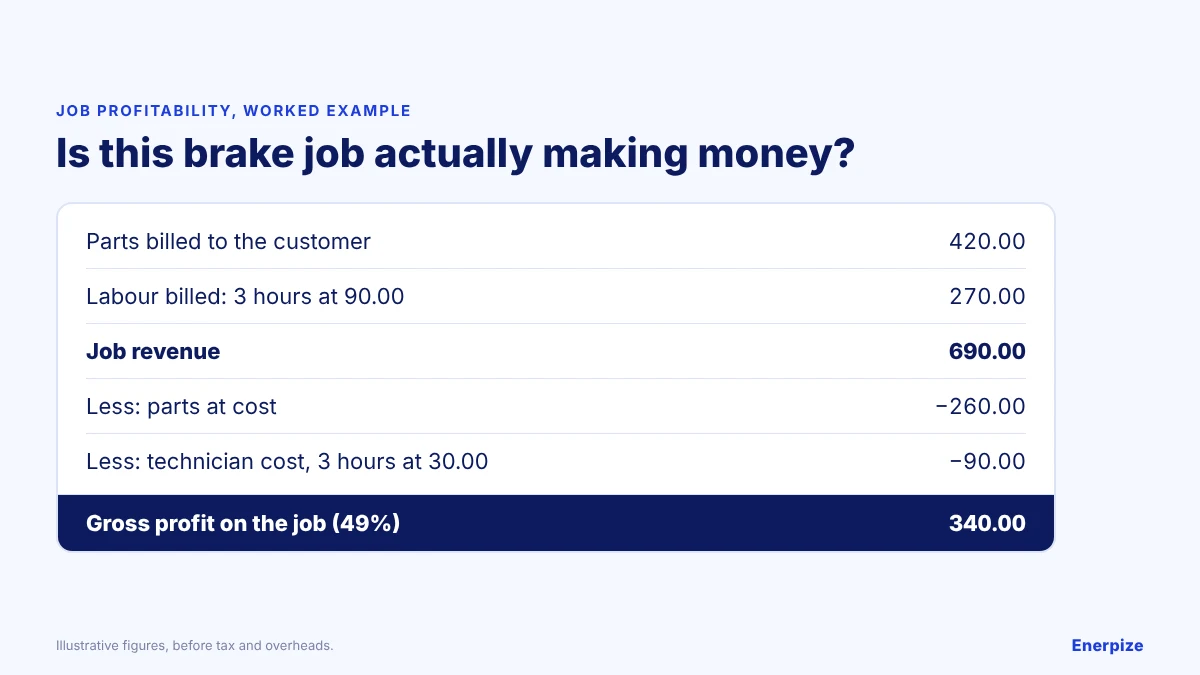
| Line | Amount |
|---|---|
| Parts billed to the customer | 420.00 |
| Labour billed: 3 hours at 90.00 | 270.00 |
| Job revenue | 690.00 |
| Less: parts at cost | 260.00 |
| Less: technician cost, 3 hours at 30.00 | 90.00 |
| Gross profit on the job (49%) | 340.00 |
⚡ Tip: Record the technician’s actual hours on every work order, not the hours you quoted. The gap between the two is where workshop margins disappear.
⚑ Practical note: These are illustrative figures before tax and overheads. Rent, equipment depreciation, and admin wages still come out of the gross profit.
Maintenance Work Orders and Workflow Stages
Create detailed maintenance work orders and tailor their stages to match your workflow, so every job moves through the workshop in the same order. Enerpize also keeps each customer’s full repair history, so the next technician sees what was done last time.
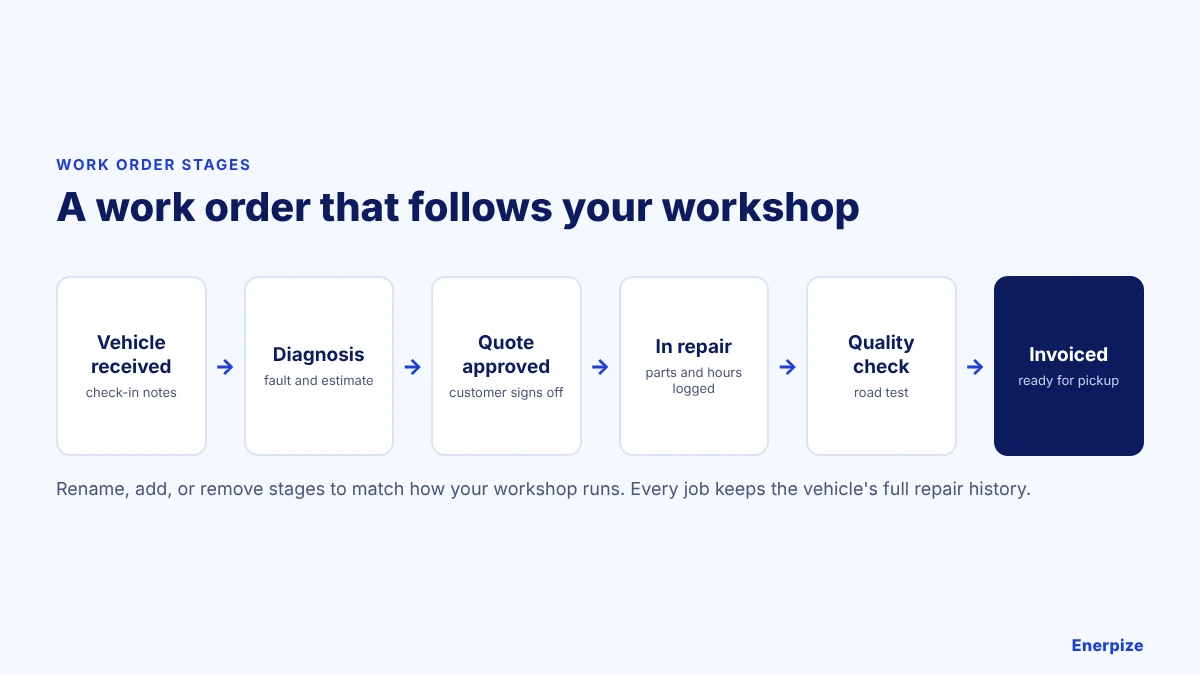
| Stage | What happens |
|---|---|
| Vehicle received | Check-in notes, mileage, and the customer’s complaint |
| Diagnosis | Fault found and estimate prepared |
| Quote approved | Customer signs off on the price |
| In repair | Parts issued from stock and hours logged |
| Quality check | Road test and final inspection |
| Invoiced | Invoice issued and vehicle ready for pickup |
How Enerpize Handles Accounting for Auto Repair Shops
Track and manage your workshop anytime, anywhere with Enerpize online accounting software. Follow your cash in and out over any period, check performance in simple accounting reports, and send invoices with automatic payment reminders, recurring billing, and follow-ups so you get paid faster.
Customers can pay through online payment methods such as Stripe and PayPal, as well as cash, cheques, and bank transfers. Track and classify workshop purchases and expenses, including purchase orders, payroll costs, and overhead or billable expenses, so your tax filings start from accurate records.
Reports cover profit and loss, income statements, and tax, so you can track transactions, journal entries, and every financial record. Set your tax rules once, such as VAT, GST, or sales tax, and they apply to every invoice and bill.

Read also: Importance of Business Insurance For Auto Repair Shop
Enerpize: Workshop Management Software for Auto Repair Shops
Enerpize’s auto repair shop management software combines sales, accounting, operations, customer relationships, inventory, and HR in one platform. Core modules are on every plan; a few advanced tools sit on the higher plans, as shown below.
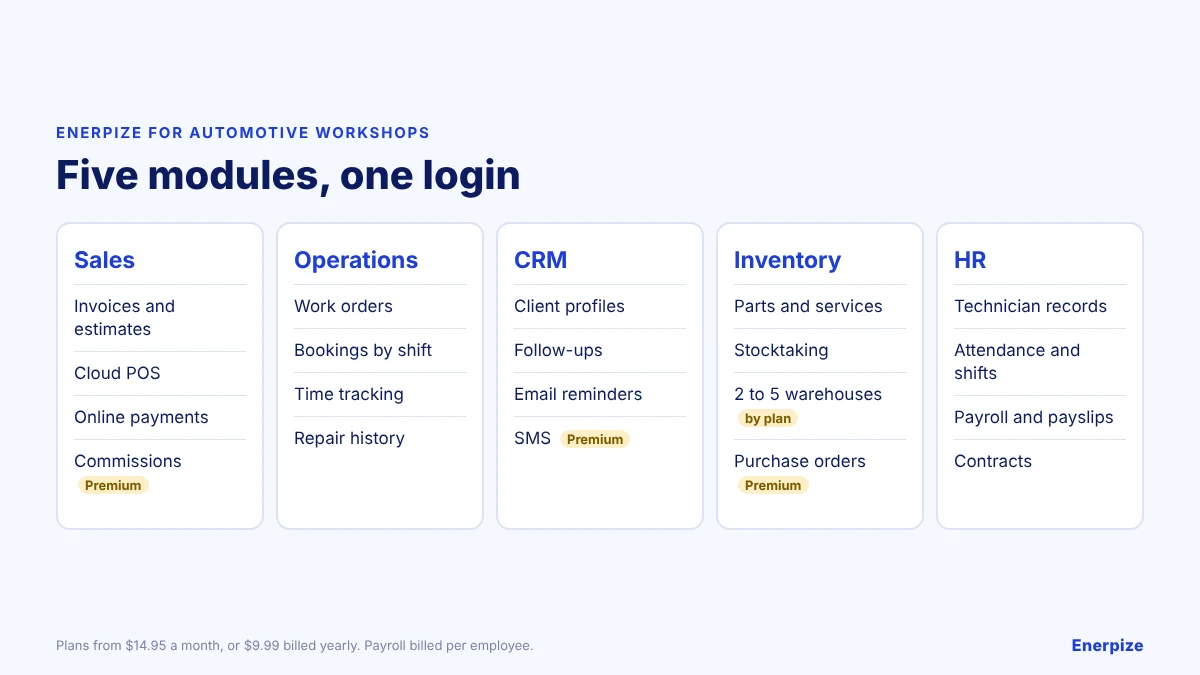
| Module | What it does for a workshop |
|---|---|
| Sales | Invoices, estimates, and quotations; customer payments and insurance coverage; online payment gateways; cloud POS for selling in person. Commission-based sales targets are on the Premium plan. |
| Operations | Work orders, repair set-up, and job expenses; online bookings by technician shift; time tracking that turns hours into invoices; profit and loss reports. |
| CRM | Client profiles and categories, follow-ups, appointments, and email reminders. SMS reminders are on the Premium plan. |
| Inventory | Parts, supplies, and services; stock levels and reorders; stocktaking; transfers between 2 warehouses on Basic, 3 on Advanced, and 5 on Premium. Purchase orders through the full purchase cycle are on Premium. |
| HR | Organisation structure, technician records, contracts, attendance, and shifts; salary components with automatic payroll and payslips. |
Enerpize calculates payroll deductions through salary components, but it does not file payroll tax returns with the tax authority. Your accountant or payroll provider handles those submissions.
| Plan | Monthly billing | Yearly billing |
|---|---|---|
| Basic | $14.95 a month | $9.99 a month ($120 a year) |
| Advanced | $39.95 a month | $29.95 a month ($359 a year) |
| Premium | $64.95 a month | $41.63 a month ($500 a year) |
Each technician on payroll costs $2.28 a month on yearly billing, extra users cost $5 a month, and extra branches start on the Advanced plan. See the full plan breakdown.
Common Accounting Mistakes in Auto Repair Shops
✕ Parts used but not deducted
Why it matters: Stock looks higher than it is, so you reorder late and lose jobs.
Fix: Issue parts from stock on the work order, not at the end of the week.
✕ Labour billed from memory
Why it matters: Unrecorded hours are unbilled hours.
Fix: Log technician time against each job as the work happens.
✕ Profit checked once a year
Why it matters: A losing job type can run for months before anyone notices.
Fix: Review job profit and the P&L every month.
✕ Equipment never depreciated
Why it matters: Lifts, diagnostic tools, and compressors lose value every year, so profit looks better than it is.
Fix: Register major equipment as assets and depreciate it.
How to Get Started With Workshop Accounting Software
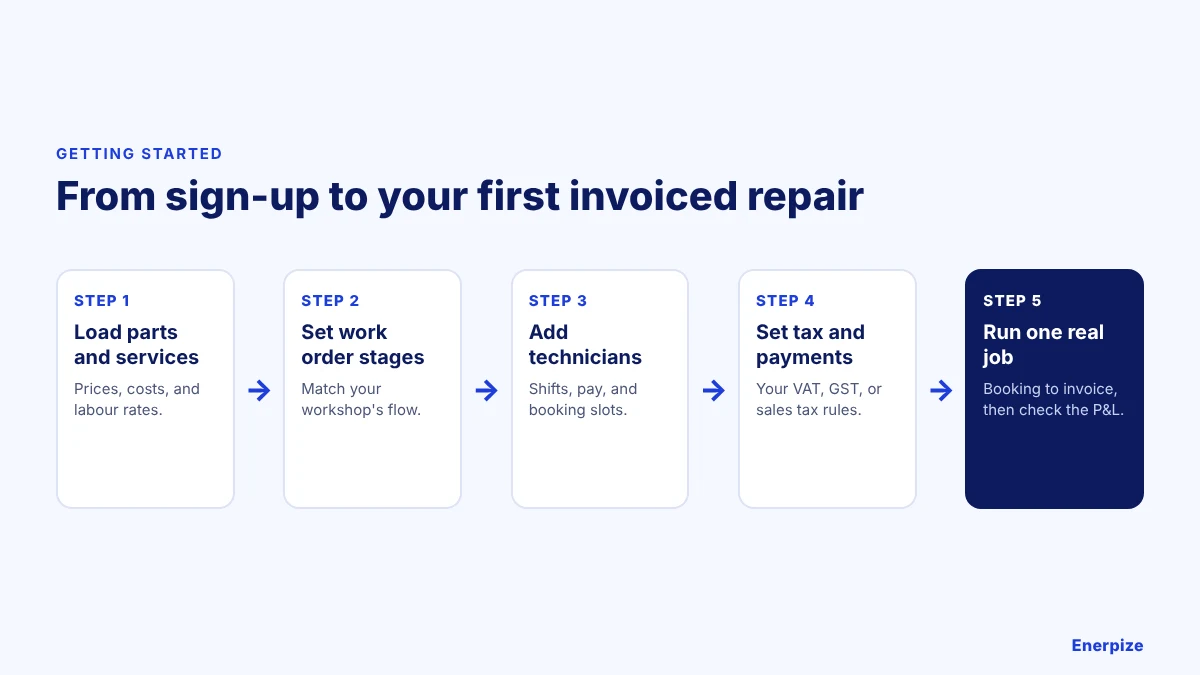
1- Load Parts and Services
Add your parts with cost and selling prices, and your services with labour rates.
⚡ Tip: Import your parts list from a spreadsheet rather than typing it.
2- Set Your Work Order Stages
Match the stages to how jobs actually move through your workshop.
3- Add Technicians
Set up each technician with shifts, pay, and booking slots.
4- Set Tax and Payment Methods
Configure your VAT, GST, or sales tax rules and the payment methods you accept.
⚡ Tip: Print a test invoice and check the tax lines before your first real customer.
5- Run One Real Job
Take one repair from booking to invoice, then check the stock movement and the P&L.
FAQs
What is automotive accounting software?
Software that manages an auto repair shop’s finances, including invoicing for parts and labour, expenses, parts inventory, technician payroll, and financial reports, usually alongside workshop tools such as work orders and bookings.
Do auto repair shops need special accounting software?
General accounting software can keep the books, but it rarely connects work orders, parts stock, and technician hours to the invoice. Workshop software does, which is what lets you see the profit on each job.
How do I track profit per repair job?
Put the parts issued and the technician hours on each work order. Job revenue minus parts at cost and labour at cost gives the gross profit on that job.
Can automotive accounting software handle parts inventory?
Yes. Enerpize tracks parts and supplies, deducts stock when parts go on a job, flags reorders, and supports stocktaking across 2 to 5 warehouses depending on the plan.
Does Enerpize handle technician payroll?
Yes. Enerpize runs payroll and payslips from salary components, attendance, and shifts. It does not file payroll tax returns, so your accountant or payroll provider handles those.
How much does Enerpize cost for an auto repair shop?
$14.95, $39.95, or $64.95 a month, or $9.99 to $41.63 a month billed yearly, plus $2.28 a month per employee on payroll and $5 per extra user. There is a 14-day free trial with no credit card.
About the Author
Omar El Bahr is a Senior Digital Growth Specialist at Enerpize, where he leads SEO, content strategy, and organic growth across international markets. He is a Forbes Communications Council contributor and has written for Entrepreneur on business communication and digital strategy.
Disclaimer: Examples are illustrative. Enerpize prices are in US dollars from its plans page as of November 2026 and can change. Tax and payroll rules vary by country, so confirm your obligations with an accountant.

Related Articles
 Software Reviews
11 Best Video Editing Software for Free for Small Businesses
Read more Software Reviews
The Future of eCommerce UX/UI: Trends to Watch in 2026
Read more Software Reviews
6 Best NetSuite Alternatives in 2026: ERP Software Compared for Small Business
Read more Software Reviews
What to Look for When Choosing a Cloud Business Management Platform
Read more Software Reviews
Top 5 Sales Compensation Software Options Compared
Read more Software Reviews


