Posted on 27 November 2024
Payslip Sample & Template: Free Excel, Word & PDF Download
- Free to download in Excel, Word, Google Sheets, and PDF — no signup required.
- Includes a filled-in payslip sample showing earnings, deductions, taxes, and net pay for a real pay period.
- Fully editable: customize for any country, pay frequency, or business size in minutes.
A payslip sample shows how employee compensation is structured — earnings, deductions, taxes, and net pay — for a specific pay period. Download and customize this free template in Excel, Word, Google Sheets, or PDF.


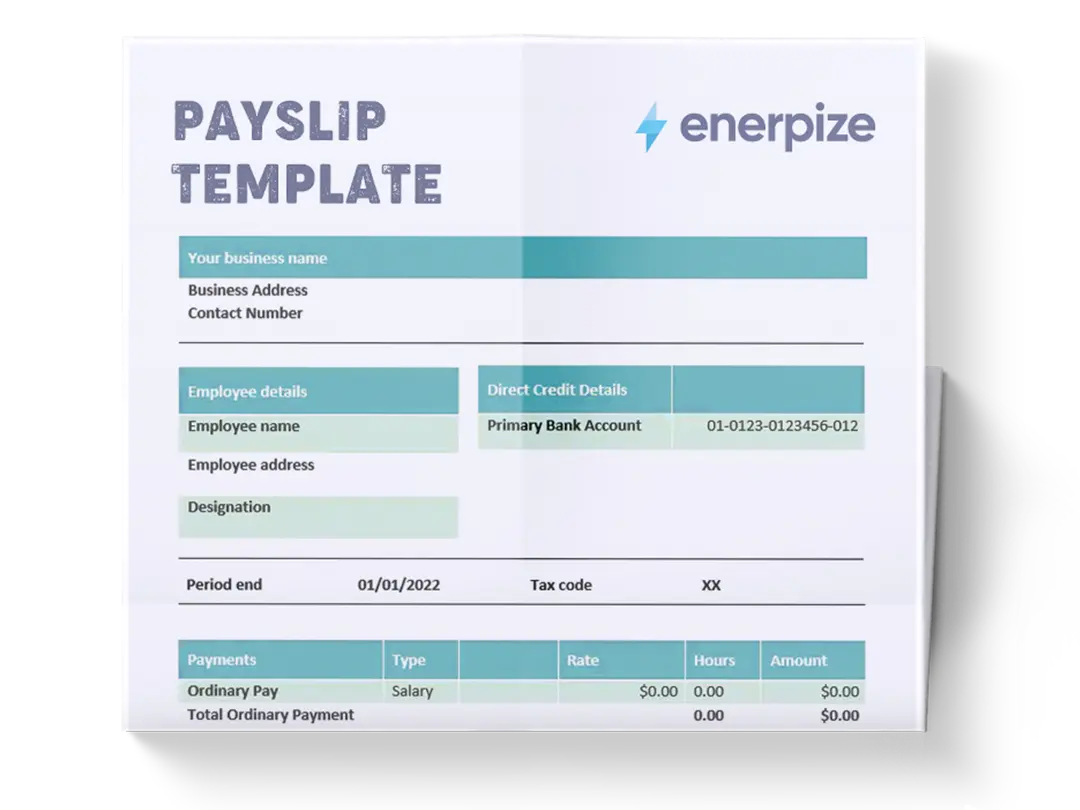
What is a Payslip Template?
A simple payslip template is a pre-designed document that organizes and communicates employee compensation details clearly and systematically. From earnings like base salary and bonuses to deductions such as taxes and insurance, a payslip template provides a complete picture of an employee's financial earnings and deductions for a specific period.
Whether used for small businesses or large enterprises, this template facilitates payroll processes, ensures compliance with labor laws, and minimizes errors in record-keeping. For businesses that need to calculate employee hours before preparing payslips, see our free overtime hours calculator.
A template gets you started. Enerpize gets it done automatically — earnings, taxes, deductions, and net pay calculated for every employee, every payday. Start for free.
Payslip Sample — Filled-In Example
Below is a completed payslip sample showing how employee earnings, deductions, and net pay appear for a monthly pay period.
| Field | Details |
|---|---|
| Employee Name | Sarah Johnson |
| Employee ID | EMP-0042 |
| Department | Marketing |
| Pay Period | March 1 to March 31, 2025 |
| Pay Date | April 4, 2025 |
| Payment Method | Direct Deposit |
Earnings
| Description | Rate | Hours | Amount | YTD |
|---|---|---|---|---|
| Base Salary | $25.00/hr | 160 | $4,000.00 | $12,000.00 |
| Overtime | $37.50/hr | 8 | $300.00 | $600.00 |
| Performance Bonus | $500.00 | $500.00 | ||
| Gross Earnings | $4,800.00 | $13,100.00 |
Deductions
| Description | Current | YTD |
|---|---|---|
| Federal Income Tax (22%) | $864.00 | $2,592.00 |
| Social Security (6.2%) | $297.60 | $812.20 |
| Medicare (1.45%) | $69.60 | $189.95 |
| Health Insurance | $150.00 | $450.00 |
| 401(k) Contribution (5%) | $240.00 | $655.00 |
| Total Deductions | $1,621.20 | $4,699.15 |
Net Pay: $3,178.80
Importance of Payslip Template
The payslip template Excel provides the following:
Operational Efficiency
- Consistent payroll documentation.
- Reduces administrative overhead with streamlined processes.
- Minimizes errors in financial reporting and calculations.
Compliance and Risk Management
- Ensures adherence to labor and tax regulations
- Supports accurate and timely tax reporting.
- Complete financial documentation
- Mitigates risks of disputes by maintaining transparent records.
- Helps maintain accurate employment records for audits.
- Support audit processes
- Demonstrates accountability in payroll and financial management.
For HR teams managing attendance and leave alongside payroll, attendance management software integrates directly with payslip generation.
Financial Management
- Simplifies tracking of labor costs for budgeting.
- Facilitates precise financial forecasting and planning.
- Enhances transparency in employee compensation structures.
For a complete breakdown of how payroll fits into your accounting system, read our payroll journal entries guide. While a payroll template handles the full compensation calculation for all employees, a payslip communicates that calculation to each individual employee.
What Does the Payslip Template Contain?
Business Details
- Business Name and Address: Identifies the company that is issuing the payslip.
- Business Phone and Email: Provides contact details for payroll-related queries.
Employee Details
- Full Name: Employee’s full legal name for identification.
- Address: Current mailing address of the employee.
- Phone and Email: Optional details for personalized communication.
Payment Details
- Pay Date: The specific date the payment is issued.
- Pay Type: Specifies whether payment is weekly, bi-weekly, or monthly.
- Payment Period: Indicates the payroll cycle the payslip covers.
- Payroll Number: A unique identifier for the payment or employee.
- Payment Method: Describes how the employee is paid (e.g., direct deposit, check, cash).
- Tax Code: The employee’s tax classification is used for deductions.
Earnings Section
- Description: Includes regular salary, bonuses, awards, and other compensation types.
- Rate and Hours: Displays the hourly rate and the total hours worked for applicable earnings.
- Earnings: Calculates the total compensation for the period based on rate and hours.
- Year-to-Date (YTD) Totals: Tracks cumulative hours worked and earnings for the year.
- Total Cash Earnings: Provides a sum of all cash-based earnings for the current pay period and year-to-date.
Taxes Section
- Description: Lists specific tax deductions such as federal withholding tax, Social Security, Medicare, state taxes, city taxes, and other applicable levies.
- Current: Displays the tax amount deducted for the current pay period.
- Year-to-Date (YTD): Tracks cumulative tax deductions for the year.
- Total Taxes: Summarizes all tax deductions for the pay period and year-to-date.
Net Pay Distribution
- Bank Account Details: Lists the bank account(s) for direct deposit and the corresponding amounts.
- Total Net Pay: Reflects the final take-home pay after all deductions.
Deductions Section
- Description: Covers additional withholdings such as health insurance premiums, 401(k) contributions, and other optional or statutory deductions.
- Current and YTD Totals: Tracks each deduction's current period and cumulative amounts.
- Total Deductions: Summarize all deductions for the pay period and year-to-date.
- Federal Taxable Wages: Displays the taxable income after all pre-tax deductions.
Paid Time Off (PTO)
- Description: Outlines PTO details, including:
- Latest Period Accruals: Earned PTO for the current pay period.
- Year-to-Date Totals: Tracks total accrued, used, or carried-over PTO for the year.
- Purchased PTO and Other Adjustments: Accounts for employee-purchased time off or special PTO categories.
Terms and Conditions
- A customizable section that includes essential information such as payroll policies, certification statements, and other legal or procedural details.
- Signature and date fields for acknowledgment or records are often used for physical distribution.
Earnings, taxes, deductions, PTO, net pay, bank details — that's a lot to track manually. Enerpize structures all of it automatically, so every payslip is complete, accurate, and ready on time. Start for free.
How to Use the Payslip Template
Fill in Employee and Organizational Information
- Fill in the company name, logo, address, and payroll department details.
- Enter employee details such as name, ID, department, position, and pay grade.
Calculate and Input Earnings
- Record descriptions for earnings categories like regular salary, bonuses, awards, and other compensations.
- Enter applicable rates, hours, and earnings for the current period.
- Update Year-to-Date (YTD) hours and earnings to track cumulative totals.
Deduct Taxes and Other Withholdings
- Specify tax categories (e.g., federal, state, city taxes) and calculate both current period and YTD amounts.
- Enter additional deductions such as health insurance and retirement contributions under the "Deductions" section.
Determine Net Pay Distribution
- Assign net pay to employee-designated accounts, ensuring accurate distribution.
- Verify that the total net matches the calculation (earnings minus taxes and deductions).
Track Paid Time Off (PTO)
- Update the PTO section with details on accrued, used, or carried-over leave balances.
- Include any special adjustments, such as purchased PTO, in the relevant fields.
Include Terms and Acknowledgment
- Add relevant terms and conditions, such as compliance notices or certification statements.
- Include a signature and date section if a physical acknowledgment is required.
Final Review and Distribution
- Verify all entries for accuracy, including earnings, deductions, and tax calculations.
- Distribute payslips electronically or physically, ensuring secure and timely delivery.
FAQs
What is a payslip sample?
A payslip sample is an example of a completed payslip showing how employee earnings, deductions, taxes, and net pay are structured and presented. It helps employers understand the correct format and helps employees verify their own payslips.
What should a payslip include?
A payslip should include the employee's name, pay period, gross earnings (base salary, bonuses, overtime), tax deductions (income tax, social security), other deductions (insurance, pension), and the final net pay amount.
Is a payslip the same as a pay stub?
Yes — payslip and pay stub refer to the same document. "Payslip" is more commonly used in the UK and Australia, while "pay stub" is the preferred term in the US. Both show a breakdown of an employee's earnings and deductions for a pay period.
How do I calculate net pay on a payslip?
Net pay = Gross earnings − Total deductions (taxes + insurance + pension + other withholdings). Our free overtime pay calculator can help you calculate overtime amounts before adding them to the payslip. If your pay includes sales commission, use our free commission sheet template to calculate the commission amount first.
Can I use this payslip template for any country?
Yes — the template is customizable. You can edit the tax fields, currency, and deduction categories to match the labor laws and payroll requirements of your country, whether that's Australia, Canada, the US, or elsewhere.
That's 7 steps to fill one payslip. With Enerpize, your payroll runs in one — employees, earnings, deductions, and distribution, all in one place. Start for free.
Related Templates: