Posted on 8 July 2026
Free Lawn Care Invoice Template Download: Excel, Word, PDF & Google Sheets and Docs
- Available in Word, Excel, PDF, Google Docs, and Google Sheets, free to download with no sign up required
- Covers mowing visits, trimming and edging, seasonal treatment programs, materials, disposal fees, and trip charges in one structured document
- Built with country specific tax fields for GST (Australia), VAT (UK), and sales tax (US) in one template
- Calculates labor subtotal, materials subtotal, deposit applied, and balance due automatically in Excel and Google Sheets
A lawn care invoice template is a pre formatted billing document that records the services performed, the rate charged for each, and any materials used.


What Is a Lawn Care Invoice?
Think about the last time you paid someone for a service and had no idea what you were actually paying for. Frustrating, right? That's what a vague lawn care bill does to a client, and it's the fastest way to turn a five star customer into someone who "forgets" to pay for three weeks.
A lawn care invoice is the document you send after a mowing visit, a fertilizer application, or a seasonal cleanup that spells out what was done, when it was done, how much it cost, and how the client is supposed to pay you. It is not a quote. It is not a handshake. It's the paper trail that proves the work happened and that money is owed for it.
Here's the part most guides skip. Lawn care billing isn't one invoice format wearing different hats. A weekly mowing route is subscription billing. A fertilizer program is step based billing tied to a season. A spring cleanup is a one time job invoice. If you're sending all three the same way, you're leaving money and clarity on the table.
Ready to stop building these by hand every week? Start Free with Enerpize
Lawn Care Invoice vs. Lawn Care Receipt vs. Lawn Care Estimate
People mix these up constantly, so let's settle it.
A lawn care estimate is a number you give before the work starts. It's a promise, not a bill. A lawn care invoice is what you send after the work is done, asking to be paid. A lawn care receipt is what you hand over once payment has actually landed, confirming the transaction is closed. If you're using the word "invoice" for all three, your bookkeeping and your client's expectations are both going to suffer for it.
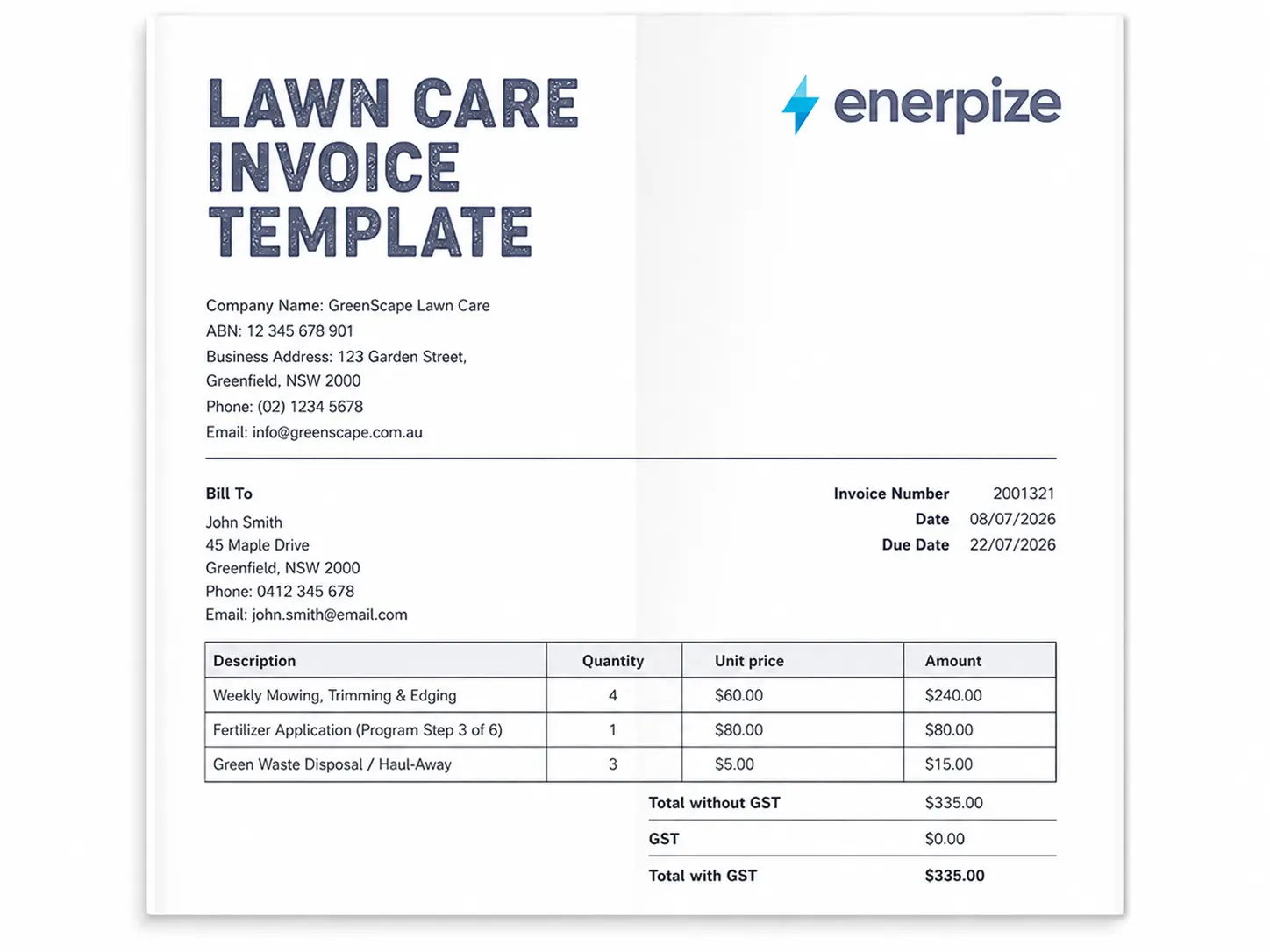
What the Enerpize Lawn Care Invoice Template Includes
Most free lawn care invoice templates out there are built by people who've never actually run a route. They give you a logo box, two blank lines, and a total. That's fine if you mow one lawn a month. It falls apart the second you're running twelve properties a week, billing a fertilizer program in steps, and trying to remember which client still owes a deposit.
Here's what makes ours different, and honestly, it's different because we built it the way an ERP thinks about a business, not the way a graphic designer thinks about a PDF.
Dated Line Items, Not One Lump Sum
Every visit gets its own row with its own date. "Mow, trim, blow, June 5th, $60" settles a dispute before it becomes one. Clients check your invoice against their memory of seeing your truck in the driveway. A single "monthly service fee" with no dates invites exactly the kind of "wait, did you even come that week?" conversation nobody wants to have.
Deposit Received and Deposit Applied as Separate Lines
A shocking number of templates just subtract the deposit silently and never show their work. That makes clients feel like they're being charged twice. Our template shows the deposit received on one line and the deposit applied as a credit on the next, so the math is transparent from top to bottom.
Built In Tax Fields for GST, VAT, and Sales Tax
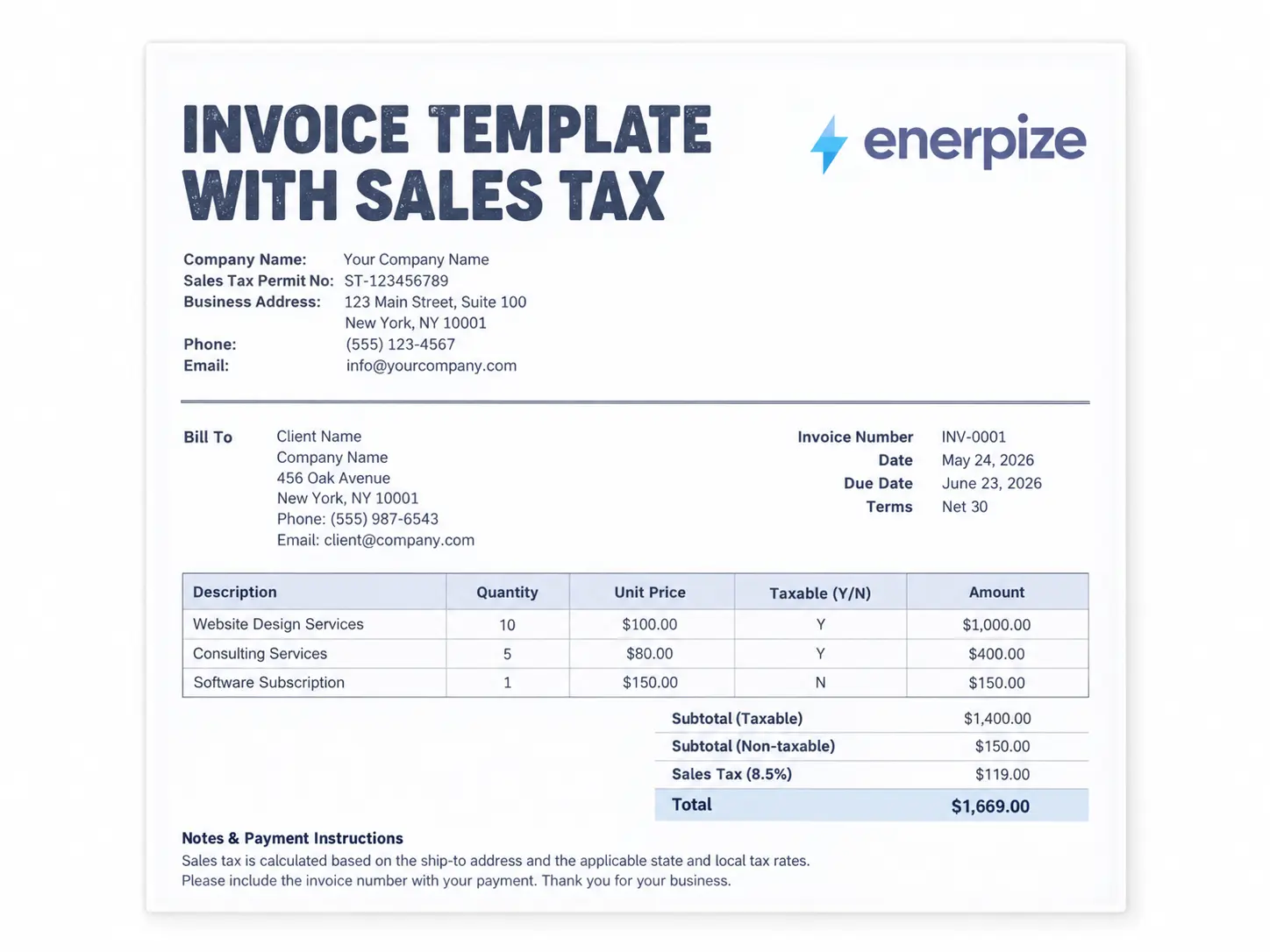
We didn't bolt on a generic "tax %" box and call it done. The template carries a dedicated tax rate field that you set once for your market, whether that's Australia's 10 percent GST, the UK's 20 percent VAT, or your state's sales tax rate in the US, and it recalculates the total automatically from there.
Applicator License Fields for Chemical Treatments
If you're running a fertilizer or weed control program, you already know that regulators care about who applied what and under which license. Our template has a dedicated field for your business license and, separately, your pesticide or applicator license number, right in the header where it belongs instead of buried in a footnote nobody reads.
Property Size and Service Schedule Fields
Pricing arguments almost always trace back to one thing: nobody wrote down how big the lawn actually is. We built in a property size field and a service schedule field so your rate is anchored to something concrete, not a vague memory of "yeah, it's a decent sized yard."
Signature Block for Both Parties
A signed invoice carries more weight in a dispute than an unsigned one, full stop. We include a signature line for you and for the client, because "he said, she said" doesn't hold up nearly as well as ink on paper.
That's the differentiator in one sentence. Competitor templates give you a form. Enerpize gives you the fields a real lawn care business actually needs to get paid without arguments, because we built this thing by studying the gaps in a dozen other templates before we ever wrote a line of it.
Want these fields to fill themselves in from your job schedule instead of retyping them every week? See how Enerpize Automates it
What to Include in a Lawn Care Invoice Template
A lawn care invoice earns its keep by answering every question a client might ask before they even ask it. Here's the full field list, and yes, most of the templates you'll find elsewhere are missing at least half of these.
Business and Client Details
Your business name, address, phone number, email, and business license number. On the client side, their name, billing address, and the service address if it's different from where the invoice gets mailed, which it often is for property managers and landlords.
Invoice Number and Dates
A unique invoice number, an issue date, and a due date. Keep your numbering sequential. It's the difference between "I can find any invoice in ten seconds" and "let me dig through my email for twenty minutes."
Service Date and Property Size
Every line item should carry its own service date. Property size, whether in square feet or acres, justifies your rate and heads off the "why does this cost more than last time" conversation before it starts.
Itemized Services with Quantity, Unit, and Rate
Mowing, trimming, edging, aeration, mulch, whatever you did. Each gets a quantity, a unit (visit, hour, bag, cubic yard), a rate, and a line total. Vague line items like "yard work" are how disputes are born.
Materials Used
Fertilizer, seed, mulch, herbicide, whatever you supplied. List the product and quantity separately from your labor. Clients respect transparency about materials markup far more than they resent it.
Trip Fee or Travel Distance
If you charge for driving to a property outside your normal service radius, say so, and show the distance or zone that triggered it.
Subtotal, Tax, and Total Due
Your labor and materials subtotal, the applicable tax line, and the final total. Check your local rules before deciding whether tax applies. It varies more than people expect.
Deposit Received and Applied
Shown as two separate lines, not folded silently into the total. See above. This one's worth repeating because it's the single most common gap we found.
License and Compliance IDs
Business license number, and separately, your pesticide or applicator license number if you're running chemical treatments. Some jurisdictions expect this on the invoice itself, not just your paperwork drawer.
Payment Terms, Late Fee Policy, and Accepted Methods
Due date, what happens if payment is late, and how you accept payment. Cash, check, bank transfer, card. Spell it out so nobody has to ask.
Tired of typing all of this out by hand every single week? Generate it Automatically with Enerpize
How to Use the Enerpize Lawn Care Invoice Template
Step 1: Fill In Your Business Details
Company name, address, phone, email, and both license numbers if applicable. This only needs to happen once if you're reusing the template.
Step 2: Add the Client and Property Information
Client name, billing address, and the service address if the property being mowed isn't where the bill gets sent. Property managers handle multiple addresses constantly, so don't skip this field even if it feels redundant for a single homeowner.
Step 3: Assign an Invoice Number and Set Your Dates
Sequential numbering, issue date, due date. Keep the pattern consistent across every invoice you send.
Step 4: List Each Visit as Its Own Dated Line
Mowing, trimming, edging, whatever happened that day, each with its own date, quantity, unit, and rate. For a monthly invoice covering four visits, that's four rows, not one.
Step 5: Add Program Steps, Materials, and Extras Separately
If you're running a fertilizer or weed control program, note the step number ("Application 3 of 6"). List materials with quantity and unit price. Any add on work, aeration, mulch, cleanup, gets its own line too.
Step 6: Apply the Deposit and Calculate Tax
Enter the tax rate for your market once, and the template calculates the tax amount automatically. If a deposit was collected earlier, show it as received, then applied as a credit against the balance.
Step 7: Review the Total, Add Notes, and Send
Check the balance due, add any notes about seasonal rates, skipped visits due to weather, or upcoming service reminders, then send it off.
Country Specific Considerations for Lawn Care Invoicing
Here's where most generic templates fall flat. They're built for one country and quietly assume everyone else's tax rules work the same way. They don't, and getting this wrong costs real money.
United States: Sales Tax Varies by State and Service Type
There's no federal sales tax standard in the US, and whether lawn care labor itself is taxable depends entirely on your state. Some states tax the service, some only tax materials sold, and some exempt lawn care altogether. Check your state department of revenue before assuming either way. Getting it wrong in either direction, undercharging or overcharging, creates a mess you'll be untangling later.
United Kingdom: VAT Registration Threshold Is £90,000
If your lawn care business's taxable turnover crosses £90,000 in any rolling twelve month period, HMRC requires you to register for VAT and start charging the standard 20 percent rate. Below that threshold, registration is optional but sometimes worth it if most of your clients are VAT registered businesses who can reclaim what you charge them. The window is rolling, not tied to your accounting year, so it's worth checking monthly rather than once a year.
Australia: GST Applies at 10 Percent Once You Cross AUD 75,000
Businesses generally register for GST once annual turnover reaches AUD 75,000. Once registered, tax invoices from the ATO for sales under AUD 1,000 need to clearly show your ABN, the date, a description of the work, and the GST amount, either itemized or noted as included. Invoices for AUD 1,000 or more also need to show the buyer's identity or ABN. If a client asks for a tax invoice, you're required to provide one within 28 days unless the sale is AUD 82.50 or under.
South Africa: Compulsory VAT Threshold Rose to R2.3 Million in 2026
South Africa updated this rule recently, and a lot of templates out there are still quoting the old number. As of 1 April 2026, SARS raised the compulsory VAT registration threshold from R1 million to R2.3 million in taxable supplies over any rolling twelve month period. Voluntary registration is available once you cross R120,000, up from R50,000. The standard VAT rate itself stays at 15 percent. If your lawn care business has been sitting just above the old R1 million line, this change is worth a second look, since it may mean you can now deregister, though that carries its own tax consequences worth checking with an accountant first.
Getting the Tax Field Right the First Time
The pattern across every one of these markets is the same. The tax rate isn't optional trivia, it's the difference between a compliant invoice and one that creates a headache during an audit. Set the rate correctly once in your template and you never have to think about it again on future invoices.
Common Lawn Care Invoicing Mistakes
Billing "Yard Work" Instead of Itemized Services
If your description could apply to literally any job you've ever done, it's too vague. Name the actual service. Mowing, trimming, edging, cleanup. Each one gets its own line.
Folding the Deposit Into the Total Without Showing the Math
Clients want to see the deposit received and the deposit applied as separate, visible lines. Silent subtraction reads as sneaky even when it isn't.
Skipping the Property Size or Scope
Without a recorded square footage or acreage, every price becomes negotiable in the client's head, whether you meant it to be or not.
Not Documenting Weather Skips
If you skip a mow because of standing water or a storm, note it on the invoice. "Skipped, June 19th, conditions" protects your flat rate agreement and heads off the "you only came three times this month" email before it's typed.
Forgetting Compliance Fields for Chemical Applications
If you're applying fertilizer or herbicide, your license number belongs on the invoice, not just in a filing cabinet. Rules on this vary by state and country, so check what applies where you operate.
Charging Per Visit With No Invoicing System at All
"Forty five bucks, Venmo me after every mow" works fine for the first ten clients. By client thirty, it's a part time collections job you never signed up for. A dated, itemized invoice sent on a consistent schedule solves this before it becomes a problem.
How Enerpize Runs Lawn Care Billing Alongside the Rest of the Business
A single invoice answers one question. Did the work get billed? It doesn't answer the questions that come right after it. Which crew handled this property? Is this client's account current? Did the fertilizer program actually get delivered on schedule, or did step four quietly slip a week?
That's where a template stops being enough and a real system starts to matter.
Managing a Landscape Project's Full Financial Picture
For lawn care and landscape businesses running bigger jobs, not just weekly mowing but full installs, seasonal cleanups, or ongoing maintenance contracts, Enerpize's landscape architecture project tools let you build out a project file for each one, budget it, track expenses and revenue against that budget, and invoice the client directly from inside the project. When the job wraps, you know your actual net profit on it, not just what you billed.
Tracking Clients and Appointments in One Place
Route businesses live and die by knowing who's owed a visit and who's owed a bill. Enerpize's client follow-up tools keep a running list of your clients with contact details and job history, let you schedule appointments with automatic reminders, and show each client's account balance and payment history without you digging through a spreadsheet to find it.
Assigning Crews and Tracking Their Performance
Once you're running more than one crew, "who mowed this property last week" stops being a question you can answer from memory. Enerpize lets you assign staff to specific properties or projects, track their task progress, and pull performance reports per employee, so you know which crew is actually profitable and which one needs a closer look.
Tracking Equipment as Depreciating Assets
Mowers, trimmers, trucks. They're assets, and they lose value every season. Enerpize's asset management tools let you log your equipment, calculate depreciation annually, and know what a piece of gear is actually worth if you decide to sell it or retire it, the same way our accounts receivable template helps you keep tabs on what clients still owe you.
None of this replaces the invoice template above. It's what the invoice template plugs into once your route grows past the point where a spreadsheet can keep up with it.
Curious what running your whole lawn care business through one system actually looks like? Start with Enerpize Free
Key Takeaways
- A lawn care invoice is not an estimate and not a receipt. It's the dated bill sent after work is done, and treating all three as interchangeable causes bookkeeping headaches later.
- Dated, itemized line items per visit settle disputes before they start. A single lump "monthly service fee" with no dates invites the "did you even come that week" conversation.
- Show the deposit received and the deposit applied as two separate lines, never folded silently into a lower total. Clients read silent subtraction as sneaky even when it isn't.
- Tax rules are not universal. The US has no federal standard and varies by state, the UK requires VAT registration at £90,000 turnover, Australia at AUD 75,000, and South Africa's compulsory threshold jumped to R2.3 million as of April 2026.
- If you're running fertilizer or weed control applications, your applicator license number belongs on the invoice itself, not buried in a separate compliance file nobody checks.
- Property size and service schedule fields anchor your pricing to something concrete, which is what actually prevents the "why does this cost more than last time" argument.
Frequently Asked Questions
How do I price a first cut on an overgrown lawn?
Charge a first cut surcharge. Overgrown grass means extra passes, more bagging, and more time on the property than a routine mow. A common approach is a flat surcharge or a per square foot rate applied on top of your standard mowing price for that first visit.
Should I bill per visit or with one consolidated monthly invoice?
For recurring weekly or bi weekly routes, most established lawn care businesses consolidate into one monthly invoice with a dated line per visit. It's dramatically easier to track than chasing payment after every single mow, and clients generally prefer one predictable bill over a stream of small ones.
How do I show fertilizer and weed control applications to stay compliant?
Include your applicator license number, the product name, and the application rate on the invoice line. Rules vary by state and country, so confirm what's required where you operate before finalizing your invoice format.
What's the difference between a lawn care invoice template in Excel versus Word?
The Excel version calculates your labor subtotal, materials subtotal, tax, and balance due automatically as you fill in quantities and rates. The Word version is a fixed layout best suited for one off jobs or clients who want a simple printable document without live formulas.
Do I need to charge sales tax on lawn mowing?
It depends entirely on your state or country. In the US, whether lawn care labor is taxable varies by state, some tax it, some don't, some only tax materials. Check your local tax authority before assuming either way.
How do I handle a deposit on a large landscaping job?
Show it as two separate lines on the final invoice. "Deposit Received" as a negative or bracketed figure, and "Deposit Applied" as a credit against the total. This keeps the math transparent instead of folding the deposit silently into a lower total that leaves the client wondering what happened to their money.
What should I do if a client doesn't pay?
Send a polite reminder first, referencing the specific invoice number and due date. If it stays unpaid, most lawn care businesses pause service after thirty days past due, since continuing to mow for a client who hasn't paid just compounds the loss. Keep your late fee policy printed on every invoice so it's never a surprise.
Grass doesn't stop growing because a client is slow to pay, and neither should your business. A dated, itemized invoice with clear tax fields and a visible deposit line is the difference between a lawn care business that runs smooth and one that spends every Friday chasing Venmo requests. Download the template, fill it in once, and let the paperwork finally keep pace with the work.
About the Author
Omar El Bahr is a Senior Digital Growth Specialist at Enerpize, where he leads SEO, content strategy, and organic growth across international markets. He is a Forbes Communications Council contributor and has written for Entrepreneur on business communication and digital strategy.
Disclaimer: This article is for general informational purposes and does not constitute tax, legal, or financial advice. Tax rules vary by state, province, and country, and change over time. Confirm current requirements with your local tax authority or a qualified accountant before making business decisions.