


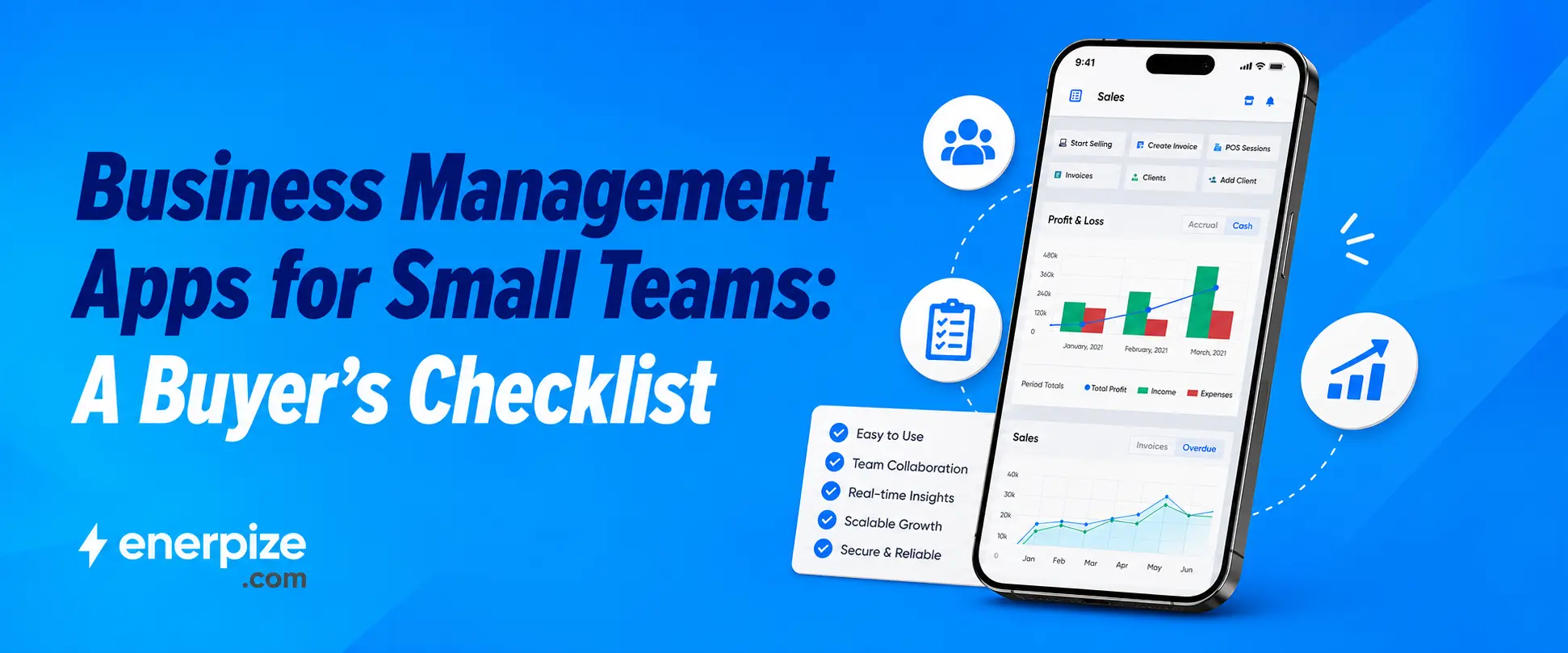


Key Takeaways
- A small business management app is only worth adopting if it replaces multiple disconnected tools, not just adds a sixth one to the pile.
- The real cost of running five separate apps is not the subscription fees, it is the hours spent making them talk to each other, or the mistakes that happen when they do not.
- Offline capability, role-based access, and honest pricing are three things most business app listicles skip entirely, and all three matter more than another feature checklist.
- Enerpize runs five distinct apps, business management, POS, employee self service, and expense scanning, under one login, which is a genuinely rare structure most competitors reviewed do not offer.
- The right question is never "which app has the most features." It is "which one actually gets used by everyone on a five person team by next Tuesday."
Most small teams do not need more apps. They need fewer apps that actually do the job.
If you have ever tried to run a five person team off a card reader app, a separate invoicing tool, a spreadsheet for HR, and a shoebox of receipts, you already know the problem. None of it is hard to use individually. The hard part is that none of it talks to the others, so someone spends Friday afternoon manually copying numbers from one place into another, and eventually something gets missed.
This guide is a genuine buyer's checklist for a small business management app, not a ranked list of twenty tools you have to sort through yourself. We will cover what actually matters when you are choosing one, what the real cost of not choosing one looks like, and how Enerpize's own suite of apps handles this for small teams specifically.
Stop juggling five logins for one small team. See what running your business from one app actually looks like. Start for Free
What Happens When Your Team Uses Five Different Apps Instead of One
Picture a six person operation. One person handles sales and invoicing through one app. Someone else tracks hours and leave requests in a spreadsheet, because the HR software felt like overkill for six people. Receipts get photographed and stuffed into a folder, sorted out at tax time by whoever draws the short straw. None of these are bad decisions individually. Every one of them made sense the day it got picked.
The actual cost shows up later, and it rarely shows up as a line item. It shows up as the two hours someone spends every month reconciling what the invoicing app says against what actually got paid. It shows up as a leave request approved verbally that never made it into payroll. It shows up as a receipt that got lost between the folder and the accountant, and a deduction nobody claimed. None of that is a failure of any single tool. It is the tax you pay for choosing small business management solutions one at a time instead of as one connected system.
What to Actually Look For in a Small Business Management App
Skip the feature list with forty checkboxes. Most of what actually matters for a small team fits into four real questions.
One Login Instead of Five
If your team needs a separate password for sales, a separate one for HR, and a separate one for expenses, you have not solved the fragmentation problem, you have just centralized where the passwords live. A genuine small business management software platform puts these functions behind one account, so a new hire gets access to everything they need in one step, not four separate onboarding emails.
Mobile First, Not Mobile as an Afterthought
A lot of business software was built for a desk, then had a mobile app bolted on afterward, and it shows. For a small team where the owner is often on the shop floor, in a client's office, or genuinely away from a desk most of the day, the mobile experience is not a nice extra. It is often the primary way the software actually gets used.
Offline Capability That Actually Syncs
Connectivity drops. It happens in a warehouse with bad signal, on a job site outside city limits, or just during a bad network day. An app that stops working the moment the connection blinks is not built for how small teams actually operate day to day. What matters is whether it keeps recording what happened locally and catches up automatically once the connection returns, not whether it pretends the gap never happened.
Does It Grow With You, or Do You Outgrow It
Here is a mistake worth naming directly. A tool that fits a three person team perfectly can become the exact thing holding you back at fifteen people, and by then, switching means migrating years of data under time pressure. Before you pick a small business management app, ask what it looks like at three times your current headcount, not just what it looks like today.
All In One Business App vs Point Solutions: The Real Tradeoff
An all in one business app is not automatically the right call just because it does more. Point solutions, one app per job, genuinely make sense when your needs are narrow and unlikely to change soon. A single freelancer sending the occasional invoice does not need a full suite.
The tradeoff shows up the moment more than one person is involved. The instant you have a team, even a small one, the cost of disconnected tools stops being an inconvenience and starts being an actual operational risk, missed handoffs, duplicate data entry, and the kind of small errors that compound quietly over months. All in one business app platforms solve this by design, not because more features are inherently better, but because the data only exists in one place to begin with.
Security and Data Access on a Small Team's Business App
This is the part almost nobody writing about business apps for small teams actually covers, and it matters more than most feature comparisons.
Small teams have a specific, common failure mode around access. Either everyone shares one login because setting up individual accounts felt like extra work, or everyone gets full admin access because nobody took the time to think about who actually needs to see payroll data versus who just needs to log their hours. Both of those are real security gaps, not hypothetical ones.
A genuinely well built mobile invoicing app, or any core business function delivered through mobile, needs role based access built in from day one, not bolted on once the team grows past a size where informal trust stops being a real security model. Someone logging expenses on their phone from a job site does not need to see the company's full financial reports, and a system that cannot make that distinction is asking for trouble eventually, even if it feels fine at five people.
See how Enerpize handles access for a growing team, without a single shared login. Start for Free
Business Management, Wherever You Are
Enerpize's business management app puts sales, inventory, accounting, and reporting in one mobile interface, so a small team is not tied to a desk to get a real answer about how the business is doing. Checking today's sales, approving a purchase order, or pulling a quick financial summary happens from wherever the owner actually is, not from wherever the desktop computer happens to be sitting. This is the actual test of a genuine small business management app, whether it works from a phone in a warehouse just as well as it works from a desk, not whether the desktop version looks impressive in a demo.
Sales and Inventory From the Same Screen
A sale made in the shop and a stock count in the warehouse are usually the same event looked at from two angles, but most small business management software treats them as two separate updates someone has to reconcile. Here, checking what sold today and what is left on the shelf happens in the same place, so there is no gap between the two numbers to close later.
Approvals That Do Not Wait for a Desk
A purchase order does not need to sit unapproved for six hours because the person who signs off on it is out visiting a client. Approving it from a phone means the supplier gets confirmation the same day, not whenever someone is back at their desk to open a laptop.
A Real Financial Summary, Not Just a Notification
Checking in on the business should mean more than a push notification saying a sale happened. Pulling an actual financial summary, what came in, what went out, what is owed, from a phone means an owner can make a real decision on the spot instead of waiting until end of day to look at anything meaningful.
Enerpize Mobile Apps: The Suite Behind the Suite
What makes this genuinely different from most competitors reviewed for this piece is that Enerpize does not treat mobile as one app trying to do everything. The Enerpize mobile apps suite is built as distinct, purpose built apps, business management, point of sale, employee self service, and expense scanning, all connected under one account rather than one bloated app trying to cover every function at once. That structure matters more than it sounds like it should, and it is the clearest example of what an all in one business app should actually mean, one account, several purpose built experiences, not one screen trying to be everything to everyone.
Why One App Trying to Do Everything Usually Does Nothing Well
Cram sales, HR, expenses, and reporting into a single generic interface and you get a screen with too many icons, built for nobody's actual job in particular. The owner scrolls past HR functions to find the sales number they need. The cashier wades through purchase order screens to ring up a transaction. Neither experience was actually designed for the person using it.
Four Jobs, Four Interfaces, One Account
A cashier ringing up sales all day needs speed and simplicity above everything else. Someone approving purchase orders needs visibility into stock and supplier history. An employee checking their payslip needs neither of those things, just their own record. Building four distinct apps around four distinct jobs, instead of one app trying to be all four at once, means each person gets an interface built for what they are actually doing, without needing four separate logins to get it. This is what separates a real small business management solutions provider from one that just bundled unrelated tools under one brand name.
Connected Underneath, Separate on the Surface
The apps look and function differently depending on who is using them, but the data underneath is the same account, the same records, the same business. A sale rung up through the POS app shows up in the business management app's reporting without anyone exporting or syncing anything manually. The separation is at the interface level, not the data level, which is exactly where the separation should be.
Mobile Invoicing and Point of Sale in Your Pocket
For a small retail or service team, Enerpize's POS application turns a phone into a real point of sale, ringing up sales, generating invoices, and updating stock in real time from wherever the sale actually happens. This is the practical answer to what a genuine mobile invoicing app should do for a small team, not just produce a PDF, but update the same stock and sales records the rest of the business already runs on, so nothing has to be reconciled later by hand.
A Sale and an Invoice, Generated Together
Ringing up a sale and generating the invoice for it are usually one motion here, not two separate steps where someone has to remember to create the invoice afterward. The customer walks away with a receipt or invoice, and the transaction is already recorded, not pending until someone gets back to a desktop to type it in properly.
Stock That Updates the Moment the Sale Happens
The item that just sold gets removed from the stock count in the same motion as the sale itself, not at the end of the day when someone manually goes through the till and adjusts inventory. That real time update is what actually prevents the classic small team problem of selling something that was already out of stock, because the system did not know yet.
Selling From Wherever the Customer Actually Is
A market stall, a pop up event, a delivery made in person, none of these happen at a fixed till, and a mobile invoicing app built for a small business management app suite needs to work the same way regardless of where the sale physically takes place. The phone in someone's pocket becomes the point of sale, not a fixed piece of hardware bolted to a counter somewhere.
Employee Self Service, Without the Paperwork
Enerpize's ESS app lets employees check their payslips, request leave, and clock in and out directly from their phone, without a manager having to manually process every small request. For a small team, this removes an entire category of informal, easy to lose track of requests, the leave day approved verbally that never made it into the system, the overtime nobody logged properly. It also solves the access problem raised earlier directly, an employee gets exactly the self service functions they need, nothing more, which is exactly what a genuine all in one business app should look like in practice, not one login with everyone seeing everything.
Payslips Without Asking Someone for Them
An employee wanting to check what they were paid last month should not need to message a manager and wait for a reply. Having that information available directly on their phone removes a small, recurring interruption that adds up across a team over time.
Leave Requests That Actually Get Recorded
A leave request made through the app is a leave request that exists in the system, not a verbal agreement in the break room that someone forgets to write down anywhere. That distinction matters most exactly when it is needed, at payroll time, when an unrecorded day off turns into a paycheck dispute nobody can resolve cleanly.
Clocking In From Wherever the Work Actually Happens
For a team that is not sitting at a single fixed location, a field team, a delivery team, a retail team covering more than one location, clocking in and out from a phone matches how the work actually happens, rather than requiring everyone to be physically present at one time clock to log their hours.
The Access Problem, Solved by Design
An employee using this app sees their own payslip, their own leave balance, their own attendance record. Nothing more. That is not an extra security setting someone has to configure carefully, it is simply what the app is built to show, which solves the access concern raised earlier in this guide without anyone having to think about it separately.
Scanning Receipts Instead of Filing Them
Enerpize's Quick Expense Scanner lets anyone on the team photograph a receipt and have the expense logged automatically, offline or online, rather than physically filed away and sorted out later. This closes the exact gap described earlier, the receipt that gets lost between a folder and an accountant. It gets captured the moment it happens instead, which is the kind of detail that separates real small business management software from a tool that only looks complete in a features list.
The Moment a Receipt Gets Lost
Most receipts do not get lost in some dramatic way. They sit in a pocket, then a bag, then a drawer, and eventually get thrown out by accident because nobody was ever going to need that piece of paper again, except the business actually did. Capturing it the moment it happens removes the entire window where that could occur.
Works Whether or Not There Is a Signal
A job site, a delivery run, a supplier visit somewhere without reliable connectivity, none of these should mean the expense simply does not get logged. Scanning offline and syncing once a connection returns means the record exists the moment the receipt is captured, not whenever someone happens to be back near decent signal.
Anyone on the Team, Not Just the Bookkeeper
The person actually holding the receipt, whoever made the purchase, is usually not the same person who normally handles the books. Letting that person log the expense directly, on the spot, removes the step where receipts get physically handed off to someone else and inevitably some percentage of them never make it there at all. That is the actual promise of a small business management solutions approach, every person on the team contributing to the record in real time, not one person reconstructing it after the fact.
Run your whole team from one app, without paying more every time you add a module. Start for Free
FAQs
What is a small business management app?
A small business management app connects the core functions a small team actually needs, sales, inventory, HR, and accounting, into one platform accessible from a phone, rather than requiring a separate tool for each function that has to be manually reconciled against the others. Enerpize builds this as a suite of purpose built apps rather than one generic screen trying to cover everything at once.
What is the difference between an all in one business app and separate apps?
An all in one business app shares one data source across every function, so a sale, an expense, or a leave request updates the same underlying records everywhere. Separate apps each keep their own data, which works fine at very small scale but creates real reconciliation work and error risk the moment more than one person is involved. Enerpize's structure, distinct apps for business management, point of sale, employee self service, and expense scanning, all connected under one account, is what that actually looks like in practice.
Do business management apps work offline?
The better ones do. A genuinely useful mobile invoicing app or expense tool for a small team keeps recording activity locally when the connection drops, then syncs automatically once it returns, rather than losing data or simply refusing to function until connectivity comes back. Enerpize's Quick Expense Scanner and POS app both work this way, capturing the moment something happens rather than waiting for a signal.
Can employees use a business management app without full system access?
Yes, and this matters more than most comparisons acknowledge. Role based access lets an employee use a mobile invoicing app or expense scanning tool for exactly what their job requires, without seeing payroll data or full financial reports they have no reason to access. Enerpize's ESS app is built around exactly this, an employee sees their own payslip, leave balance, and attendance record, and nothing beyond that.
How much does a small business management app cost?
Enerpize's plans start from $9.99 a month, with sales, inventory, HR, accounting, and the full mobile app suite included rather than priced as separate add ons. A 14 day free trial with no credit card required lets a small team test the actual workflow, including the all in one business app experience across every module, before committing to anything.
What should I look for in small business management solutions before choosing one?
Look past the feature list. A genuine small business management solutions provider should offer one login across every function, work as well from a phone as from a desk, keep running when the connection drops, and scale without forcing a full switch once your team grows past whatever size it was built around. If a provider cannot answer what their platform looks like at three times your current headcount, that is worth asking about directly before you commit.
About the Author
Omar El Bahr is a Senior Digital Growth Specialist at Enerpize, where he leads SEO, content strategy, and organic growth across international markets. He is a Forbes Communications Council contributor and has written for Entrepreneur on business communication and digital strategy.
Disclaimer: This article reflects Enerpize's app features and general small business software pricing patterns accurate at the time of writing. Features and pricing are subject to change. Confirm current details directly on the Enerpize website before making a purchasing decision.
Related Articles
 Sales
Sales
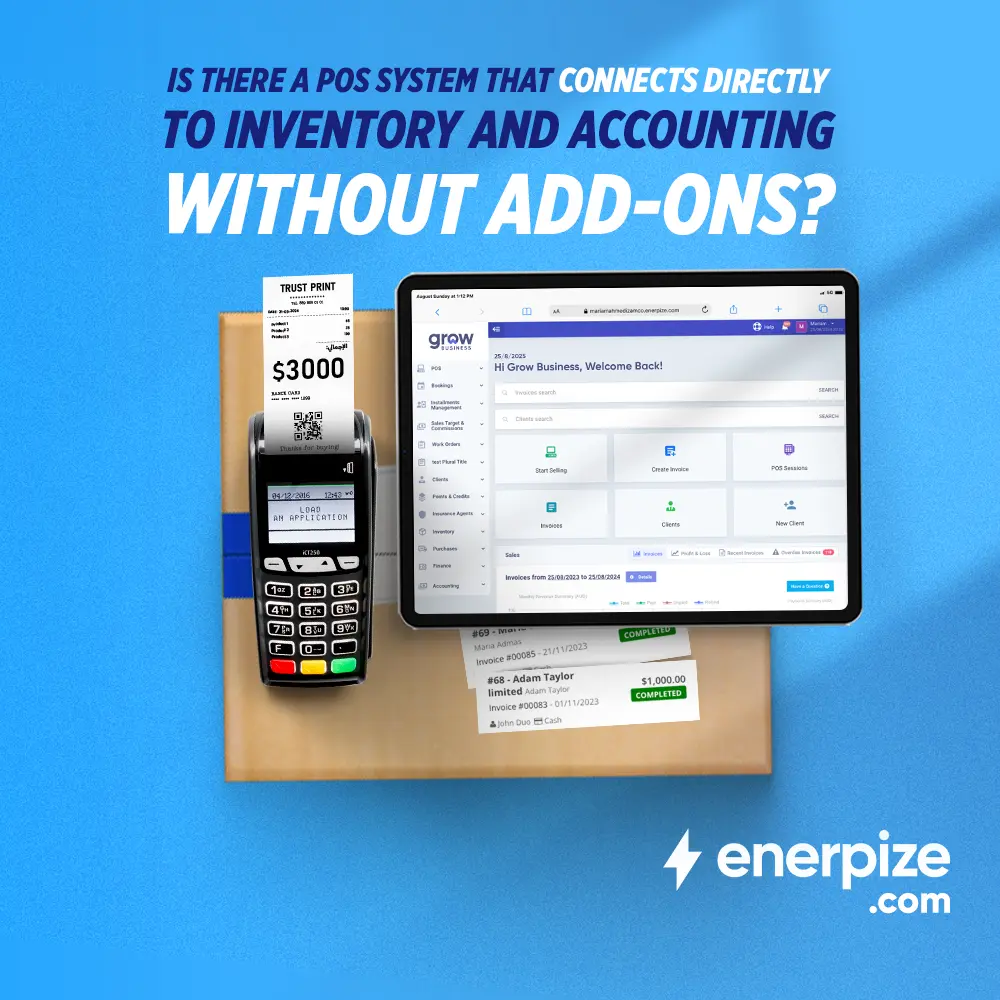
Is There a POS System That Connects Directly to Inventory and Accounting Without Add-Ons?
Read more Sales
Sales
What is Invoice Management: A Comprehensive Guide
Read more Sales
Sales
What Is an Invoice and What Does it Look Like? A Complete Guide
Read more Sales
Sales
Best Restaurant POS Systems And How To Choose One
Read more Sales
Sales
What Is the Best POS for Small Business and How to Choose the Right One
Read more Sales
Sales



