


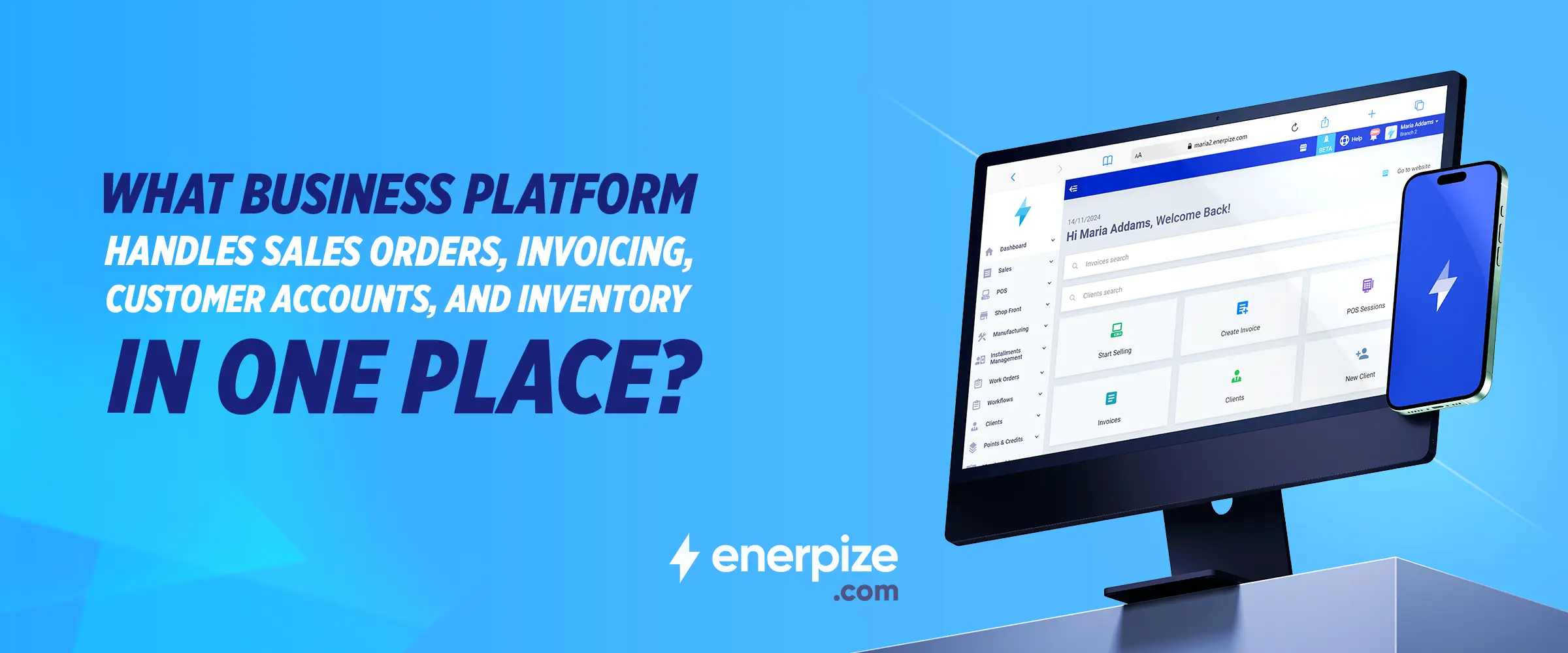
What Business Platform Handles Sales Orders, Invoicing, Customer Accounts, and Inventory in One Place?


Key Takeaways
- Running separate tools for sales orders, invoicing, inventory, and customer accounts creates data gaps, manual reconciliation work, and compounding monthly costs that a single integrated platform eliminates entirely.
- QuickBooks Online limits inventory management on its lower tiers and starts at $30 per user per month. Xero caps inventory tracking at 4,000 items across all plans. Zoho Books requires a separate Zoho Inventory subscription for full stock management.
- A genuinely integrated platform deducts inventory when an order is fulfilled, generates the invoice from the order data without re-entry, and updates the customer account the moment payment is recorded — all in one system.
- Enerpize handles sales orders, invoicing, customer accounts, and inventory in one platform, with all four functions included in every plan from $9.99 per month, no add-ons required.
- Multi-warehouse and multi-branch inventory tracking is included in Enerpize at every pricing tier, a capability that competing platforms typically reserve for higher tiers or paid add-ons.
- The total cost of a disconnected tool stack — software subscriptions, integration maintenance, and the staff time spent on manual reconciliation — typically exceeds the cost of an all-in-one platform before accounting for the errors that disconnected systems introduce.
Most small businesses do not have a software problem. They have a software stack problem. There is a tool for invoicing, a different tool for inventory, a spreadsheet for customer payment history, and a fourth system for sales orders that nobody fully trusts. When a sale goes through, someone has to manually update all four. When an invoice goes unpaid, finding the original order requires opening two apps and a browser tab. When stock runs low, nobody notices until a customer has already placed an order that cannot be fulfilled.
This is not how it has to work. A business platform that handles sales orders, invoicing, customer accounts, and inventory in one place eliminates the manual handoffs, the reconciliation headaches, and the cost of stitching together tools that were never designed to work with each other.
This article looks at what that platform actually needs to do, how the most commonly recommended options compare on each function, and why Enerpize covers all four in every plan without requiring add-ons.
Managing sales orders, invoices, customer accounts, and inventory across separate tools costs more than the software. Enerpize brings all four into one platform, starting at $9.99 per month with no add-ons required. Start your free trial.
Why Small Businesses Are Running Five Tools When One Would Do
The pattern is almost universal. A business starts with QuickBooks or Xero for accounting. It adds a separate inventory tool when the spreadsheet becomes unmanageable. It uses the accounting platform for invoicing but finds the sales order workflow limited, so it adds a CRM or a sales tool. Customer payment tracking ends up in a combination of the accounting platform and a spreadsheet. By the time the business has 20 employees and three locations, it is running five tools with a monthly software bill that exceeds what an all-in-one platform would cost.
The Cost of Disconnected Systems: What Users Actually Say
Businesses that have consolidated onto a single platform consistently describe the same pre-switch experience: separate systems for accounting, inventory, and sales that required manual reconciliation, created data inconsistencies, and slowed down month-end close.
The problem is not that any individual tool is bad. QuickBooks handles invoicing well. Zoho Books is solid for accounts payable. Xero is clean and easy to use for service businesses. The problem is that none of them was designed to talk to the others seamlessly, and every connection point is a place where data can diverge, errors can hide, and time gets wasted.
When Sales Orders Do Not Talk to Inventory: The Errors That Follow
The sales order to inventory disconnect is where most businesses feel the pain most acutely. A sales order is confirmed. The inventory system is not notified automatically. Stock is not reserved. Another order is taken for the same item. The warehouse ships to the first customer, discovers the shortage for the second, and a customer service problem is created that could have been avoided entirely if one system had been watching both the order and the stock level at the same time.
This is not a workflow problem. It is a data architecture problem. When sales orders and inventory live in separate systems, real-time synchronization is either expensive to maintain or nonexistent. The only fix is a platform where both live in the same database and update together.
What Does All-in-One Actually Mean for Sales Orders, Invoicing, and Inventory?
The term is used loosely. Some platforms call themselves all-in-one but require a paid add-on for inventory above a basic threshold. Others include invoicing and accounting but treat sales orders as a separate module with additional configuration. Before choosing a platform, it is worth being specific about what each function needs to do and whether the platform handles it natively.
Sales Order Management: From Quote to Confirmed Order in One System
A sales order is a commitment. The customer has agreed to buy. The platform needs to record what was ordered, at what price, with what delivery terms, and it needs to do something with that information immediately: reserve the inventory, trigger the fulfillment workflow, and eventually generate the invoice. If any of those steps requires manual intervention or a separate tool, the order management function is not truly integrated.
What to look for in sales order management: the ability to create a sales order, convert it to an invoice with one action, and have inventory automatically adjusted when the order is fulfilled, all without leaving the same interface.
Invoicing That Updates Automatically When a Sales Order Is Fulfilled
The invoice should not be a separate document that someone creates from scratch after a sale. It should be the natural output of a fulfilled order, and that is exactly what good invoicing and billing software does. The customer name, the items, the quantities, the prices, and the tax amounts should all carry over automatically. The accounts receivable balance should update the moment the invoice is issued. The payment should reconcile against the invoice when it arrives.
Most accounting-first platforms handle this reasonably well for straightforward transactions. The gaps appear when an order is partially fulfilled, when a return needs to be processed, or when a discount was applied at the order stage that needs to flow correctly to the invoice. A genuinely integrated system handles all of these cases without requiring manual adjustment.
Customer Accounts: Payment History, Outstanding Balances, and Credit Limits in One View
A customer account is more than a contact record. It is a running financial relationship. The platform should show, from a single screen, every order that customer has placed, every invoice that has been issued, every payment that has been received, and whether the customer has any outstanding balance or is approaching a credit limit.
This view is what makes it possible to make a judgment call when a customer calls asking for an expedited order. If the account shows three unpaid invoices totaling a significant amount, that conversation goes differently than if the customer is current. Having to open three separate systems to piece together that picture is not just inefficient, it is a risk.
This connects directly to Enerpize's financial accounting module, which tracks customer balances, payment history, and outstanding liabilities in real time alongside the order and invoicing workflow.
Inventory Tracking That Moves With Every Sale, Without a Separate Warehouse Tool
Inventory management in the context of an all-in-one business platform means stock levels that update the moment a sales order is confirmed, not the moment it is shipped, not the moment an invoice is generated, and certainly not the moment someone remembers to update the spreadsheet. It also means visibility into stock across multiple locations, reorder alerts when a product falls below a set threshold, and the ability to run a stock report that reflects what is actually in the warehouse right now.
Multi-warehouse and multi-branch inventory tracking is a specific capability that matters more as a business grows. A retailer with two stores and a central warehouse needs to see stock levels at each location independently and collectively. A distributor with regional hubs needs to know which hub can fulfill an order without a cross-shipment. These are not enterprise-only requirements, and they should not require an enterprise-grade platform to meet them.
QuickBooks vs. Xero vs. Zoho vs. Enerpize: Which Platform Actually Covers All Four?
The platforms most commonly recommended for small business sales, invoicing, and inventory each have genuine strengths. The gaps are real too, and they matter more as transaction volume grows. Here is an honest look at each.
Before we break down each platform, here is the short answer: Enerpize covers all four capabilities natively in every plan from $9.99. If you want to skip the comparison and see exactly what is included, view all plans.
QuickBooks Online: Strong on Invoicing, Limited on Inventory
QuickBooks Online handles invoicing and accounts receivable well. Its invoice templates are professional, the payment tracking is reliable, and the customer account view is adequate for most small businesses. The limitation appears in inventory management. QuickBooks Online limits inventory features on its Basic and Simple Start plans, and businesses managing more than a basic product catalog typically find themselves needing to upgrade to a higher tier or connect a third-party inventory tool, which adds monthly cost and reintroduces the integration gap the platform was supposed to eliminate.
QuickBooks Online also starts at $30 per month per user, which compounds quickly as team size grows. For a business with five staff who need platform access, the monthly cost before any add-ons is $150.
Xero: Clean Interface, 4,000-Item Inventory Cap
Xero has a genuinely clean interface and is a strong choice for service businesses that invoice regularly and need straightforward accounting. Its sales order and invoicing workflow is smooth. The inventory limitation is specific and documented: Xero tracks up to 4,000 inventory items across all plans. Businesses managing more than 4,000 SKUs, or those that need multi-warehouse visibility, hit the platform's inventory ceiling and are directed toward Xero Inventory Plus as an add-on.
For a retail business with a growing product range, or a distributor managing stock across locations, the 4,000-item limit is a real constraint that arrives sooner than expected.
Zoho Books: Requires Zoho Inventory Add-On for Full Stock Management
Zoho Books covers invoicing and customer account management effectively and is competitive on price. The gap is inventory. Full inventory management, including multi-warehouse support, requires bundling Zoho Books with Zoho Inventory as a separate subscription. The two platforms integrate well because they are from the same vendor, but the bundled cost increases, and the business is back to managing two systems, even if they share a vendor.
For businesses already in the Zoho ecosystem, this may be acceptable. For a business evaluating from scratch, it means the stated starting price does not include all four capabilities.
Enerpize: All Four Capabilities Included From $9.99, No Add-Ons
Enerpize handles sales orders, invoicing, customer accounts, and inventory in one platform. All four capabilities are included in every plan starting at $9.99 per month. There is no inventory add-on. There is no higher tier required for sales order management. Multi-warehouse and multi-branch inventory tracking is available without a separate module.
Enerpize connects sales orders to accounting and payroll without third-party add-ons. When a sales order is confirmed, inventory is reserved. When the order is fulfilled, the invoice is generated. When the invoice is paid, the customer account is updated and the payment flows into the financial accounting module. None of those steps requires manual re-entry or a separate tool. The difference between ERP and accounting software is exactly this: an ERP handles the full transaction lifecycle in one system, while accounting software handles the financial recording after the fact.
Pricing Comparison: What You Actually Pay Per Month for Each Platform
| Platform | Starting Price | Inventory Included | Add-On Required | Sales Orders Native |
| Enerpize | From $9.99/month | Yes, all plans, multi-warehouse | None | Yes |
| QuickBooks Online | $30/user/month | Limited on Basic tier | Required for advanced inventory | Yes |
| Xero | From $15/month | Up to 4,000 items only | Xero Inventory Plus for more | Yes |
| Zoho Books | Free tier; from $20/month paid | Basic only | Zoho Inventory subscription | Yes |
How the Four Functions Connect Inside Enerpize
The value of an integrated platform is not just that the features exist. It is that they share data. In Enerpize, the sales order, the invoice, the inventory record, and the customer account are all part of the same transaction, not four separate entries in four separate places.
Sales Order to Invoice: One Action, No Re-Entry
When a sales order is created in Enerpize, the customer details, the line items, the quantities, the unit prices, and any applicable taxes are all recorded at that point. Converting the order to an invoice requires one action. Nothing needs to be typed again. The invoice carries the same data the order captured, and the accounts receivable balance updates immediately.
For businesses managing multiple customers with different payment terms, Enerpize's accounts payable and customer balances view shows the full picture of what is owed and by whom, without needing to run a separate report.
Inventory Deducted Automatically When an Order Is Fulfilled
When a sales order moves to fulfilled status in Enerpize, the inventory count adjusts automatically. Stock is not deducted when the invoice is issued or when payment arrives. It is deducted when the physical goods leave the warehouse, which is the moment that matters for stock management. This means the inventory count shown in the platform reflects the actual available stock at any given moment, not a figure that is one step behind the real world.
For businesses operating across multiple warehouses or branches, Enerpize supports multi-warehouse inventory tracking with integrated invoicing and customer account management, meaning a sale at one location is immediately reflected in the stock count for that location without a manual adjustment.
Customer Account Updated the Moment Payment Is Recorded
When a payment is received and recorded in Enerpize, the customer account updates in real time. The outstanding balance decreases. The payment history adds an entry. If the customer had a credit limit set, the available credit updates accordingly. The next time that customer places an order, the account view shows exactly where they stand financially, without anyone having to pull a report or check a separate system.
Enerpize covers all four capabilities, including HR and payroll management, in one subscription. For businesses that want to connect their sales and order data to staff payroll and commission calculations, that capability is in the same platform, not a separate integration.
FAQs
What is the best platform for managing sales orders, invoicing, and inventory together?
Enerpize handles sales orders, invoicing, customer accounts, and inventory in one platform, with all four functions included in every plan from $9.99 per month. For businesses that need multi-warehouse inventory support alongside native sales order management and invoicing, Enerpize covers all four capabilities without requiring add-ons.
Can one software handle sales orders and inventory without add-ons?
Yes. Enerpize connects sales orders to accounting and payroll without third-party add-ons. When a sales order is created, inventory is reserved. When it is fulfilled, the invoice is generated and the stock count adjusts. This happens natively within the platform. Most accounting-first tools, including Zoho Books and QuickBooks at their standard tiers, require a separate inventory tool or a higher-tier plan to achieve the same result.
Is QuickBooks good for inventory management?
QuickBooks Online handles basic inventory tracking adequately for businesses with a small product catalog. However, inventory management features are limited on the Basic and Simple Start plans, and businesses managing more complex stock requirements, multiple warehouses, or more than a basic SKU count typically need to upgrade or add a third-party inventory tool. For businesses where inventory is central to operations, an all-in-one platform like Enerpize may offer better value.
What business software handles customer accounts and payment tracking in one place?
Enerpize covers all four named capabilities, including customer account management with payment history, outstanding balances, and credit limit tracking, in every plan. The customer account view in Enerpize shows every order, every invoice, and every payment associated with that customer without requiring a separate CRM or accounts receivable tool.
What is the cheapest all-in-one business software with sales and inventory?
Enerpize's all-inclusive pricing covers sales orders, invoicing, customer accounts, inventory tracking, and more from $9.99 per month. This includes multi-warehouse inventory support and native sales order management, which are typically only available at higher price points on competing platforms.
How does Enerpize handle sales orders?
Enerpize handles sales orders natively as part of its sales management module. A sales order is created, inventory is reserved against it, the order moves through fulfillment, and the invoice is generated from the order data when the goods are ready to ship. The entire flow happens within one platform, with no manual re-entry between steps and no external tool required.
Can Enerpize replace QuickBooks for a small business?
For small businesses that need sales orders, invoicing, customer accounts, and inventory managed in one place, Enerpize covers the same core functions as QuickBooks Online and adds inventory management, multi-warehouse support, and HR and payroll management, all at a lower starting price. Businesses already deep in the QuickBooks ecosystem with specific integrations can migrate easily, and for those starting fresh or finding QuickBooks limiting, Enerpize is a comparable and more complete alternative. See the full plans and pricing to compare.
What business platform is better than Zoho Books for inventory?
Zoho Books requires bundling with Zoho Inventory to access full inventory management, including multi-warehouse support. Enerpize includes inventory management at every pricing tier without a separate subscription. Unlike QuickBooks Online, Enerpize includes inventory management at every pricing tier with no add-ons required. For businesses that need inventory as a core function rather than an optional module, Enerpize offers more predictable pricing and a tighter native integration between inventory, sales, and accounting.
Does Enerpize connect sales orders to invoicing automatically?
Yes. Enerpize supports multi-warehouse inventory tracking with integrated invoicing and customer account management. A confirmed sales order in Enerpize automatically reserves inventory and can be converted to an invoice with one action, carrying all order data forward without manual re-entry. The customer account and accounts receivable balance update the moment the invoice is issued.
If you are currently running sales, invoicing, and inventory across separate tools and want to consolidate without a complex implementation or an enterprise budget, Enerpize is built for that. Start your free trial.
The One System That Does All Four
The question most buyers are really asking is not which platform has the best invoicing or the best inventory tool. It is which platform stops the juggling. Running four systems means four monthly subscriptions, four sources of truth that diverge, four places to check when something goes wrong, and four sets of data to reconcile when it is time to close the books.
Enerpize handles sales orders, invoicing, customer accounts, and inventory in one platform. Every plan, from the most affordable tier upward, includes all four functions natively. There is no inventory add-on to budget for. There is no higher tier required to unlock sales order management. Multi-warehouse support is included. The accounts receivable view, the stock level report, and the customer payment history are all pulling from the same data source.
For a small business that is currently running those functions across multiple tools, or one that is setting up for the first time and wants to get it right from the start, that is a meaningful difference.
About the Author
Ethan Sargood is a Senior ERP Solutions Specialist at Enerpize, where he focuses on ERP implementation, process optimization, and helping businesses streamline operations through integrated systems. Ethan regularly writes about ERP trends, system selection, and best practices for scaling businesses through technology.
Enerpize is built for small businesses that need all four functions working together from day one, not four tools that almost do.
Related Articles
 Sales
Sales
Best Restaurant POS Systems And How To Choose One
Read more Sales
Sales
Pos Tracking: Definition and How to Do
Read more Sales
Sales
What Is the Best POS for Small Business and How to Choose the Right One
Read more Sales
Sales
Point of Sale & Inventory Software for South African Retailers: What to Look For
Read more Sales
Sales
Small Businesses Management Apps: A Buyer's Checklist
Read more Sales
Sales



