


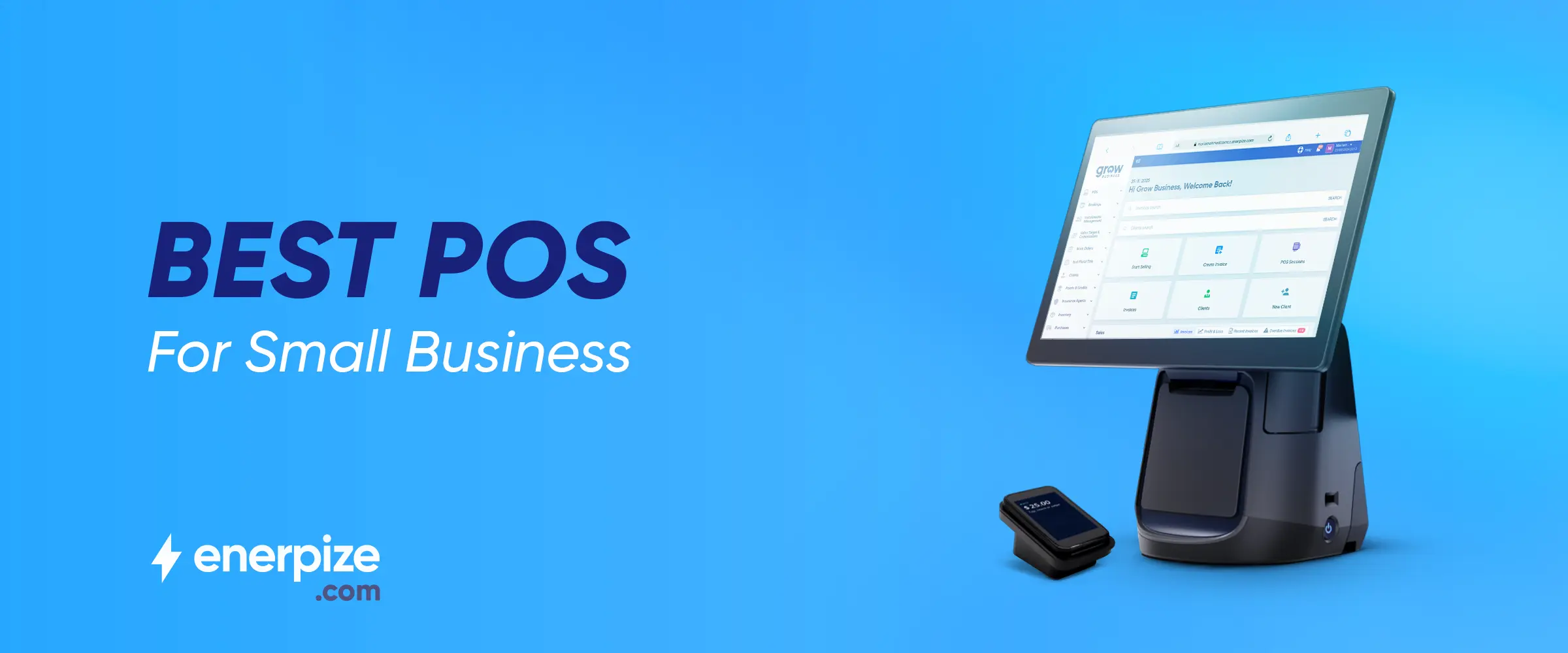

Picking a point-of-sale system for a small business isn’t as simple as choosing the most popular option or the one with the longest feature list. The right POS depends on how your business actually operates day to day.
Whether you’re managing tables in a busy restaurant, tracking inventory in a retail shop, or scaling across multiple locations. Each setup comes with its own demands, from payment speed and reporting depth to integrations and staff management tools.
Before making a decision, it’s worth looking beyond the surface. A good POS should not only handle transactions smoothly but also support your workflow, uncover insights about your sales, and grow with your business.
That means understanding which features are essential, what costs might be hiding beneath the pricing plans, and how security is handled behind the scenes. With the right approach, you can choose a system that doesn’t just process payments, but actually helps run your business better.
Key Takeaways
- A POS system is the operational core of your business, not just a payment tool.
- The “best” POS depends on your business type, workflow, and growth plans.
- Always define your needs first before comparing features or providers.
- Focus on usability and real-world performance, not just feature lists.
- Choose a system that can scale with your business over time.
- Integration with accounting, eCommerce, and other tools is essential for efficiency.
- Look beyond upfront pricing and evaluate total long-term costs.
- Reliable hardware, platform choice, and system stability matter for daily operations.
- Strong reporting, inventory tracking, and customer insights help drive better decisions.
- Test the system before committing and involve your team in the process.
- Vendor support, training, and contract terms are just as important as the software itself.
What Is a POS System?
A POS (point-of-sale) system is the setup a business uses to complete sales and accept payments, whether at a checkout counter, on a tablet, or through an online store. It combines hardware (such as card readers, registers, or tablets) and software that records and tracks transactions, tracks sales, and helps manage day-to-day operations.
At its core, a POS system handles payments quickly and securely. But it usually does much more than that. It can log each sale, monitor inventory, generate reports, and simplify administrative tasks such as tracking revenue and managing staff activity. In many businesses, it acts as the central hub that keeps everything running smoothly behind the scenes.
There are several types of POS systems, each designed for different needs. Basic POS terminals primarily process card payments. Retail systems include features such as inventory tracking and sales reporting for stores and pop-ups. Restaurant POS platforms often include tools for table management, kitchen orders, and online bookings.
Mobile POS systems run on smartphones or tablets, making them ideal for businesses on the move. Cloud-based POS solutions, meanwhile, store data online, giving you easy access to your business information from anywhere.
Download our free POS system Template to simplify transaction management easily.
Why Small Businesses Need a POS System?
Running a small business without a reliable POS system today is a bit like trying to keep books without a calculator; it slows you down and leaves too much room for error. That’s why adoption has grown rapidly, with over 12 million small businesses globally now using cloud-based POS systems.
Here are the benefits of a good POS and why your business needs one:
1- Faster, smoother checkout
A POS system speeds up transactions and reduces mistakes, helping you serve more customers efficiently while accepting cards, contactless payments, and mobile wallets.
2- Automatic sales tracking
Every POS transaction is recorded instantly, so you don’t have to rely on manual logs or guesswork when reviewing your performance.
3- Real-time inventory management
Stock levels update automatically as you sell, making it easier to restock popular items and avoid disappointing customers.
You may download our free stock valuation spreadsheet to track stock value, monitor costs, and manage inventory more efficiently.
4- All sales channels in one place
Whether you sell in-store, online, or at events, a POS system connects everything so you can manage your business from a single dashboard.
Explore more on this topic: What Are the Types of POS Transactions? A Guide with Examples
5- Better customer insights and loyalty
Track purchase history, collect customer data, and run promotions or loyalty programs that encourage repeat business.
6- Improved team management
Monitor employee activity, track sales performance, and simplify scheduling or payroll tasks.
7- More opportunities to increase sales
Suggest add-ons, upsell products, and use customer data to promote relevant offers at the right time.
8- Stronger security and compliance
Modern POS systems protect sensitive payment data with encryption and help you meet industry security standards.
9- Access to real-time business insights
Built-in reports and dashboards give you a clear view of sales trends, busy periods, and overall performance.
A POS system isn’t just a tool for taking payments; it’s what keeps your business organized, efficient, and ready to grow.
Enerpize can bring all these benefits together in one simple, powerful POS system. It helps you manage sales, track inventory, accept multiple payment methods, and gain real-time insights, so you can run your business more efficiently and grow with confidence.
Read also: What Is a POS Purchase on a Bank Statement?
What to Look for in the Best POS for Small Business
Choosing the right POS system isn’t about picking the most popular option; it’s about finding what actually fits how your business operates today and how it will grow tomorrow.
1- Inventory management
A strong POS should track stock in real time, send low-stock alerts, and make it easy to manage large product catalogs. This helps you avoid running out of bestsellers or overstocking slow-moving items.
2- Sales reporting and analytics
Look for built-in reports that show sales trends, top products, and busy hours. These insights help you make smarter decisions about pricing, promotions, and inventory planning.
3- Flexible payment processing
Your POS should accept multiple payment methods—cards, cash, mobile wallets, and more, while ensuring fast and secure transactions at checkout.
Continue your learning with: POS Payment: Meaning, Processing, and Best Systems
4- Customer relationship management (CRM)
A POS with CRM features allows you to store customer data, track purchase history, and create loyalty programs or targeted promotions to boost repeat business.
5- Employee management tools
Features like time tracking, permissions, and performance monitoring help you manage your team efficiently and maintain accountability.
6- Multi-channel sales support
If you sell online and in-store, your POS should bring all sales into one system, giving you a complete view of your business across every channel.
7- Integrations with business tools
Choose a system that connects easily with accounting software, eCommerce platforms, and marketing tools to streamline your operations and reduce manual work.
8- Reliable POS hardware
Make sure the system supports essential hardware like barcode scanners, receipt printers, card readers, and cash drawers to keep your checkout running smoothly.
9- Security and compliance
Data protection is critical. Your POS should include secure payment processing, encryption, and compliance with industry standards to protect your business and customers.
10- Scalability and ease of use
Finally, your POS should be simple to use while still flexible enough to grow with your business—whether that means adding new locations, users, or features over time.
The best POS system should simplify your daily operations, helping you save time, serve customers better, and run your business more efficiently.
Enerpize POS system brings all these essential features together in one powerful, all-in-one system, combining sales, inventory, accounting, CRM, and reporting with flexible hardware, multiple payment options, and real-time cloud access, so small businesses can run smarter, sell anywhere, and grow with confidence from day one.
Best POS for Small Business Depends on Your Business Type
There’s no single “best” POS system for every business. The right choice depends on how you sell, what you sell, and the level of control you need over your operations. Instead of choosing based on brand alone, it’s more useful to match a POS system to your specific business use case.
For example, a retail store with heavy foot traffic has very different needs compared to a mobile service provider or a small café. That’s why evaluating POS systems based on business type helps you make a smarter, more practical decision.
Below is a simple way to think about it:
| Business Type | What to Look For in a POS System |
| Retail stores | Strong inventory management, barcode scanning, multi-channel sales, and hardware like receipt printers and cash drawers |
| Restaurants & cafés | Fast checkout, menu management, order tracking, bill splitting, and kitchen communication tools |
| Service-based businesses | Appointment scheduling, invoicing, and customer tracking for ongoing relationships |
| Mobile businesses | Portable devices, offline payments, and the ability to accept payments anywhere |
| Beauty & wellness | Booking systems, staff scheduling, customer profiles, and loyalty programs |
| Multi-location businesses | Centralized reporting, synced inventory, and visibility across all branches |
| Inventory-heavy businesses | Advanced stock tracking, purchase management, and integration with accounting systems |
This approach makes it easier to focus on what truly matters for your day-to-day operations. Instead of getting overwhelmed by features you may never use, you can prioritize the tools that directly support your workflow.
The best POS system is the one that fits seamlessly into your business model—helping you work faster, stay organized, and deliver a better experience to your customers.
Read Also: Best Restaurant POS Software
How to Compare POS Systems
With so many POS systems available, choosing the right one can feel overwhelming. The key is to compare options based on how well they fit your business, not just on features or brand popularity.
1- Start with your business needs
Before comparing systems, define what you actually need. Consider your business type, size, and daily challenges. A retail store, restaurant, or service business will each require different tools and workflows.
2- Evaluate core functionality
Look at what the system can do beyond processing payments. Strong POS systems should support inventory management, invoicing, reporting, and customer tracking—all in one place.
3- Check ease of use
A POS should be simple to set up and easy for your team to use. Complicated systems slow down operations and increase training time.
4- Compare hardware options
Some systems require specific devices, while others are more flexible. Think about whether you need terminals, tablets, barcode scanners, or mobile devices, depending on how you sell.
5- Review integrations
Your POS should work seamlessly with your existing tools, such as accounting software, CRM systems, or eCommerce platforms. Good integration reduces manual work and improves accuracy.
6- Look at automation capabilities
The best systems automate repetitive tasks like inventory updates, reporting, and even parts of accounting. This saves time and reduces human error.
7- Assess payment flexibility and security
Make sure the system accepts multiple payment methods and meets security standards like PCI compliance to protect customer data.
8- Compare costs carefully
Don’t just look at the upfront price. Consider hardware costs, monthly fees, transaction charges, and any hidden costs that may affect your budget long term.
9- Consider scalability
Choose a system that can grow with your business. It should allow you to add more users, locations, and features without needing to switch platforms later.
10- Test before you decide
Whenever possible, try a demo or free trial. This gives you a real sense of how the system works and whether it fits your operations.
Comparing POS systems effectively ensures you select a solution that supports your workflow, streamlines operations, and helps you run your business more efficiently.
Enerpize POS system covers the key features you look for when comparing POS systems: easy use, flexible hardware, inventory tracking, reporting, secure payments, and key integrations. It helps keep daily operations organized and simple, whether you run a single store or multiple locations.
5 Best pos for small business
1- Enerpize
Enerpize is a cloud-based POS system built to manage both online and in-store sales while connecting core business operations like inventory, accounting, CRM, and invoicing in one place.

Main features
- Unified online and in-store sales management with barcodes, categories, units, and serial numbers
- Full hardware compatibility (barcode scanners, scales, printers, cash registers, handheld and mobile devices)
- Multiple payment methods, including cash, card, check, partial, and split payments
- Order history tracking across devices, sales points, and employees
- Inventory-linked product details with stock visibility and pricing rules
- Promotions, discounts, bundles, and targeted offers
- Customer directory with purchase history and loyalty programs
- Cash management tools (cash in/out, shifts, treasury tracking)
- Employee management with shifts, permissions, and performance tracking
- Reporting, business intelligence, and analytics dashboards
- Integration with accounting, CRM, and e-invoicing compliance
Pros
- Combines POS, inventory, accounting, and CRM in one system
- Works across multiple devices and hardware setups
- Strong support for both online and physical sales channels
- Flexible payment and checkout options, including split and partial payments
- Useful automation for discounts, promotions, and inventory tracking
- Cloud-based access with real-time updates and synchronization
- Suitable for a wide range of industries and business sizes
Cons
- Broad feature set may feel overwhelming for very small or simple businesses
- Requires setup and configuration to fully customize workflows
- Best value comes when multiple modules (inventory, CRM, accounting) are used together
Pricing
- Basic plan – $9.99/month (billed $120/year)
- Advanced plan – $29.95/month (billed $359/year)
- Premium plan – $41.63/month (billed $500/year)
Enerpize is designed for businesses that want everything connected in one system—from selling and payments to inventory, customer management, and reporting—so operations stay organized as they grow.
2- Square
Square is a popular POS choice for small cafés and bars because it’s quick to set up, easy to use, and works smoothly with simple hardware like an iPad and card reader. It’s designed for fast-paced service without unnecessary complexity.

Key Features
- Simple payment processing (in-person and online)
- Menu and basic inventory management
- Table and order tracking
- Built-in online store integration
- Customer loyalty and marketing tools
- Integration with accounting software
Pros
- Very easy to set up and use
- Clean, intuitive interface for staff training
- Strong integrations with tools like accounting and eCommerce platforms
- Works well for both in-store and online sales
- Good all-in-one system for small businesses
Cons
- Limited customization compared to more advanced POS systems
- Can feel basic for larger or more complex business operations
- Initial setup may feel slightly confusing for some users due to multiple features
Pricing
- Basic plan – $0/month (free plan, ideal for small businesses)
- Plus plan – $29/month
- Custom plan – custom pricing available
Square is best suited for small, fast-moving businesses that want a simple, reliable POS system without the complications of setup or unnecessary features.
3- Toast
Toast is a restaurant-focused POS system built specifically for food service operations. It’s designed to handle busy dine-in environments with tools that support faster ordering, smoother kitchen communication, and better table management. It can scale from small single-location restaurants to larger multi-branch operations.
Key Features
- Tableside ordering with handheld devices
- Table management and seating control
- Split checks and flexible payment options
- Kitchen Display System (KDS) integration
- Online ordering and delivery management
- Built-in restaurant reporting and analytics
- Wide range of add-ons and integrations
- Hardware built for restaurant environments (handhelds, terminals, KDS screens)
Pros
- Purpose-built for restaurants and food service operations
- Strong tools for dine-in workflows (orders, tables, kitchen coordination)
- Scales well from small restaurants to larger, multi-location setups
- Durable and easy-to-use hardware options
- Supports online ordering and third-party delivery integrations
- Flexible system with add-ons to expand features as needed
Cons
- Can take time to fully learn and configure, especially for menu setup and modifiers
- Costs can increase with add-ons and processing fees
- Payment processing rates are relatively high compared to some competitors
- Customer support consistency may vary depending on the user experience
Pricing
- Starter plan – $0/month (Starter Kit; limitations, higher processing fees, and 2-year contract)
- POS plan – $69/month
- Custom plan – custom pricing available
Toast is a strong fit for restaurants that want a system built specifically for dine-in service and capable of growing over time, but it works best when you’re prepared for a bit of setup and ongoing cost management.
4- Lightspeed
Lightspeed is designed for restaurants that are expanding and need stronger control over inventory, reporting, and operations without jumping straight into an enterprise system.

Main features
- Advanced inventory management across products and locations
- Menu engineering and detailed sales reporting
- Loyalty program and gift card tools
- Integrations with accounting, delivery, and reservation systems
- Multi-location tracking and performance insights
Pros
- Strong fit for businesses that are scaling and need more structure
- Detailed reporting helps track sales trends and performance
- Good inventory control for managing larger or growing menus
- Supports loyalty and customer engagement tools
- Works well for restaurants moving beyond basic POS systems
Cons
- Can take time to learn compared to simpler POS systems
- Some users may find setup and navigation more complex
- Occasional delays or lag when updating items in the system
- Limited integrations in some cases, depending on setup
Pricing
Standard plan – $89–$239/month (plus add-ons available)
Lightspeed is best suited for restaurants that are growing and need more than a basic POS. It’s built for operators who want deeper insights and tighter control over inventory, staff, and sales as they scale.
5- Shopify
Shopify POS is designed for businesses that already use Shopify for online selling. It connects your in-store and online operations into one system, making it easier to manage inventory, sales, and customers across both channels.
Key Features
- Unified online and in-store sales management
- Real-time inventory syncing across channels
- Integration with Shopify apps and tools
- Mobile-friendly POS interface
- Product and customer data synchronization
- Centralized order management
Pros
- Seamless connection between eCommerce and physical store
- Simple to use, especially for Shopify store owners
- Fast and efficient checkout experience
- Helps keep inventory and sales data consistent across channels
- Wide app ecosystem for added functionality
Cons
- Best suited for businesses already using Shopify
- Limited flexibility outside the Shopify ecosystem
- Some advanced customization options may be restricted
- Certain features may depend on third-party apps
Pricing
- POS Lite plan – $0/month (plus the cost of your Shopify subscription)
- POS Pro plan – $89/month/location
Shopify POS works best for businesses that want to unify their online and offline sales in one place, especially if they already run their store on Shopify.
Common Mistakes When Choosing a POS System
Choosing the right POS system can shape how smoothly your business runs day to day. It’s no longer just a tool for processing payments; it sits at the center of sales, inventory, customer data, and reporting.
Yet many business owners still make avoidable mistakes when selecting one, often leading to higher costs, inefficiencies, or even the need to replace the system entirely.
Here are the most common mistakes to watch out for, and how to avoid them.
1. Not Fully Understanding Your Business Needs
One of the biggest missteps is choosing a POS system without clearly defining what your business actually requires. Every operation is different. A retail store, a café, and a multi-location business all have very different workflows.
When businesses skip this step, they often end up with systems that are either too basic or unnecessarily complex.
What to do instead:
Map out your daily operations. Identify must-have features such as inventory tracking, CRM, reporting, and table management. The goal is to find a system that fits how your business works—not force your team to adapt to the system.
2. Choosing Based on Features, Not Workflow
It’s easy to get caught up comparing feature lists. But more features don’t always mean better performance.
A system might look impressive on paper, but slow down transactions, confuse staff, or complicate simple tasks during busy hours.
What to do instead:
Focus on usability in real scenarios. Think about checkout speed, ease of training, and how staff interact with the system during peak times.
3. Ignoring Scalability
Many small businesses choose a POS system that works for them today, but can’t support future growth. This often leads to replacing the system within a year or two.
What to do instead:
Look for scalability from the start. Your POS should support growth in products, transaction volume, new locations, and integrations. A scalable system saves time, money, and disruption down the line.
4. Overlooking Integration Capabilities
A POS system doesn’t operate in isolation. It needs to connect with accounting tools, e-commerce platforms, marketing systems, and more.
Without proper integration, businesses often deal with duplicate data entry, errors, and wasted time.
What to do instead:
Choose a system that integrates easily with your existing tools or offers flexible APIs. Smooth data flow across systems is essential for efficiency.
5. Focusing Only on the Price
Low upfront cost can be tempting, but it often hides long-term expenses like subscriptions, support fees, hardware upgrades, or transaction costs.
In some cases, “free” systems come with higher processing fees or restrictive contracts.
What to do instead:
Evaluate the total cost of ownership. Ask about ongoing fees, upgrade costs, and support charges. A slightly higher upfront investment can deliver better value over time.
6. Ignoring Hardware and Platform Decisions
Choosing between different platforms, such as Windows- or Android-based POS systems, is often overlooked, yet it affects performance, compatibility, and long-term flexibility.
Hardware reliability is just as critical. Poor-quality devices can fail under pressure, especially in fast-paced environments.
What to do instead:
Match the platform to your operations. Consider durability, performance, and how the system will perform under daily workload conditions.
7. Neglecting User Experience
A complicated POS system slows down service, frustrates staff, and increases training time. This becomes especially problematic during busy hours.
What to do instead:
Look for a clean, intuitive interface. Test how quickly new staff can learn it. A user-friendly system improves efficiency and reduces costly mistakes.
8. Underestimating Support and Training
Many businesses don’t think about support until something goes wrong. Poor customer service can lead to long downtime and lost sales.
What to do instead:
Choose a vendor known for reliable support. Ensure they offer training, onboarding, and accessible help when issues arise.
9. Overlooking Security
Handling payments and customer data comes with responsibility. Weak security can expose your business to fraud and data breaches.
What to do instead:
Look for systems with encryption, secure authentication, and compliance with industry standards like PCI DSS.
10. Not Testing Before Buying
Skipping trials or demos is a common but costly mistake. What looks good in a demo might not work well in real-life operations.
What to do instead:
Always test the system. Run real scenarios, involve your staff, and evaluate how it performs in your actual workflow.
11. Ignoring Vendor Reputation and Contracts
Choosing a POS vendor is entering a long-term relationship. Some providers lock businesses into rigid contracts or offer limited flexibility.
What to do instead:
Research the vendor carefully. Check reviews, support quality, and contract terms—especially financing agreements and exit conditions.
A POS system should simplify your operations, not complicate them. The best choice isn’t the most advanced or the cheapest—it’s the one that aligns with your workflow, supports your growth, and integrates smoothly into your business.
Taking the time to evaluate your options properly can save you from costly mistakes and set your business up for long-term success.
FAQs About the Best POS for Small Business
What is the best POS system for small business?
There’s no single “best” POS system for every small business. The right choice depends on how your business operates. For example, Enerpize works well for businesses that want an all-in-one system (POS, inventory, CRM, and accounting).
Square is ideal for simple setups and quick onboarding, Toast is built for restaurants, Lightspeed suits growing operations, and Shopify POS is best for businesses combining online and in-store sales.
Is there a free POS system for small businesses?
Yes. Some providers like Square offer free POS plans with basic features such as payment processing and simple reporting. However, these often come with limits or extra fees for advanced tools. If you need more complete functionality (inventory, accounting, CRM), a system like Enerpize may be a better long-term option even though it’s paid.
Which free POS software is best?
For a simple, easy-to-use free option, Square is a popular choice for small businesses. But if your business requires more advanced features or plans to grow, solutions like Enerpize can offer more value beyond the limitations of free plans.
What is the best and cheapest POS?
“Best” and “cheapest” don’t always go together. Free or low-cost options like Square can be a good starting point, but they may have limitations or charge transaction fees. Systems like Enerpize offer more advanced features at a low monthly cost, potentially providing better long-term value depending on your needs.
Can I use my phone as a POS system?
Yes. Mobile POS (mPOS) systems like Enerpize allow you to use a smartphone or tablet to accept payments and manage sales. This is especially useful for mobile businesses, pop-ups, or businesses that need flexibility in serving customers.
Conclusion
Choosing the right POS system is less about finding the most advanced technology and more about finding the right operational fit for your business. From handling transactions and tracking inventory to managing staff and generating insights, your POS system plays a central role in how efficiently your business runs.
The best decisions come from understanding your workflow, comparing systems based on real needs, and thinking beyond short-term costs. When you prioritize usability, scalability, integrations, and long-term value, your POS becomes more than a checkout tool—it becomes a system that supports growth, improves decision-making, and keeps your operations organized.
Taking the time to evaluate your options carefully, test systems in real scenarios, and avoid common mistakes will help you choose a POS solution that works with your business—not against it.
Related Articles
 Sales
Sales
Best Restaurant POS Systems And How To Choose One
Read more Sales
Sales
Point of Sale & Inventory Software for South African Retailers: What to Look For
Read more Sales
Sales
Pos Tracking: Definition and How to Do
Read more Sales
Sales
What Business Platform Handles Sales Orders, Invoicing, Customer Accounts, and Inventory in One Place?
Read more Sales
Sales
What is Invoice Management: A Comprehensive Guide
Read more Sales
Sales



