Posted on 1 June 2026
Free Blank Invoice Template Download — PDF, Word, Excel & Google Docs
- Covers all ten required invoice fields so nothing gets missed before you send.
- Compliant with US sales tax documentation standards and UK HMRC VAT invoice requirements.
- Works for service businesses, product sellers, contractors, freelancers, and small businesses of any type.
- Downloads instantly in PDF, Word, Excel, Google Docs, and Google Sheets — no signup required.
A blank invoice template is a free, pre-formatted document you fill in with your business details, line items, tax, and payment terms — then send to your client as a professional request for payment.


Every business owner has been there. You finish a job, you need to send an invoice, and you either dig through your email for the last one you sent or spend twenty minutes rebuilding one from scratch in Word. A blank invoice template solves that immediately, download it once, fill it in, send it. No software subscription, no learning curve, no formatting headaches.
This page gives you free blank invoice templates in every major format, PDF, Word, Excel, Google Docs, and Google Sheets, along with everything you need to fill one out correctly, stay compliant in the US and UK, and avoid the mistakes that quietly cause late payments.
If you already send more than ten invoices a month and want the whole process automated, Enerpize handles everything, tax calculations, payment tracking, automated reminders, and client records.
Ready to skip the template entirely? Enerpize generates professional invoices in seconds, pre-fills your business details, calculates tax automatically, and sends your client a clean PDF. Start for free.
What Is a Blank Invoice Template?
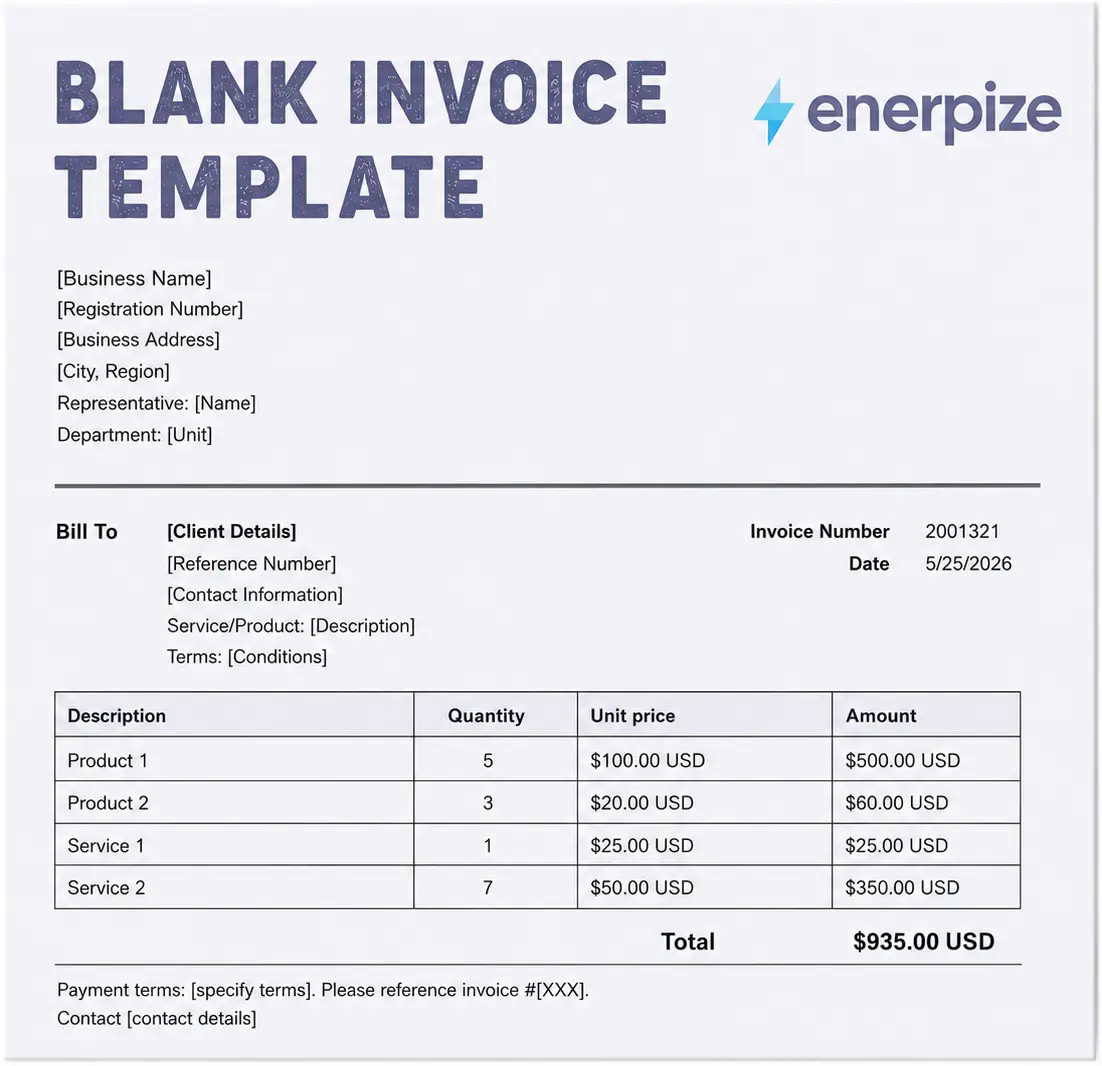
A blank invoice template is a pre-formatted document with empty fields for the details of a transaction, who is billing whom, what was provided, how much it costs, and when payment is due. If you want a deeper breakdown of what is an invoice and how it works, we have a full guide on that. You fill in the fields, save the document, and send it to your client as a request for payment.
It is not the same as a receipt. An invoice goes out before payment, it is the request. A receipt comes after payment, it is the confirmation. If a client asks for proof they paid you, that is a receipt. If you are asking them to pay you, that is an invoice. Mixing these up causes confusion and occasionally disputes, so it is worth being clear on from day one.
Blank invoice templates come in several formats, PDF, Word, Excel, Google Docs, and the right choice depends on how you work and how much customization you need. All of them serve the same fundamental purpose: making it easy to request payment in a professional, organized way.
What Every Blank Invoice Must Include
A blank invoice template only works if the right information goes into it. Missing fields are one of the most common reasons clients delay payment, not because they are trying to avoid paying, but because their accounts payable team has a checklist and genuinely cannot process anything that does not clear every item on it. Save yourself the back-and-forth and get these ten fields right from the start.
1. Your business name and contact information Your full name or business name, address, phone number, and email. If you are VAT-registered in the UK, your VAT number lives here. Same goes for a business registration number in the US if you have one. The point of this section is simple, you need to look like a business, not like someone who put together a document in a hurry and forgot to introduce themselves.
2. Your client's name and contact information Who you are billing, where they are, and any internal reference number they use to match invoices against purchase orders. That last part gets skipped more often than it should. Large companies run invoices through approval systems that require a PO match before anything gets paid, if your invoice does not have their reference number on it, it goes into a manual review queue and sits there until someone deals with it. Ask for the PO number before you send the first invoice, not after you have been waiting three weeks wondering where your payment is.
3. A unique invoice number Every invoice needs its own sequential number, full stop. This is how you know which invoices have been paid, which are outstanding, and which one a client is referring to when they email you. Pick a format, 001, 0001, 2026-001, and stick to it. The specific format does not matter nearly as much as the consistency. Gaps in your invoice numbering are the kind of thing that raises questions during an audit, so keep the sequence clean.
4. Invoice date and due date The invoice date is when you sent it. The due date is when you expect the money. Net 15, Net 30, Net 60, take your pick depending on your industry and your relationship with the client, but pick one and write it on every invoice. An invoice without a due date is not an invoice with flexible terms, it is an invoice with no terms at all. Clients will pay it whenever it is convenient for them, which could be a very long time from now.
5. A description of goods or services provided This is the field that separates invoices that get paid quickly from invoices that generate a string of clarification emails before anything happens. "Consulting" is not a description. "Work completed" is meaningless. "Content strategy consultation, 3 sessions, April 8 to April 22, covering editorial calendar structure and SEO brief framework" is a description. The more specific you are, the less room there is for a client to claim confusion, and the faster your invoice moves through their approval process.
6. Quantity, unit price, and line total For every line item, show the quantity, the rate, and the total for that line. Even if you are billing a flat project fee with no hourly component, still format it as one line item with a quantity of 1 and a unit price equal to the full amount. It keeps your invoices consistent and makes them easier to read regardless of the billing structure.
7. Subtotal The sum of all your line items before tax or discounts touch it. Always break this out as its own line, do not skip from individual items straight to a grand total. Your client needs to verify your math before tax is applied, and most accounting systems require a pre-tax subtotal as a separate field for reconciliation purposes anyway.
8. Tax amount Show the rate and the exact amount. In the US that means state sales tax where applicable. In the UK it means VAT. Never fold tax into your line item prices and present a single blended total, it creates real problems for clients whose finance teams need to separate the tax portion for their own VAT returns or expense reporting. Show it clearly, label it correctly, and make it easy for everyone involved to see exactly what they are paying for.
9. Total amount due The bottom line. Subtotal plus tax, minus any discounts. Make this number the most visually prominent thing on the invoice, larger font, bold, whatever your template supports. This is the only number your client actually needs to act on, so do not make them hunt for it.
10. Payment terms and accepted payment methods Tell your client exactly how to pay you and when. Bank transfer details, a payment link, a card processor, checks, list whatever applies to your setup. Then add your late payment policy. "A 1.5% monthly fee applies to invoices unpaid after 30 days" is the standard language and it is completely reasonable to include on every invoice you send. Most clients who read it will not think twice about it. But it does move your invoice up their mental priority list, even for the ones who never planned to pay late.
How to Fill Out a Blank Invoice Template — Step by Step
Filling out a blank invoice takes less than five minutes once you have done it a couple of times. The first one always takes longer, you are figuring out your numbering system, deciding how to describe your services, working out whether you need to charge tax. After that it becomes muscle memory. Here is the full process:
Step 1 — Add your business details Your name or business name, address, phone, and email go at the top. If you have a logo, drop it in here. This is the first thing your client sees when they open the invoice, so it is worth taking thirty seconds to make sure it looks clean and professional rather than like something you threw together in five minutes.
Step 2 — Add your client's details Fill in the "Bill To" section with your client's name, their company name if relevant, and their billing address. If they have given you a purchase order number, add it here as a reference. Larger clients especially tend to have accounts payable teams that will not process an invoice without a matching PO number, ask upfront if you are not sure.
Step 3 — Assign an invoice number and date Give this invoice a unique number that continues from your last one. Add today's date as the invoice date, then calculate your due date based on whatever payment terms you have agreed. If nothing was agreed, Net 30 is the standard default.
Step 4 — List your line items This is the part most people rush and then regret. Describe each product or service specifically, not "consulting" but "brand strategy session, 3 hours at $120/hr." Specific descriptions reduce the number of clarification emails you get before payment is released, which means you get paid faster.
Step 5 — Calculate your subtotal and tax Add up your line items for the subtotal. Then apply the correct tax rate for your location and show the tax as a separate line. If you are genuinely not sure whether you are supposed to be charging tax on what you sell, that is a question for your accountant, not something to guess at on an invoice going to a client.
Step 6 — Add your total and payment instructions State the final total clearly and tell your client exactly how to pay you. Bank details, a payment link, a mailing address for checks, whatever applies to your setup. If you charge a late fee, this is where it goes. Even if you never enforce it, having it on the invoice tends to move payment along faster than leaving it off.
Step 7 — Review, save, and send Read through the whole thing once before it goes out. Check the client name, the amount, and the due date, these are the three fields most likely to have a typo. Save a copy somewhere you can find it later, then send it. Done.
Blank Invoice Requirements by Country
A generic blank invoice template works for most transactions, but if you are billing clients in the US or UK there are specific requirements that affect what your invoice must include. Getting these right matters, in the UK, a non-compliant VAT invoice can mean your client cannot reclaim their VAT, which creates friction and delays.
Blank Invoice Template for the US
There is no single federal invoice format requirement in the United States. The IRS does not mandate a specific invoice layout for most small businesses. What does matter is that your invoice documents the transaction clearly enough to support your tax filings and, where applicable, your state sales tax obligations.
The key US-specific considerations for your blank invoice template are:
Sales tax: If you sell taxable goods or services, you are likely required to collect and remit state sales tax. Sales tax rates and rules vary significantly by state, some states tax services, others do not. Your invoice should show the applicable sales tax rate, the tax amount as a separate line item, and the total including tax. Do not roll tax into your price without showing it separately, as this creates issues for clients who need to reconcile their own accounts. Contractors working under AIA contracts have their own specific requirements, see our AIA G702/G703 template for that.
For service businesses: Most service businesses in the US are not required to charge sales tax, but this varies by state and service type. When in doubt, consult a tax professional or your state's department of revenue.
Payment terms language: US clients — particularly larger companies with formal accounts payable departments — typically expect to see Net 30 or Net 60 terms stated clearly. Many will not process an invoice that does not include payment terms.
No VAT number required: Unlike the UK, the US does not operate a VAT system. You do not need a VAT or GST number on a standard US invoice.
Blank Invoice Template for the UK
The UK has more specific requirements, particularly for VAT-registered businesses. HMRC requires that a full VAT invoice includes all of the following:
- A unique sequential invoice number
- Your business name and address
- Your VAT registration number
- The invoice date
- The tax point date (if different from the invoice date)
- Your client's name and address
- A description of the goods or services supplied
- The quantity and unit price for each item
- The VAT rate applied to each item
- The total amount excluding VAT
- The total VAT amount charged
- The total amount including VAT
- Any cash discount offered
If you are not VAT-registered — which is the case for businesses below the current £90,000 registration threshold — you cannot charge VAT and should not include a VAT number or VAT line on your invoice. A simplified invoice is sufficient for transactions under £250 including VAT.
One practical note for UK freelancers and contractors: the payment terms you state on your invoice are legally enforceable under the Late Payment of Commercial Debts Act. If a client pays late without a valid reason, you are entitled to claim statutory interest. Stating your payment terms clearly on every invoice is not just good practice, it gives you a legal foundation if you need to chase a debt.
Blank Invoice Templates by Business Type
Not every blank invoice template works equally well for every type of business. The fields that matter for a freelance designer are completely different from what a contractor billing in installments needs, and using the wrong structure creates confusion on both sides of the transaction. Here is how to think about it depending on what you do:
Blank Invoice for Service Businesses
If you charge by the hour, the three numbers your client needs to see immediately are your hourly rate, the number of hours worked, and the time period those hours cover. Do not make them do the math — show the calculation clearly. A short project description at the top also helps, especially if you are working with clients who are managing multiple projects at once and need context before they even look at the numbers.
Net 15 or Net 30 are the standard payment terms for service businesses. If you work on a monthly retainer, keep the retainer fee as its own line item and list any overage hours separately underneath it. Mixing them together into a single figure is how billing disputes start.
Blank Invoice for Product and Goods Sellers
Product invoices need more columns than service invoices. At minimum you need a SKU or product code, a description, quantity, unit price, and line total. If you sell a lot of different items to the same client regularly, the product code is what allows their purchasing team to match your invoice against their own records without emailing you for clarification every time.
If you offer volume discounts, show the math transparently, original price, discount amount, discounted price. Clients who are getting a good deal should be able to see it clearly on the invoice rather than having to work it out themselves. Shipping costs always go on their own line, never rolled into the product price.
Blank Invoice for Contractors and Builders
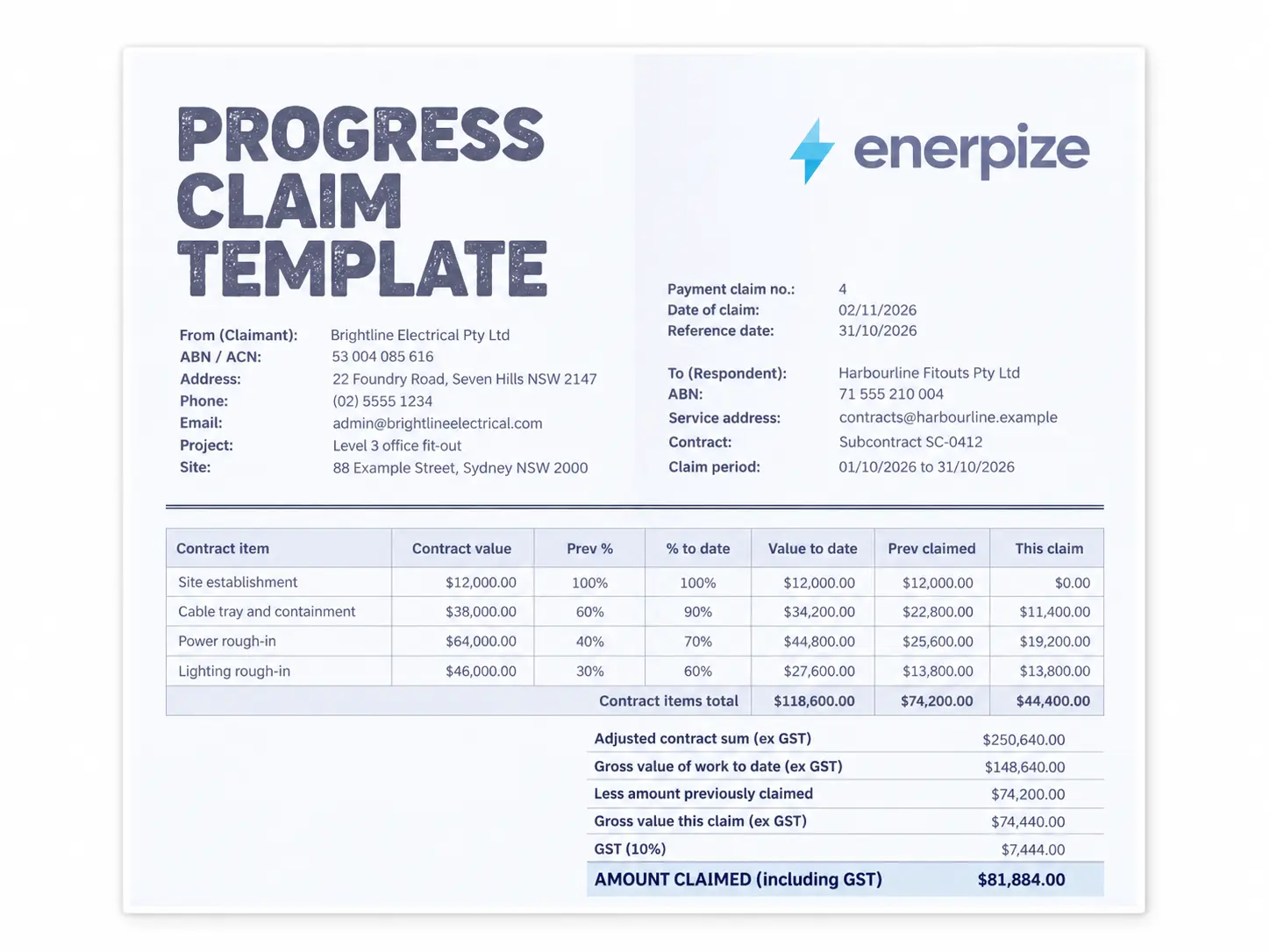
Construction invoicing is genuinely more complex than most people expect when they first start. If your contract involves retainage — where the client holds back a percentage of each payment until the project hits substantial completion — a standard blank invoice template is not going to cut it without significant customization. You need to show the gross amount billed for the period, the retention amount being withheld, and the net amount that is actually due right now. You also need a running total of what has been billed cumulatively across all periods, so both you and the client can track progress against the full contract value.
Most contractors end up either heavily modifying a blank template or moving to dedicated software because of exactly this. A generic invoice does not have retainage fields, milestone references, or period billing built in — and adding them manually every time is the kind of work that starts eating hours you should be spending on the job.
Blank Invoice for Freelancers
Freelance invoicing has its own quirks. If you are working with clients who manage a lot of vendors — which is most mid-size companies — adding a project name or reference number at the top of your invoice makes their lives easier and tends to speed up your payment as a direct result. Their accounts payable team is processing dozens of invoices; anything that makes yours easier to match and approve moves it to the front of the queue.
Net 30 is the default in freelance work, but it is absolutely worth negotiating shorter terms upfront, particularly with new clients. Net 15 is reasonable and many clients will agree to it without pushback if you ask before the project starts rather than after you send the first invoice. And put a late fee clause on every invoice, not because you will necessarily enforce it, but because its presence on the document signals that you track your invoices and follow up on them. That alone tends to change how quickly people pay.
How Enerpize Replaces Your Blank Invoice Template
A blank invoice template works well when you are starting out or sending invoices occasionally. As your client list grows, the manual work compounds — re-entering the same details, calculating tax by hand, chasing unpaid invoices without any system to track them. This is the point where most small business owners either accept the inefficiency or look for a better tool.
Enerpize is built for businesses that have outgrown the template stage but do not want the complexity or cost of enterprise accounting software.
Invoicing in Any Format, Instantly Create and send professional invoices from any device in seconds. Enerpize pre-fills your business details, calculates line item totals automatically, and exports a clean PDF ready to send. Every invoice is stored and timestamped, so you always have a record without managing a folder of Word documents.
Tax Calculation Built In Whether you are billing clients in the US where state sales tax applies, or in the UK where VAT invoices must meet HMRC's 13-point requirements, Enerpize calculates the correct tax amount per line item automatically. You set your tax rate once; the system applies it consistently across every invoice you generate.
Retainage and Partial Payment Invoicing For contractors and builders who bill in installments or withhold retainage, Enerpize generates contractor invoices with retention amounts calculated and clearly shown. Retainage is tracked against the total contract value and released at project close without a separate manual entry — a capability no blank template can replicate.
Payment Tracking and Automated Reminders A blank invoice template has no memory. Enerpize tracks every invoice from sent to viewed to paid, and sends automated payment reminders before and after the due date so you spend less time chasing clients. Outstanding balances, overdue invoices, and payment history are visible in one dashboard.
Client and Product Records Saved Automatically Stop re-entering the same client address and product descriptions on every invoice. Enerpize saves your clients, line items, pricing, and tax settings so each new invoice takes seconds instead of minutes. Multiple price lists are supported, so you can maintain client-specific or project-specific rates without overwriting your standard pricing.
Multi-Branch Support If you operate across locations, Enerpize handles it natively. Each branch runs its own invoicing workflow while reporting rolls up to a single account view, something a shared blank template folder simply cannot provide.
Ready to replace your blank template? Enerpize invoices in seconds, tracks payments automatically, and keeps your books clean. Start for free.
Common Mistakes When Using a Blank Invoice Template
Most invoicing problems are not caused by difficult clients. They are caused by invoices that are incomplete, unclear, or inconsistent. These are the mistakes that show up most often:
No invoice number Skipping invoice numbers seems harmless until you have thirty invoices saved as "Invoice — Client Name — Month" and no way to quickly identify which ones have been paid. Sequential numbering is the single easiest record-keeping habit you can build from day one.
Missing or incorrect tax If you are required to charge sales tax or VAT and you do not include it on the invoice, you either absorb the cost yourself or have to send a revised invoice, both of which are avoidable problems. Equally, if you charge tax when you are not registered to do so, you are creating a compliance issue. Know your obligations and reflect them correctly every time.
No payment terms stated An invoice without a due date is an invoice that will be paid whenever your client gets around to it. Always state your payment terms — Net 15, Net 30, Due on Receipt — so there is no ambiguity about when you expect to be paid.
Vague line item descriptions "Services rendered" and "consulting work" are not descriptions — they are placeholders that invite questions and occasionally disputes. The more specific your descriptions, the less back-and-forth you have to deal with before payment is released.
No late fee policy You do not have to enforce it every time, but stating a late fee on your invoice establishes that late payment has a cost. Many businesses report that simply including a late fee clause reduces average payment times, even when the fee is never actually charged.
Using the same template for different business types A product invoice and a service invoice need different fields. A contractor invoice needs retainage fields that a freelance invoice does not. Using a one-size-fits-all template and leaving irrelevant fields blank looks unprofessional and can confuse clients about what they are actually being charged for.
Not keeping copies Every invoice you send should be saved in a retrievable format. A folder of PDFs named consistently is fine. An invoicing system that logs them automatically is better. Losing track of sent invoices creates gaps in your revenue records that become a real problem at tax time.
If you want to understand how professional invoice management works at scale, the difference between a template and software becomes very clear very fast.
Blank Invoice Template vs. Invoice Software — When to Upgrade
A blank invoice template is the right tool for a specific stage of business. It costs nothing, requires no training, and gets the job done when you are invoicing a small number of clients infrequently. The honest question is: at what point does the template start costing you more in time and errors than software would cost in fees?
Here is a practical comparison:
Feature | Blank Template | Enerpize |
|---|---|---|
| Cost | Free | Free to start |
| Customization | Manual | Automated with saved settings |
| Tax calculation | Manual | Automatic |
| Payment tracking | None | Full dashboard |
| Automated reminders | None | Yes |
| Client history | None | Saved automatically |
| US and UK tax compliance | Manual | Customizable |
| Retainage and partial billing | Requires heavy customization | Native feature |
| Multi-branch support | Not possible | Yes |
The tipping point for most businesses is somewhere between 10 and 20 invoices per month. Below that, a template is perfectly reasonable. Above it, the time spent managing, tracking, and following up on invoices manually is almost always greater than the cost of a basic invoicing tool.
How to Send a Blank Invoice
Filling out the invoice is only half the job. How you send it affects how quickly you get paid and how professionally your business comes across.
Send as a PDF Always export or save your completed invoice as a PDF before sending. A Word document or Excel file can be accidentally edited by the recipient, which creates disputes about what was originally agreed. PDF locks the content in place.
Use a clear email subject line Your invoice email subject line should follow a consistent format: Invoice #[Number] from [Your Business Name] — Due [Date]. This makes it easy for your client's accounts payable team to find, process, and file the invoice without asking you to resend it.
Keep the email body short You do not need a long covering message. One or two sentences is enough, something like: "Please find attached Invoice #0042 for [service description], due [date]. Let me know if you have any questions." Busy clients appreciate brevity.
Follow up before the due date A short, polite reminder a few days before the due date is not aggressive, it is good business practice. Many late payments happen simply because the invoice got buried in an inbox. A brief follow-up email moves it back to the top.
Emailed invoices are legally valid in both the US and the UK In the US, electronically delivered invoices are treated the same as paper invoices for tax and legal purposes under the E-SIGN Act. In the UK, HMRC explicitly accepts digital invoices as long as they contain all required information. You do not need to mail a paper copy unless your client specifically requests one.
Key Takeaways
- A blank invoice template gives you a free, immediate way to request payment professionally — available in PDF, Word, Excel, Google Docs, and Google Sheets.
- Every invoice needs ten core fields: your details, client details, invoice number, dates, line items, subtotal, tax, total, payment terms, and payment method.
- US invoices have no federal format requirement but must reflect state sales tax obligations correctly; UK invoices for VAT-registered businesses must meet HMRC's 13-point VAT invoice checklist.
- Different business types need different invoice structures — service businesses, product sellers, contractors, and freelancers each have field requirements that a generic template may not cover out of the box.
- The most common invoicing mistakes — missing invoice numbers, vague descriptions, no payment terms, no late fee clause — are all avoidable with a properly set up template.
- When you are sending more than 10 to 20 invoices per month, the time cost of managing templates manually typically exceeds the cost of dedicated invoicing software.
Frequently Asked Questions
What should I include on a blank invoice template?
Every invoice needs your business name and contact details, your client's details, a unique invoice number, the invoice date, the payment due date, a description of goods or services, quantity and unit price for each line item, subtotal, tax, total amount due, and your accepted payment methods. Including your payment terms and a late fee policy is also strongly recommended.
Is a blank invoice template free to use?
Yes. The blank invoice templates on this page are completely free to download in PDF, Word, Excel, Google Docs, and Google Sheets formats. No signup or credit card is required.
What is the difference between a blank invoice and a receipt?
An invoice is sent before payment — it is a request for payment. A receipt is issued after payment — it is proof that payment was received. You send an invoice to tell a client what they owe; you issue a receipt to confirm they have paid.
Can I use a blank invoice template for my small business?
Yes, a blank invoice template works well for small businesses that invoice clients occasionally. If you are sending more than ten or fifteen invoices per month, dedicated invoicing software will save you significant time on data entry, tax calculations, and payment tracking.
What is the legal invoice format in the UK?
VAT-registered businesses in the UK must issue invoices that meet HMRC's requirements, including your VAT registration number, the VAT rate and amount per line item, the total excluding VAT, and the total including VAT. Businesses below the VAT registration threshold of £90,000 are not required to issue VAT invoices but must still provide clear documentation of the transaction.
Do I need to charge sales tax on my invoice in the US?
It depends on your state and the nature of your goods or services. Most states require sales tax on physical goods. Tax on services varies significantly by state. If you are unsure whether your transactions are taxable, consult your state's department of revenue or a tax professional.
How do I number my invoices?
Start with 001 or 0001 and increment by one for every invoice you send. Many businesses use a format that includes the year — for example, 2026-001 — so that invoice numbers remain unique and easy to sort over time. Never reuse or skip invoice numbers, as this creates gaps in your records that can raise questions during an audit.
When should I move from a blank template to invoicing software?
The practical threshold for most businesses is somewhere between 10 and 20 invoices per month. At that volume, the time spent manually entering data, calculating tax, tracking payment status, and following up on overdue invoices adds up to several hours a month. Invoicing software like Enerpize automates all of those steps and typically costs less per month than the time you would spend doing them manually.
About the Author
Omar El Bahr is a Senior Digital Growth Specialist at Enerpize, where he leads SEO, content strategy, and organic growth across international markets. He is a Forbes Communications Council contributor and has written for Entrepreneur. Connect with Omar on LinkedIn.