Posted on 24 December 2025
Company Policy Template Word & Google Docs
- The company policy template is available in Word and Google Docs.
- It maintains all company policies in a structured, easy-to-update format to ensure consistency and compliance.
- Documents acknowledgment through an integrated log to verify understanding and adherence.
- Ideal for small businesses seeking to simplify policy management and foster accountability.


What is the Company Policy Template?
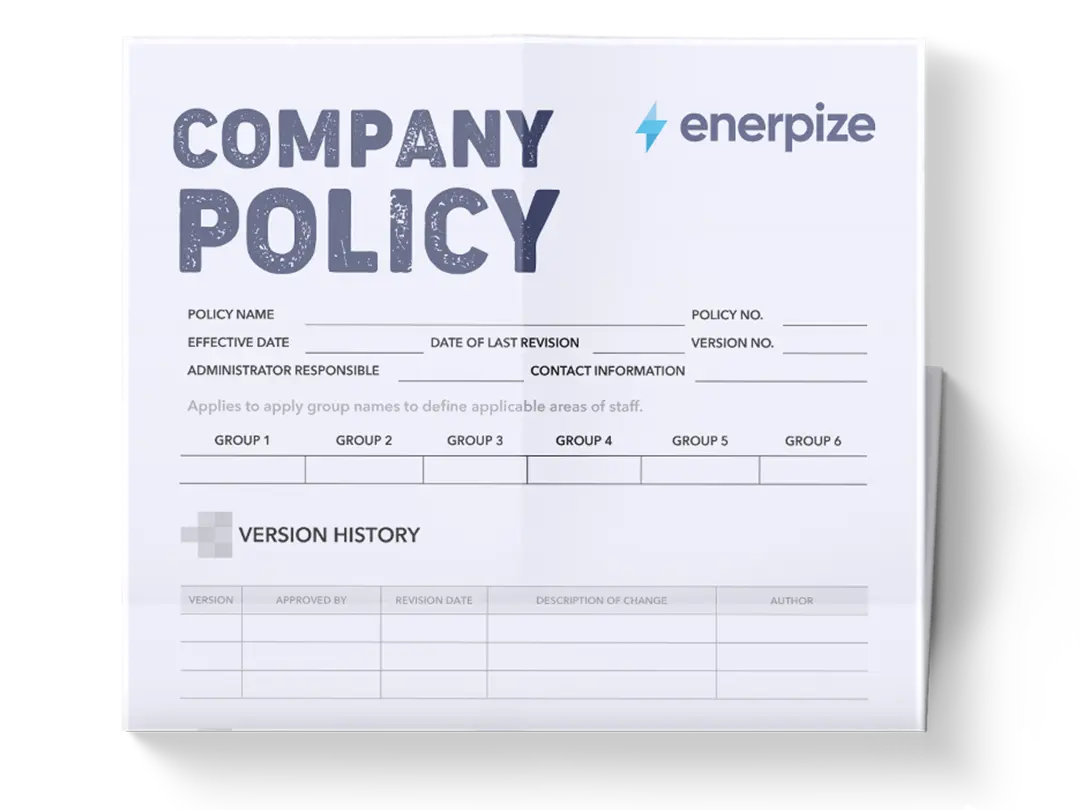
A company policy template organizes and maintains workplace policies efficiently. It provides a structured approach for creating policies, documenting procedures, assigning responsibilities, and ensuring compliance with legal, ethical, and operational standards.
This template is particularly valuable for small businesses that need a systematic approach to policy management without investing in complex software. Each section ensures clarity, accountability, and traceability.
What Does The Company Policy Template Contain?
Policy Register
Provides a centralized list of all company policies, including IDs, names, categories, owners, version numbers, status, and key dates.
Acknowledgment Log (Employee Sign-Off)
Records of which employees have read, understood, and signed off on each policy. To ensure accountability, demonstrate compliance, and serve as evidence during audits or legal inquiries.
Policy Status Tracker
Tracks the latest review date, reviewer, and review outcome for each policy. This helps maintain up-to-date policies and prevents outdated or non-compliant procedures from being applied.
Compliance Overview
Summarizes active, draft, and due-for-review policies. To offer management a high-level snapshot of policy health and prioritize attention to policies approaching review or needing updates.
Policy Manual
Contains the full policy text, including purpose, scope, statements, procedures, roles, exceptions, compliance, and acknowledgment sections. To ensure that all employees have access to standardized policies in a professional and readable format.
Revision History
Documents updates, authors, and version changes over time, providing transparency, enabling version tracking, and supporting audit requirements.
How to Use the Company Policy Template
1- Start with the Policy Register
- Assign a unique Policy ID and name for each policy.
- Categorize the policy (e.g., Ethics, HR, IT).
- Identify the policy owner and assign a version number.
- Update status (Active, Draft, or Archived) and set effective and next review dates.
2- Document Employee Acknowledgment
- Record each employee who has read and acknowledged the policy.
- Track acknowledgment dates and policy versions to ensure compliance.
3- Maintain Policy Status Tracker
- After reviews, log the reviewer’s name, date, and outcome.
- Highlight policies that are due for review to prevent compliance lapses.
4- Populate the Compliance Overview
The template uses data from the policy register and status tracker to summarize active, draft, and overdue policies, to identify gaps or policies needing updates for strategic planning.
5- Draft Policies in the Word/Print version
- Fill in purpose, scope, and detailed policy statements.
- Include procedures, roles, exceptions, and compliance monitoring instructions.
- Attach the revision history and acknowledgment sections for completeness.
6- Review and Approve
- HR or compliance teams review policies for accuracy and legal alignment.
- Update version numbers as necessary and record in the revision history.
7- Distribute and Collect Sign-Offs
- Share policies with employees in digital or printed format.
- Ensure all staff complete acknowledgment forms, and log entries are updated.
8- Monitor and Update
- Regularly review active policies, audit acknowledgment logs, and update next review dates.
- Use the compliance overview to track adherence and prepare for audits.
Related Templates
Annual Business Report Template
Small Business Expenses Spreadsheet Template
Importance of the Company Policy Template
Consistency Across the Organization
Standardization ensures that every employee, regardless of department or location, receives the same guidance on expectations, procedures, and acceptable behavior. For example, a “Code of Conduct” policy will define acceptable workplace behavior uniformly, reducing confusion and disputes. Consistent policies also simplify training and onboarding by providing a single, authoritative source of reference.
Regulatory Compliance
Maintaining a comprehensive template ensures that small businesses can meet legal, ethical, and industry standards. For instance, labor laws on leave, working hours, and data privacy regulations may be reflected in specific policy sections. Having these policies formally documented minimizes the risk of violations, fines, or legal disputes.
Employee Accountability
With the acknowledgment log integrated into the template, organizations can confirm that every employee has read and understood the policy. This is particularly important for roles that handle sensitive data or perform high-risk tasks, such as IT security or financial operations. It creates a verifiable record that employees are aware of the rules, thereby strengthening compliance and reducing potential liability.
Efficient Policy Management
The template’s structured format—registers, trackers, and compliance overviews—reduces administrative effort. HR teams can quickly identify outdated policies, monitor active vs. draft statuses, and schedule reviews. For example, the “Policy Status Tracker” clearly flags policies overdue for review, ensuring no important updates are missed.
Audit Preparedness
Every entry in the template—from version history to employee sign-offs—serves as proof of policy management and communication. During internal or external audits, having a complete record of revisions, reviews, and acknowledgments demonstrates the company’s commitment to governance and regulatory adherence.
Supports Strategic Decision-Making
The template provides actionable insights for management. By analyzing which policies are due for review, frequently updated, or have low acknowledgment compliance, leaders can prioritize resources, focus training efforts, and address areas where employees may need more guidance.
Enhances Organizational Culture
Clear policies promote fairness, transparency, and trust. Employees know what to expect and what is expected of them, which contributes to a positive workplace culture. For instance, a clearly defined remote work policy prevents misunderstandings about eligibility, equipment usage, or performance expectations.
Who Can Use the Company Policy Template?
HR Teams and Compliance Officers
HR departments can leverage this template to centralize policy creation, version tracking, and compliance monitoring. For example, HR can quickly see which policies need updates, assign reviewers, and monitor acknowledgment rates without manual tracking.
Small Business Owners
For small business owners, a small business company policy template provides a professional governance structure without investing in expensive software. It ensures that even with a lean team, policies are properly documented, employees are accountable, and the business remains compliant with labor and safety regulations.
Department Heads and Team Managers
Managers can use the template to implement department-specific procedures while aligning with company-wide policies. For example, a sales manager may enforce a travel expense policy that complements the overall company expense guidelines, ensuring consistency while addressing operational nuances.
Employees
Employees benefit from clarity and direction. By referring to the template, staff understand organizational expectations, reporting procedures, and the consequences of non-compliance. A detailed acknowledgment process also empowers employees to take responsibility for understanding key policies, reducing confusion and potential disputes.
Auditors and Legal Advisors
Auditors rely on clear, comprehensive documentation. This template enables legal teams or external auditors to quickly verify that policies are up to date, clearly communicated, and effectively enforced. It also provides a defensible record in case of regulatory scrutiny or legal disputes.
Remote Teams and Global Operations
In companies with multiple offices or remote employees, the template ensures consistency across locations and time zones. Policies, procedures, and acknowledgment requirements can be uniformly applied, creating a cohesive and compliant organizational environment.
Training and Onboarding Programs
New hires can be introduced to company expectations systematically using this template. Onboarding teams can provide the manual along with acknowledgment forms, ensuring all new employees are aligned from day one and reducing the need for repetitive explanations and minimizing miscommunication.