Posted on 7 December 2025
Free Tax Spreadsheet Template for Excel & Google Sheets
- The tax spreadsheet template is available in Excel and Google Sheets.
- It organizes business income, adjustments, deductions, tax brackets, and payments into a structured, calculation-ready format.
- Helps individuals and small business owners estimate federal tax liability more accurately before filing.
- Ideal for freelancers, W-2 earners with side income, consultants, and sole proprietors looking for a simplified tax estimation tool.


What is the Tax Spreadsheet Template?
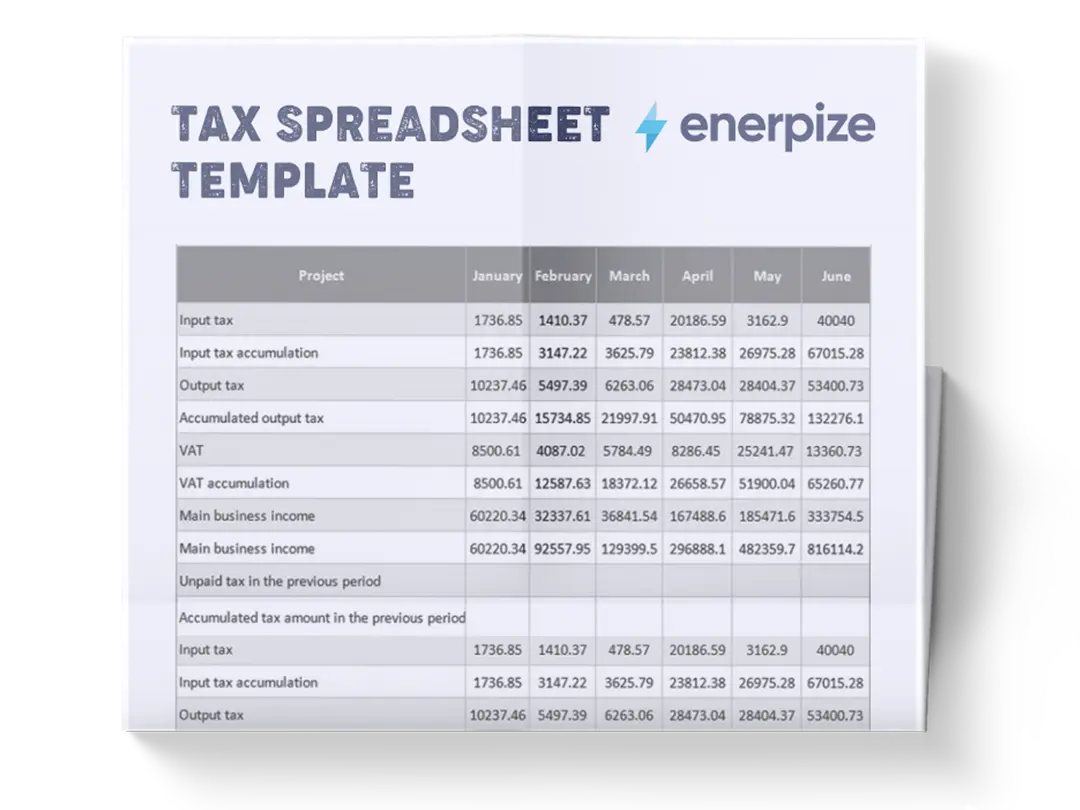
The small business tax spreadsheet template helps small business owners calculate estimated federal taxes with clarity and precision. It organizes all essential tax components into a clear sequence that mirrors how taxable income and federal tax liability are actually computed.
Using a tax deduction spreadsheet template can guide you through income inputs, business-related calculations, self-employment tax determination, and final tax liability assessment, cause it transforms complex IRS formulas into an accessible, step-by-step workflow.
Want your tax liability calculated automatically all year? Enerpize tracks your business income and expenses in real time so your numbers are always ready — no manual updates, no end-of-quarter scramble. Try Enerpize Free.
What Does the Tax Spreadsheet Template Contain?
Business Income
- Gross Receipts/Sales (SME): The total business revenue before any expenses or deductions.
- Cost of Goods Sold (COGS): Direct costs associated with producing goods or delivering services. For businesses with complex product lines, a dedicated cost of goods sold template can help you calculate this figure accurately before entering it here."
- Total Business Expenses: General operating expenses not included in COGS.
- Net Business Profit (A): Profit remaining after subtracting COGS and business expenses from gross receipts.
Adjustments
- W-2 Wages: Employment income earned as a traditional employee, separate from business income.
- Other Taxable Income: Additional taxable income not tied to W-2 wages or business profit.
- Net Earnings for SE Tax: IRS-defined share of business profit subject to self-employment tax.
- Self-Employment Tax: The calculated amount owed for Social Security and Medicare from self-employment income.
- Half SE Tax Deduction: The deductible portion of self-employment tax applied when determining AGI.
- Adjusted Gross Income: Total income after adjustments, establishing the baseline for deductions and taxable income.
Deductions
- Standard Deduction: The preset deduction amount available for single filers.
- Itemized Deductions: Itemized expenses that may replace the standard deduction if higher.
- Deduction Used: Automatically selects the higher of standard or itemized deductions.
- Taxable Income: Income subject to federal income tax after applying deductions.
Tax Calculations
- Tax on 10% Bracket: Calculation of tax owed on income falling within the lowest bracket.
- Tax on 12% Bracket: Tax applied to income falling within this middle bracket.
- Tax on 22% Bracket: Tax calculation for income within the 22% bracket range.
- Tax on Higher Brackets: Placeholder category for income surpassing the 22% bracket threshold.
Payment & Refund
- Federal Tax Withheld: Taxes withheld by an employer and applied toward the total tax owed.
- Estimated Payments Made: Quarterly estimated tax payments the user has already submitted.
- Total Payments: Combined tax withheld and estimated payments.
- Refund / (Amount Owed): Final reconciliation between payments and total tax liability
How to Use the Tax Spreadsheet Template
1- Start in the BUSINESS INCOME section
Enter your total gross receipts or sales in the Business Income section, followed by the cost of goods sold and all business expenses. Once these figures are entered, the spreadsheet calculates Net Business Profit (A).
2- Proceed to the ADJUSTMENTS & AGI section
Input your W-2 wages and any other taxable income, such as interest. The template then computes your Net Earnings for SE Tax (92.35% of your business profit) and the resulting Self-Employment Tax. It also automatically calculates the Half SE Tax Deduction and uses these values to determine your Adjusted Gross Income (AGI).
3- Review the DEDUCTIONS section
The template presents both the Standard Deduction and your itemized deductions. You only need to enter your itemized amount; the sheet automatically selects the higher of the two as your Deduction Used.
4- Move into the TAX CALCULATIONS section
Based on the Taxable Income already computed, the template calculates the tax owed across each federal bracket segment: 10%, 12%, 22%, and higher brackets if applicable. It then sums these into Total Income Tax.
5- Review your Total Tax Liability
The sheet automatically adds your Self-Employment Tax to your income tax to compute your complete federal tax obligation.
6- Scroll to the PAYMENTS & REFUND section
Enter your W-2 federal tax withheld and any estimated payments you've already made during the year. These inputs determine your Total Payments.
7- Check your final result: Refund / (Amount Owed)
The template subtracts Total Payments from Total Tax Liability to show whether you owe additional tax or qualify for a refund.
8- Review all entries for accuracy
Since every section interconnects, any mistake in earlier entries, especially business income or deductions, will flow downstream into your final tax liability.
Still calculating manually every quarter? Enerpize tracks your income and expenses year-round and generates tax-ready reports automatically. Start for free.
Importance of the Tax Spreadsheet Template
Accurate Federal Tax Estimation
This tax deduction spreadsheet template consolidates all essential tax components into one sheet, allowing you to estimate your tax liability with much higher accuracy than relying on unorganized notes or mental calculations. Following the federal tax computation flow precisely reduces guesswork and ensures that each figure contributes correctly to your final tax outcome.
Clear Visibility Into Self-Employment Tax
Many first-timers miss how significant the self-employment tax can be. By separating Net Earnings for SE Tax, calculating SE Tax explicitly, and then applying the deduction, the template clarifies the true cost of working independently, helping users plan more responsibly.
Better Financial Planning Throughout the Year
With a structured view of income, expenses, and expected taxes, users can adjust their estimated payments, prepare for tax season earlier, and avoid penalties. Pair this template with a financial analysis report to convert your tax data into forward-looking business decisions. The template makes year-round planning more strategic rather than reactive.
Helps Identify Deduction Optimization Opportunities
Because the template requires you to enter itemized deductions next to the standard deduction, it provides immediate visibility into whether itemizing actually benefits you. This is especially useful for taxpayers who toggle between the two depending on the year.
Reduces Filing Errors
By breaking calculations into sections that mirror IRS logic, the template lowers the risk of miscalculating taxable income, misapplying brackets, or overlooking self-employment tax. This improves accuracy when filing through tax software or with an accountant.
Who Uses the Tax Spreadsheet Template?
Freelancers and Independent Contractors
These users often juggle irregular income streams and complex tax obligations. The template helps them consolidate business income, track deductible expenses, compute self-employment tax, and estimate their final liability without needing accounting software.
Small Business Owners and Sole Proprietors
Owners with straightforward operations benefit from seeing revenue, expenses, and taxes laid out in a clean, structured format. It supports better decision-making, budgeting, and compliance.
W-2 Employees With Side Income
Those who earn wages but also run a small side business or freelance can combine both income streams in one place. The template shows the interplay between W-2 withholding and taxes owed from self-employment.
Early Filers and Financial Planners
Anyone who needs a reliable pre-filing estimate—for quarterly planning, loan applications, or budgeting—can use the template to model their likely tax outcome far before submitting their return.
Students, New Taxpayers, and DIY Filers
Because the template visually breaks down each step of the tax calculation, it doubles as a learning tool. It teaches the structure of federal tax computation while giving the user hands-on experience running real numbers.
Common Tax Mistakes This Template Helps You Avoid
Most tax errors don't happen because people are careless. In fact, many of the most costly accounting errors small businesses make are concentrated around tax time, when calculations are most complex and the stakes are highest. They happen because the calculation is genuinely complex — and one wrong input early on silently corrupts everything downstream. Here are the six mistakes this template is specifically built to prevent.
1. Using gross revenue instead of net business profit as your SE tax base
Self-employment tax is calculated on 92.35% of your net business profit — not your gross receipts. If you're mentally estimating SE tax against your top-line revenue, you're likely overstating your liability significantly. The template calculates Net Business Profit automatically by subtracting COGS and total business expenses first, then applies the 92.35% multiplier correctly.
2. Forgetting the half SE tax deduction when calculating AGI
The IRS allows you to deduct half of your self-employment tax when determining your Adjusted Gross Income. This is a real deduction that meaningfully reduces your taxable income — and it's one of the most commonly missed adjustments by first-time self-employed filers. The template calculates and applies this deduction automatically in the Adjustments & AGI section.
3. Defaulting to the standard deduction without checking itemized
Every year, taxpayers leave money on the table by assuming the standard deduction is always the right choice. It often is — but not always. The template requires you to enter your itemized deductions alongside the standard deduction and then automatically selects whichever is higher. You get the correct deduction without having to make the comparison yourself. For a complete picture of what you can deduct, pair this with our tax deduction template before running these numbers.
4. Missing quarterly estimated payments and facing underpayment penalties
If you owe more than $1,000 in federal taxes after withholdings, the IRS expects quarterly estimated payments throughout the year — not a single payment at filing. Missing these triggers penalties even if you pay the full amount in April. The Payments & Refund section of this template shows your total tax liability in real time, giving you the data you need to calculate and schedule quarterly payments before they're due.
5. Confusing total revenue with taxable income
Taxable income is what remains after subtracting COGS, business expenses, SE tax adjustments, and your applicable deduction from your total income. It is almost always significantly lower than your gross receipts. The template walks through each reduction step in sequence, so you arrive at taxable income through the correct IRS-mirrored logic rather than an estimate.
6. Omitting cost of goods sold for product-based businesses
Service businesses can reasonably skip COGS — but if you sell physical products, omitting COGS inflates your net business profit and therefore your entire tax liability. Every dollar of COGS correctly entered reduces your taxable income dollar-for-dollar. Enter it in the Business Income section before anything else.
Tax Spreadsheet Template vs. Tax Software — Which Do You Need?
The honest answer: they serve different purposes, and the right choice depends on where you are in the process.
Use this template if you want to understand your likely federal tax liability before filing season arrives. It's ideal for quarterly planning, estimating whether you owe or will receive a refund, modeling different income or deduction scenarios, and building familiarity with how federal tax is actually calculated. Because it follows IRS computation logic step by step, it's also a legitimate learning tool — not just a number-crunching shortcut.
Use tax software (TurboTax, H&R Block, FreeTaxUSA) when you're ready to file your actual return. These platforms handle state taxes, generate the correct IRS forms, and submit your return directly. This template doesn't file anything — it estimates and organizes.
Use Enerpize when the spreadsheet itself has become the bottleneck. If you're reconciling income and expenses manually across multiple tabs every quarter, spending hours reconstructing records before every estimated payment deadline, or running a business where your financial data lives in five different places — that's the signal. Enerpize expense management software tracks income, expenses, and financial performance in real time, so your tax data is organized before you ever need it, not assembled under pressure in April. Start free here.
The template gets you clarity. The software files your return. Enerpize makes sure the numbers going into both are accurate all year long.
FAQs
What is a tax spreadsheet template used for?
A tax spreadsheet template is used to organize your business income, calculate deductions, and estimate your federal tax liability before filing your return. It's particularly useful for self-employed individuals, freelancers, and sole proprietors who need to understand their tax position throughout the year — for quarterly estimated payments, financial planning, or simply knowing what to expect before working with a tax professional. This template is not a filing tool; it's an estimation and planning tool built around IRS federal tax computation logic.
Is this template suitable for sole proprietors filing Schedule C?
Yes — it's designed specifically for this use case. The template follows the same computation flow as Schedule C: gross receipts minus COGS minus business expenses equals net profit, from which self-employment tax is calculated. The SE tax deduction, AGI determination, and final tax liability calculation all mirror the logic a sole proprietor would follow when preparing a Schedule C return. However, note that this template covers federal income tax estimation only — state taxes are not included and should be calculated separately.
How do I calculate self-employment tax using a spreadsheet?
The IRS calculates self-employment tax on 92.35% of your net business profit (gross receipts minus COGS minus business expenses). That figure — your Net Earnings for SE Tax — is then multiplied by 15.3% (12.4% for Social Security and 2.9% for Medicare) to produce your SE tax liability. This template performs all of these calculations automatically once you enter your gross receipts, COGS, and total business expenses in the Business Income section. You can see the full breakdown in the Adjustments & AGI section.
What is the difference between AGI and taxable income?
Adjusted Gross Income (AGI) is your total income after applying specific IRS adjustments — in this template's context, the most significant adjustment is the half SE tax deduction. Taxable Income is what you get after subtracting your applicable deduction (standard or itemized) from your AGI. AGI is the gateway figure; taxable income is the number your federal income tax brackets are actually applied against. The template calculates both in sequence, so you can see exactly where each reduction occurs.
Can I use this template for quarterly estimated tax payments?
Yes, and this is one of its most practical applications. By entering your income and expenses at the end of each quarter, the template shows your running tax liability in real time. You can use the Total Tax Liability figure — minus any withholdings already applied — to determine how much to pay in each quarterly estimated payment. The IRS requires quarterly payments (due in April, June, September, and January) if you expect to owe more than $1,000 in federal tax after withholdings. This template gives you the data to stay ahead of those deadlines.
How often should I update my tax spreadsheet?
At minimum, once per quarter — ideally before each estimated tax payment deadline. The more frequently you update it, the more accurate your payment planning will be and the fewer surprises you'll face at filing. If your income is variable (common for freelancers and consultants), monthly updates give you a more reliable running picture. Keep a saved copy at the end of each quarter so you have a historical record if you need to reference prior periods or respond to an IRS inquiry.
Join 40,000+ businesses that have replaced tax season stress with real-time financial visibility. Enerpize is free to start. Create Your Free Account.