Posted on 11 March 2026
Tax Deduction Template Excel & Google Sheets
- The tax deduction template is available in Excel & Google Sheets.
- It helps businesses document every expense in a consistent format to avoid scattered receipts, forgotten write-offs, and incomplete documentation during tax preparation.
- Allow businesses to apply deduction percentages so the deductible portion is calculated immediately.
- Creates a clear audit trail for each expense to support tax compliance and protects businesses in the event of audits or financial reviews.


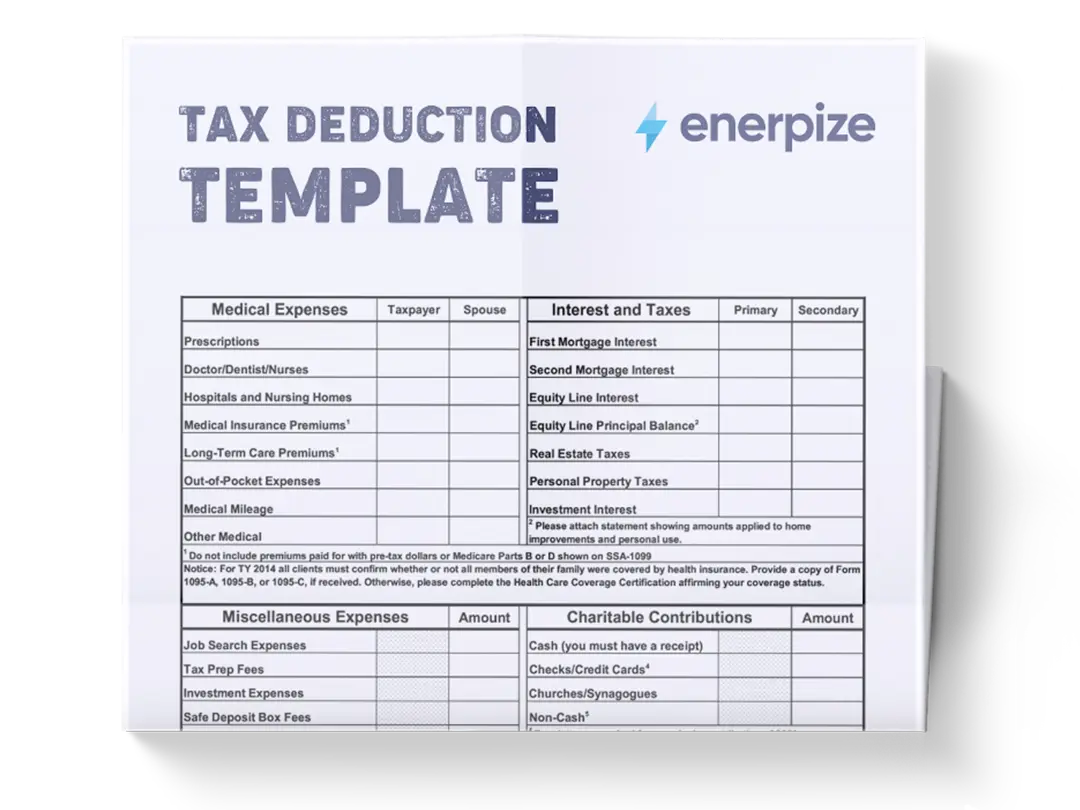
What is the Tax Deduction Template?
A tax deduction template tracks business expenses and determines which portion of those expenses can legally be deducted for tax purposes. By automatically calculating the deductible amount using deduction rules, it provides a standardized framework for documenting payments to vendors and contractors, effectively lowering your overall tax liability.
What Does The Tax Deduction Template Contain?
Date
Records the exact date when the expense occurred. Maintaining accurate dates ensures expenses are documented within the correct accounting period and helps maintain chronological records.
Vendor/Payee
Identifies the business or individual who received the payment. Tracking vendors helps categorize spending patterns and simplifies referencing transactions later.
Description
Briefly explains what was purchased or paid for. It provides context for the expense and helps clarify the nature of the transaction.
Category
Classifies each expense into a predefined category such as software subscriptions, office supplies, travel, marketing, or professional services. Categorization helps organize financial data and supports expense analysis.
Payment Method
Records how the transaction was completed—for example, credit card or bank transfer. This helps reconcile the expense with financial statements or bank records.
Amount ($)
Records the full cost of the expense before applying any deduction rules. It represents the total payment made for the purchase or service.
Deduction Rule %
Indicates the percentage of the expense that qualifies as a tax deduction. For example, some expenses may be fully deductible while others may only qualify partially.
Deductible Amount ($)
Calculates the deductible portion of the expense after applying the deduction rule percentage. It reflects the amount that may potentially be written off.
Receipt #
Records a reference number linked to a receipt or proof of payment. It creates a clear documentation trail for future verification.
Business Purpose
Explains why the expense was necessary for business operations. It provides justification for the deduction and clarifies its relevance to business activities.
Notes
Include additional details related to the expense, such as tax considerations, deduction references, or special documentation requirements.
How to Use The Tax Deduction Template
1. Start by Recording the Transaction Date
Each entry should begin with the Date column. Enter the exact date when the expense occurred to ensure transactions remain organized chronologically. This is essential for accurate financial tracking and helps align expenses with the correct reporting period.
2. Identify the Vendor or Payee
Next, enter the name of the Vendor/Payee who received the payment. This could include service providers, suppliers, contractors, or subscription platforms. Recording the vendor allows you to track spending by provider and quickly locate transactions later.
3. Add a Clear Expense Description
In the Description column, briefly describe the purchase or service. This explanation should clarify what the expense was for.
4. Assign an Expense Category
Select or enter the appropriate Category for the expense. Categories help organize financial records and make it easier to analyze where money is being spent across different operational areas.
5. Record the Payment Method
Enter the Payment Method used to complete the transaction, such as credit card or bank transfer. This helps align the expense with your financial records during reconciliation.
6. Enter the Total Expense Amount
Input the full cost of the transaction in the Amount ($) column. This number represents the total expense before any deduction rules are applied.
7. Apply the Deduction Rule Percentage
In the Deduction Rule % column, enter the percentage that determines how much of the expense qualifies as deductible. This percentage determines the portion of the expense that can be considered for tax deductions.
8. Calculate the Deductible Amount
The Deductible Amount ($) column reflects the portion of the expense that qualifies as deductible. This value is derived from multiplying the expense amount by the deduction rule percentage.
9. Attach a Receipt Reference
Enter a unique identifier in the Receipt # column. This number should correspond to a physical or digital receipt stored in your records.
10. Document the Business Purpose
Provide a short explanation in the Business Purpose column describing why the expense was necessary for business operations. This information helps support the legitimacy of the deduction.
11. Add Supporting Notes if Needed
Finally, use the Notes column to record additional details related to the transaction. This could include deduction guidelines, accounting references, or reminders for future financial reviews.
12. Review Totals Regularly
At the bottom of the spreadsheet, the TOTAL row summarizes both the total expenses and total deductible amounts. Reviewing these totals regularly helps monitor spending and estimate potential deductions.
Related Templates:
Importance of Tax Deduction Template
Prevents missed tax deductions and lost savings
Many small businesses and freelancers overlook legitimate deductions simply because their expenses are poorly tracked throughout the year. A tax deduction template ensures that every operational cost is documented consistently as it occurs. This reduces the risk of forgetting deductible purchases during tax season when reconstructing records becomes difficult. By maintaining a centralized record of expenses and deduction percentages, businesses can easily identify all potential write-offs.
Improves financial organization and transparency
Financial clarity is essential for managing a business effectively, and a tax deduction template provides a structured way to monitor expenses throughout the year. Each transaction is recorded with its vendor, category, amount, and business purpose, creating a comprehensive overview of operational spending.
Strengthens documentation for audits and financial reviews
Proper documentation is critical when claiming business deductions, particularly if financial records are reviewed by accountants or auditors. A tax deduction template helps create a consistent audit trail by linking each expense to a receipt number, business purpose, and supporting notes.
Simplifies collaboration with accountants and tax professionals
Accountants often spend significant time organizing client expenses before preparing tax returns. When a tax deduction template is used throughout the year, much of this preparation work is already completed. Each expense is categorized, documented, and calculated before the accountant even begins reviewing the records.
Who Can Use a Tax Deduction Template?
Freelancers and independent professionals
Freelancers often manage their own finances without a dedicated accounting team, which makes expense tracking especially important. A tax deduction template allows independent professionals to document expenses related to software tools, client meetings, marketing campaigns, and professional development. By recording transactions regularly, freelancers can maintain accurate financial records throughout the year rather than scrambling to reconstruct expenses during tax season. This organized system also makes it easier to determine profitability by clearly showing operational costs. Over time, freelancers gain better financial awareness and ensure they claim every legitimate deduction available to them.
Small business owners and startup founders
Entrepreneurs often juggle multiple responsibilities, and financial documentation can quickly become disorganized without a structured system. A tax deduction template helps small business owners maintain a clear record of expenses related to operations, marketing, equipment, and professional services. By categorizing expenses and calculating deductible portions, founders gain visibility into how their money is being spent. This insight supports better budgeting decisions and improves financial planning. Additionally, well-organized expense records simplify tax preparation and reduce the likelihood of missing deductions.
Accounting professionals and bookkeepers
For accounting professionals managing multiple clients, standardized documentation tools are essential. A tax deduction template provides a consistent format for tracking client expenses and verifying deductible amounts. This structure simplifies financial analysis and reduces the time required to organize scattered receipts and transaction records. Bookkeepers can quickly review expenses, confirm documentation, and prepare financial summaries for tax reporting. By using a standardized template, accounting teams improve accuracy while maintaining clear, professional financial records.
Consultants, contractors, and service providers
Professionals who operate service-based businesses—such as consultants, marketers, designers, or developers—often incur a variety of operational expenses. These can include software subscriptions, coworking spaces, travel costs, and contractor payments. A tax deduction template allows these professionals to track expenses associated with client work and business growth. Maintaining organized records helps them evaluate which expenses contribute to revenue generation and which may need adjustment. Ultimately, the template supports better financial management while ensuring deductible expenses are properly documented.
Looking for Beyond Just Expense Tracking?
While this Tax Deduction Template helps you organize deductible expenses and calculate write-offs, businesses often need more advanced capabilities. That’s where Enerpize, our all-in-one ERP platform, comes in.
With Enerpize Online Expense Management Software, you can:
- Automatically track expenses and categorize transactions across your business
- Integrate accounting, invoicing, payroll, and financial reporting in one platform
- Gain real-time insights into business performance and operational efficiency
If you're ready to move beyond spreadsheets, Enerpize brings enterprise-grade control to growing teams.
Disclaimer
This template is provided solely for informational and educational purposes. All liability arising from the use of this template is expressly disclaimed. The template is intended only to illustrate the concept and structure of tracking potential tax-deductible expenses in a structured format.
Users are responsible for verifying the accuracy of any financial records, calculations, and deductions before relying on them for tax preparation or financial reporting. Tax laws and deduction rules vary by jurisdiction and may change over time, so users should consult a qualified accountant, tax advisor, or financial professional when determining the deductibility of expenses.
This template is not endorsed, approved, or recognized by any official U.S. judicial or governmental authorities.