Posted on 3 March 2026
Accounts Receivable Reconciliation Template Excel & Google Sheets
- The accounts receivable reconciliation template is available in Excel and Google Sheets.
- It monitors all customer invoices in one place and records partial or full payments across multiple dates.
- Automatically compares invoice totals to your general ledger, highlighting differences so errors are caught early.
- Easily manages installment-based payments, schedules follow-ups, and updates balances in real time.


What is the Accounts Receivable Reconciliation Template?
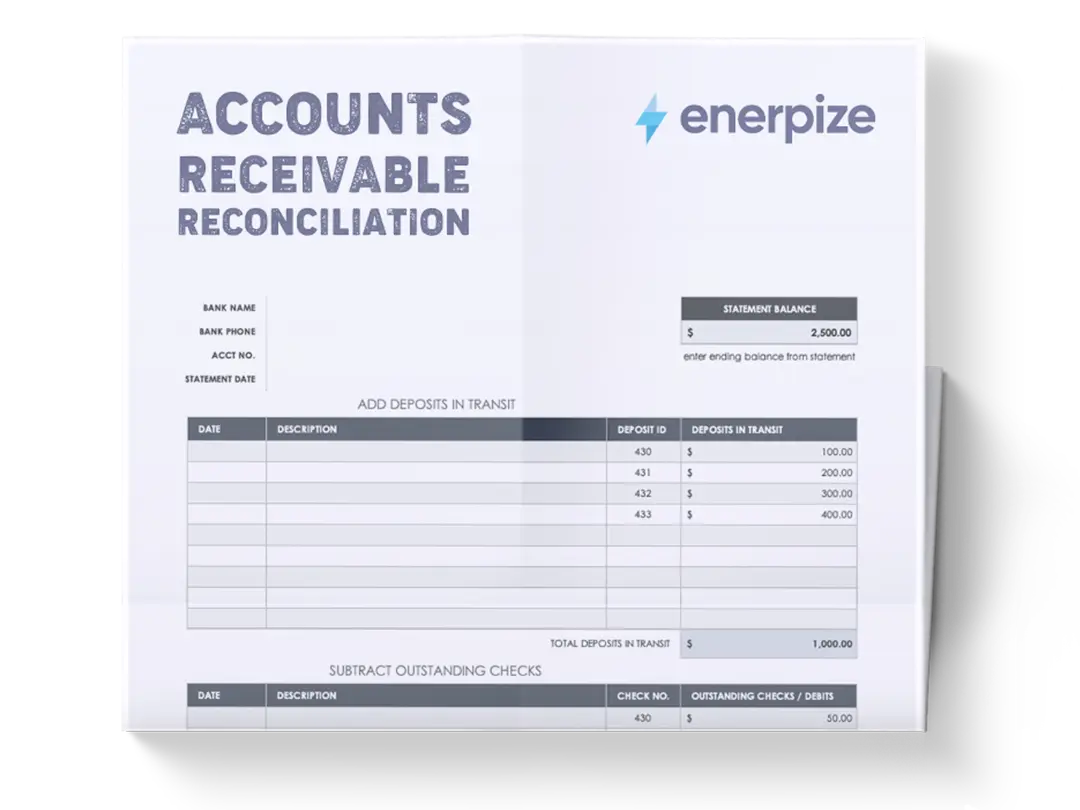
An accounts receivable reconciliation template helps small teams systematically reconcile outstanding customer invoices against received payments. It provides a clear framework to track balances, monitor partial and scheduled payments, and identify discrepancies between the subledger and the general ledger (GL).
It facilitates timely client follow-ups, ensures payment plans are adhered to, and helps maintain accurate, up-to-date financial records to support strategic decision-making.
What Does the Accounts Receivable Reconciliation Template Contain?
Invoice Tracking Table
Records detailed information about every invoice issued, including customer name, invoice number, date, total amount, due date, and outstanding balance.
Payment Plan Columns
Allows the entry of multiple partial payments across scheduled dates for each invoice.
By detailing Payment 1, Payment 2, Payment 3, and so on, the template ensures that partial receipts are accurately captured, balances are updated in real-time, and future payment schedules are clear.
Balance Column
Displays the remaining amount due per invoice after all recorded payments. This serves as a dynamic indicator of outstanding debt, allowing teams to prioritize collection efforts efficiently.
Reconciliation Summary
Summarizes the overall accounts receivable position for the period:
- Current Date: Tracks the reporting date for reconciliation.
- GL Account Balance: Reflects the total balance from the accounting system for comparison.
- Invoices Issued During Period: Total value of invoices generated in the selected period.
- Payments Received During Period: Total payments applied against invoices.
- Credit Memos / Write-offs: Adjustments that affect AR balances.
- Ending AR Balance per GL: The expected AR total according to accounting records.
- Subledger Total: Aggregates invoice balances recorded in the template.
- Difference: Highlights any variance between the subledger and GL, pinpointing discrepancies that require investigation.
How to Use the Accounts Receivable Reconciliation Template
1- Prepare Your Financial Data
- Collect Source Documents: Gather all invoices, payment confirmations, and bank statements for the reconciliation period.
- Organize by Customer and Date: Sorting data chronologically helps streamline entry and ensures payments are applied to the correct invoices.
2- Populate the Invoice Tracking Table
- Enter Invoice Details: Input Invoice Date, Invoice Number, Customer Name, Total Amount, and Due Date for each transaction.
- Initial Balance: Set the starting Balance equal to the total invoice amount. This ensures you track partial payments accurately.
3- Record Payments Against Each Invoice
- Input Payment Dates and Amounts: Fill in each payment under its respective column (Payment 1, Payment 2, etc.).
- Update Balances: After each payment entry, the template automatically adjusts the remaining balance. Confirm that it reflects the correct outstanding amount.
- Track Partial and Full Payments: For customers on installment plans, continue recording sequential payments until the balance reaches zero.
4- Verify the Reconciliation Summary
- Compare Subledger to GL Account Balance: The Subledger Total should match the Ending AR Balance per GL.
- Investigate Differences: Any variance in the Difference column indicates errors such as missing payments, incorrect invoice amounts, or misapplied payments.
- Adjust as Needed: Update invoices or payment entries to correct discrepancies. Include credit memos or write-offs where applicable.
5- Analyze AR Health and Cash Flow
- Identify Overdue Invoices: Use the Balance and Due Date columns to prioritize follow-ups.
- Monitor Payment Plans: Check adherence to scheduled payments to prevent cash flow disruptions.
- Spot Trends: Review historical payment patterns by customer, helping forecast future collections and evaluate credit risk.
6- Maintain and Update the Template
- Regular Updates: Add new invoices and payments consistently to keep the template current.
- Backup Data: Store copies in both cloud and local storage to ensure financial data security.
- Integrate with Accounting Software: Where possible, link the spreadsheet to accounting tools to streamline data entry and minimize human error.
Related Templates:
Accounts Payable Reconciliation Template
General Ledger Reconciliation Template
Importance of Accounts Receivable Reconciliation Template
Reduces Cash Flow Risk
By providing a real-time overview of outstanding invoices and payments, the template allows small teams to proactively manage collections. Timely identification of overdue accounts prevents liquidity issues that can disrupt operations, ensuring SMEs maintain steady cash flow for payroll, supplier payments, and growth initiatives.
Ensures Accuracy Between Subledger and GL
Discrepancies between recorded invoices and the general ledger can lead to misstated financial statements. The template highlights differences immediately, enabling teams to investigate and correct errors before they escalate. This precision strengthens financial reporting and builds confidence with stakeholders and auditors.
Simplifies Payment Plan Tracking
For customers paying in installments, manually tracking is prone to mistakes. The template captures each scheduled payment and automatically updates balances, ensuring partial payments are correctly applied, and future payment dates are clear. This improves client communication and minimizes disputes.
Supports Audit Readiness and Compliance
Standardized records from the template provide a transparent, chronological audit trail. SMEs can confidently present reconciled AR data during internal or external audits, demonstrating accountability and adherence to accounting best practices. This reduces regulatory risks and facilitates smoother audits.
Who Can Use The AR Reconciliation Template?
Small Business Owners and Finance Teams
Small business owners managing customer payments and financial records will find the template indispensable. It simplifies tracking AR, ensures accurate invoicing, and provides a consolidated view of outstanding balances, enabling efficient cash flow management without needing full-time accountants.
Accounts Receivable Specialists
Specialists responsible for collections and payment tracking benefit from the template’s structured approach. It allows them to apply payments accurately, monitor overdue accounts, and generate summarized reports for management, improving operational efficiency.
SME Financial Controllers and Managers
Controllers overseeing multiple departments can use the template to reconcile all customer accounts against the general ledger. This ensures the company’s AR balances are accurate, supporting better budgeting, forecasting, and decision-making.
Auditors and External Consultants
Even external professionals reviewing financial data can leverage the template. Its clear layout and reconciliation summary make it easy to validate invoice and payment records, identify discrepancies, and confirm that SMEs maintain proper financial control.
Looking for Beyond Just Accounts Receivable Tracking?
While our Accounts Receivable Reconciliation Template helps you monitor invoices, balances, and payments, businesses often need more advanced capabilities. That’s where Enerpize, our all-in-one ERP platform, comes in.
With Enerpize Accounting Software, you can:
- Automate AR reconciliations across multiple clients and periods, saving time and reducing errors
- Integrate payments, invoices, and GL balances seamlessly for full financial visibility
- Gain broader operational insights, including cash flow forecasting, aging analysis, and client-level reporting
If you’re ready to move beyond spreadsheets, Enerpize brings enterprise-grade control to growing teams.