Posted on 8 March 2026
Employee Attendance Sheet Excel & Word
- The employee attendance sheet is available in Excel, Word, Google Sheets, Google Docs, and PDF.
- It tracks daily attendance status using standardized codes for full visibility.
- Automatically calculates per-employee and monthly attendance percentages using built-in formulas.
- Consolidates workforce data into structured monthly statistics for reporting and decision-making.


What is the Employee Attendance Sheet?
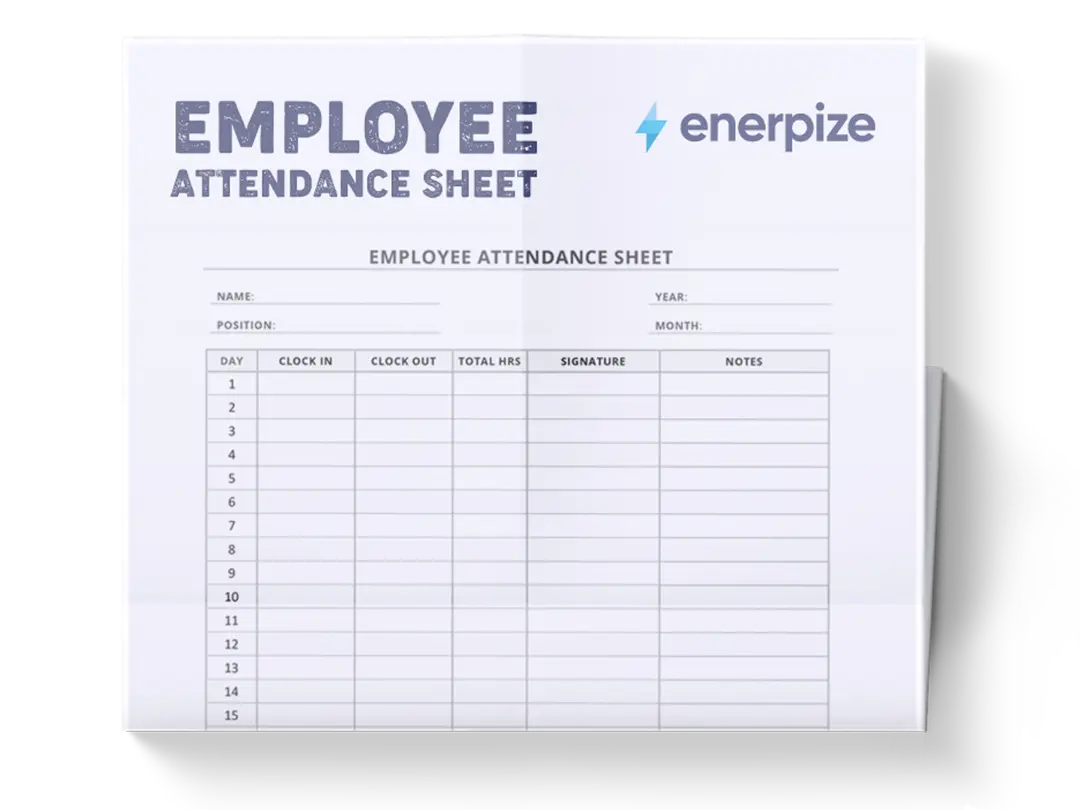
An Employee Attendance Sheet records, categorizes, and calculates employee attendance data across a defined period. It enables organizations to systematically log daily attendance statuses while generating per-employee totals and attendance percentages. By combining individual attendance records with monthly statistics in a single framework, the sheet transforms raw daily markings into measurable workforce insights.
What Does The Employee Attendance Sheet Contain?
Month
Representing the days of the selected month being tracked.
Employee Name
Identifies the employee whose attendance is being tracked within the corresponding row.
Employee Title
This field specifies the employee’s job title, enabling role-based filtering or departmental analysis.
Department Name
This field assigns the employee to a department and connects the attendance record to broader organizational reporting.
Daily Attendance Entries (Y, P, U, N, H)
Under the “Month” columns, each cell contains one of the following status codes:
- Y - Attended
- P - Sick/PTO
- U - Unpaid Leave
- N - No Show / No Call
- H - Holiday / Non-work
These codes represent the daily attendance classification for each employee.
Report Totals
For each employee, this section converts daily entries into measurable performance indicators.
Monthly Statistics
These fields aggregate data across all employees to provide a monthly operational overview.
How to Use The Employee Attendance Sheet
1- Complete the Business Details First
Begin by filling in:
- Business Name
- Business Address
- Date
- Prepared By
This step ensures documentation integrity. In audits or HR reviews, incomplete header information reduces credibility and traceability.
2- Define the Month Structure
Confirm that these align with your operational month. If your month includes more days, extend the structure consistently.
Ensure that the “Total number of working days this month” in the MONTHLY STATISTICS section reflects actual working days if your company excludes weekends.
3- Add Employee Information
To ensure accurate grouping and avoid confusion when aggregating data later.
4- Record Daily Attendance Using Standard Codes
Enter Y if the employee attended.
Enter P for Sick/PTO.
Enter U for Unpaid Leave.
Enter N for No Show / No Call.
Enter H for Holiday / Non-work.
Consistency is critical. Do not mix lowercase/uppercase or alternative abbreviations, as the formulas rely on exact matching within the COUNTIF functions.
5- Review Automatic REPORT TOTALS
Once daily codes are entered:
The sheet calculates totals for each attendance category.
The Attendance % field calculates the proportion of attended days relative to total recorded days.
6- Validate MONTHLY STATISTICS
Confirm “The number of employees” and ensure total working days × number of employees equals the calculated total working capacity.
The “Total Attendance Percentage” gives a company-wide attendance ratio, offering a snapshot of workforce reliability.
Related Templates:
Importance of Employee Attendance Sheet
Improves Workforce Accountability and Transparency
An employee attendance sheet creates objective, traceable documentation of daily workforce presence. Instead of relying on verbal confirmations or informal tracking methods, managers gain structured, timestamped data that clearly shows who attended, who was absent, and under what category. This reduces disputes related to no-shows or leave misclassification and ensures HR decisions are grounded in documented facts. In environments where shift coverage or client-facing operations are critical, accurate attendance tracking directly protects service continuity. Over time, consistent tracking also reinforces employee accountability because expectations are clearly measured and visible.
Strengthens Payroll Accuracy and Leave Management
Attendance data directly impacts payroll processing, PTO balances, and unpaid leave deductions. Without a structured sheet, businesses risk overpaying for unworked days or miscalculating leave accruals. By categorizing attendance into Y, P, U, N, and H, the template separates compensated absences from unpaid ones, reducing payroll reconciliation errors. This clarity is particularly important for hourly employees, shift workers, or businesses operating with tight labor margins. When payroll disputes arise, documented attendance records provide immediate verification, minimizing administrative friction and financial inaccuracies.
Enables Data-Driven Workforce Planning
The MONTHLY STATISTICS section transforms raw attendance entries into operational intelligence. Leaders can analyze total attendance percentages, identify recurring absence patterns, and measure workforce reliability at scale. For example, if no-show rates increase during specific weeks, managers can investigate root causes or adjust scheduling. If PTO usage spikes in certain departments, it may signal burnout or workload imbalance. Instead of reacting to staffing shortages, businesses can anticipate them using structured attendance data. This predictive capability strengthens scheduling efficiency and resource allocation.
Supports Compliance and Record Retention
Many industries require documented proof of employee attendance for labor compliance, audits, or contractual obligations. A standardized attendance sheet ensures records are organized, accessible, and consistently formatted. This reduces compliance risk and simplifies documentation during inspections or legal reviews. Even in smaller businesses, maintaining structured records demonstrates operational maturity and internal control. Properly archived attendance sheets also serve as historical references for performance evaluations or disciplinary reviews, providing context beyond isolated incidents.
Who Can Use an Employee Attendance Sheet?
HR Managers and Human Resource Departments
HR professionals rely on accurate attendance data to manage leave policies, address disciplinary issues, and ensure fair treatment across teams. This template provides immediate visibility into attendance patterns without requiring complex systems. For smaller organizations without advanced HR software, it offers a structured yet simple method to centralize workforce records. HR teams can use the monthly statistics to generate performance summaries or support performance reviews. The standardized format also simplifies onboarding new HR staff, as the structure is consistent and self-explanatory.
Operations Managers and Team Leaders
Operations leaders need real-time awareness of workforce availability to maintain productivity and service levels. This sheet allows managers to quickly see attendance percentages and no-show frequencies within their departments. If productivity declines, they can correlate performance dips with attendance data. For shift-based businesses, this clarity helps optimize scheduling and prevent understaffing. The structured layout ensures decisions are based on measurable data rather than assumptions or incomplete information.
Small Business Owners and Entrepreneurs
In smaller companies, owners often oversee attendance personally but lack formal systems. This template introduces structure without requiring expensive software. It enables business owners to monitor employee reliability, manage paid versus unpaid leave, and evaluate labor efficiency. By reviewing total attendance percentages monthly, owners gain a clear understanding of workforce stability. This insight becomes particularly valuable when scaling operations or hiring additional staff, as attendance consistency often reflects overall team discipline.
Finance and Payroll Administrators
Payroll teams require verified attendance records to process compensation accurately. The categorization of Sick/PTO versus Unpaid Leave directly affects payment calculations. With automatic totals and percentages, payroll administrators can quickly cross-reference attendance before finalizing salary disbursements. This reduces rework caused by discrepancies and protects financial accuracy. In audit situations, the structured sheet provides clear documentation supporting payroll decisions and deductions.
Looking for Beyond Just Basic Attendance Tracking?
While our Employee Attendance Sheet helps you record and calculate workforce presence with clarity, businesses often need more advanced capabilities. That’s where Enerpize, our all-in-one ERP platform, comes in.
With Enerpize Leave and Attendance Management System, you can:
- Automate attendance tracking with integrated HR and payroll modules.
- Sync leave management directly with payroll calculations to eliminate manual reconciliation.
- Gain real-time dashboards that connect workforce data to financial and operational performance.
If you’re ready to move beyond spreadsheets, Enerpize brings enterprise-grade control to growing teams.