Posted on 18 October 2026
InvoiceNow Checklist: Get Your Singapore Business Ready for IRAS
- Available in Excel and Word, free to download with no sign-up required
- Covers your phase date, the mandatory data elements IRAS checks, GST codes, customer UENs, credit notes and submission deadlines in one workbook
- Built around Singapore GST at 9%, with side notes for Malaysia’s MyInvois system and Australia’s Peppol network
- Calculates your 365-day supply figure, go-live date, onboarding start date and every invoice data deadline automatically in Excel
The GST InvoiceNow Requirement is an IRAS rule that requires GST-registered businesses in Singapore to send the data behind their sales and purchase invoices to IRAS through an InvoiceNow-Ready Solution on the Peppol network, phased in from 1 November 2025 for new registrants to 1 April 2031 for the largest existing businesses.


Every finance team in Singapore has a drawer it would rather not open.
Sometimes it is a real drawer. More often, it is a folder of customer records with no UEN, a tax code called “GST-OLD” that nobody remembers creating, and a credit note pointing at an invoice that may or may not exist.
For years, that drawer stayed shut and nothing happened.
The GST InvoiceNow Requirement changes that. Once your phase starts, IRAS receives a copy of your invoice data every time you issue an invoice, record a purchase or raise a credit note. The drawer is now on display.
The good news? You already have a date, a rulebook and real money on the table from the government to help you get ready. This page and the free InvoiceNow checklist turn all three into a plan you can actually follow.
What Is the GST InvoiceNow Requirement?
Before the tax rule, a simpler question: what is InvoiceNow in Singapore, exactly? Think of it as two layers stacked on top of each other.
The first layer is InvoiceNow itself. IMDA launched it in 2019 as Singapore’s nationwide e-invoicing network, built on the international Peppol standard. Invoices travel from one finance system straight into another as structured data. No PDF. No email attachment. Nobody retyping numbers at 6pm on a Friday. More than 63,000 businesses were already on the network when IRAS and IMDA confirmed the full rollout in 2026, according to OpenPeppol.
The second layer is the tax rule sitting on top. IRAS connected itself to the network as a fifth party, next to the supplier, the buyer and their two Access Points. Under the rule, your software sends IRAS a copy of the data behind every invoice, credit note and purchase that feeds your GST return.
InvoiceNow vs. the IRAS Rule: One Road, Two Destinations
You can join InvoiceNow today simply to swap invoices with customers and suppliers. That is the road.
The IRAS rule decides where a copy of each trip ends up. Once your phase starts, every relevant invoice also lands at IRAS, whether it travelled over the network or left your office as a PDF.
Same road. Two destinations.
What the Requirement Is Not
A lot of the anxiety around this rule comes from things it does not actually do.
- It is not pre-approval. IRAS does not clear your invoice before your customer sees it. Nothing sits in a queue waiting for a stamp.
- It does not replace your GST return. You still file your GST F5 on time, and IRAS expects the data it receives to tally with it.
- It does not ban PDFs. If your customer is not on the network, you can still send a PDF tax invoice. You simply record it in your accounting system so the data reaches IRAS.
- It does not cancel record keeping. IRAS still expects you to keep proper records for at least five years.
GST is only one of the obligations a growing business carries, and it pays to see it next to the others. Our guide to tax liabilities shows how GST sits beside the rest of what you owe.
When Does the GST InvoiceNow Requirement Apply to You?
Here is the part that surprises most business owners.
Your date is already decided.
It was decided by the GST returns you filed for 2025, and nothing you sell in 2026 or 2027 will change it.
The IRAS InvoiceNow Timeline
| Implementation date | Who it applies to |
|---|---|
| 1 Nov 2025 | Companies that register for GST voluntarily within 6 months of incorporation |
| 1 Apr 2026 | All businesses applying for voluntary GST registration on or after this date |
| 1 Apr 2028 | New compulsory GST registrants, plus existing GST-registered businesses with total annual supplies of S$200,000 or less |
| 1 Apr 2029 | Existing GST-registered businesses with total annual supplies of S$1,000,000 or less |
| 1 Apr 2030 | Existing GST-registered businesses with total annual supplies of S$4,000,000 or less |
| 1 Apr 2031 | Existing GST-registered businesses with total annual supplies above S$4,000,000 |
For new voluntary registrants, the rule is now a condition of registration itself. You start sending invoice data from your effective GST registration date.
How IRAS Works Out Your Phase
“Total annual supplies” means Box 4 of your GST return: standard-rated supplies (Box 1), zero-rated supplies (Box 2) and exempt supplies (Box 3), added up across every return period that ended in calendar year 2025.
What if those returns cover less than a full year? IRAS lets you stretch the figure to a 365-day equivalent.
Its own worked example is a company whose 2025 returns cover 328 days and S$1.5 million in supplies. S$1,500,000 x 365 / 328 = S$1,669,207. That lands in the 1 April 2030 phase.
Growth after 2025 does not move you up the queue. A business that doubles its revenue in 2027 keeps the phase its 2025 numbers gave it.
IRAS began notifying businesses registered before 2026 of their dates in mid-2026. If your letter and your own math disagrees, the letter wins.
Who Is Excluded
The exclusions are narrow, so read them twice before you relax.
- Overseas businesses that appoint a local agent under section 33(1) to handle their GST, and overseas vendors registered under the Overseas Vendor Registration regime
- Businesses registered for GST solely because of the reverse charge rules
A foreign company with a branch in Singapore is not excluded. Neither is a Singapore company with a branch overseas. GST groups and divisions will hear about their dates from IRAS separately.
What Invoice Data You Must Send to IRAS
This is where most of the real work hides. The timeline tells you when. This section tells you what.
Documents That Count and Documents That Don’t
IRAS defines invoice data as anything that works as a bill for payment, or adjusts one.
| Counts as invoice data | Does not count |
|---|---|
| Sales invoices and tax invoices | Sales orders |
| Simplified tax invoices | Pro forma invoices |
| Serially numbered receipts | Statements of account |
| Debit notes and credit notes | Letters or statements of claim |
There is one trap here. If two related companies settle by offsetting balances instead of issuing invoices, the data they record still has to go to IRAS.
Transactions in Scope
The rule of thumb is simple: if it goes into your GST return, it probably goes to IRAS.
Submit: standard-rated supplies, zero-rated supplies (including exports), exempt supplies such as residential leases, standard-rated purchases with input tax claims, and zero-rated purchases.
Exclude: deemed supplies such as free goods, reverse charge supplies and purchases, import permits, exempt financial services and digital payment tokens, and anything outside the scope of GST.
One line pulls in the whole invoice. IRAS gives the example of a landlord who bills a month of GST-able rent and a refundable deposit on the same invoice. The deposit is out of scope, but the entire invoice still goes to IRAS.
The Mandatory Data Elements, Field by Field
IRAS calls them mandatory data elements, or MDEs, and they mirror what Regulation 11 of the GST (General) Regulations already asks a tax invoice to show. If you want a refresher on those particulars, our Singapore invoice template walks through every one.
| Group | What IRAS expects | Where gaps usually hide |
|---|---|---|
| Supplier | Name, UEN, GST registration number, address line 1, postal code, country code, Peppol endpoint | Usually complete, since it is your own data |
| Customer | Name, UEN (or overseas number, or NA), address line 1, postal code, country code, endpoint | The biggest gap for most SMEs |
| Document | Invoice or credit note number, issue date, document type, currency | Manual invoices with reused numbers |
| Line items | Item name, unit, quantity, net price, line amount, GST category code and rate | Free-text lines with no unit or quantity |
| Totals | Taxable amount and GST per category, total GST, totals with and without GST, amount due | Rounding, which IRAS does not police between line and invoice level |
Technical fields such as the document UUID, profile ID and scheme IDs are normally generated by your provider. Confirm that before you spend a weekend worrying about them.
One more detail worth knowing. Peppol invoices count as valid tax invoices even without the words “Tax Invoice” printed on them, as long as every other particular is there. PDF and paper invoices still need those words.
GST Category Codes
IRAS publishes a standard list of GST category codes and asks you to tag every transaction with one. Your system might call standard-rated sales “S9” or “GST9”. IRAS calls them SR.
The ones most SMEs will use every month:
| Code | Meaning | Sent to IRAS? |
|---|---|---|
| SR | Standard-rated supply at 9% | Yes |
| ZR | Zero-rated supply, such as exports | Yes |
| ES33 / ESN33 | Exempt supplies | Yes, except exempt financial services |
| TX | Standard-rated purchase at 9% | Yes |
| ZP | Zero-rated purchase | Yes |
| IM | Import of goods with GST paid to Customs | No, the import permit is the record |
| BL | Disallowed expenses | No |
Mapping your own codes to the IRAS list once, properly, saves you from fixing the same mistake every quarter. The full list of 35 GST category codes, with scope for each, sits in the checklist’s code mapper tab.
Customer Details: UEN, Overseas Number or NA
| Customer type | What you submit |
|---|---|
| Companies, LLPs, sole proprietors with a business name, charities, societies, government agencies | Their UEN |
| Foreign entities with no UEN | Their overseas business registration number |
| Individuals trading under their own name | NA in the UEN, name and address fields |
| Grouped POS or simplified tax invoice sales | POS or STI in those fields |
You also need to keep the documents that back up what you entered. “The customer told us on the phone” will not survive an audit.
How Invoice Data Reaches IRAS
Four Submission Types in Plain English
IRAS labels them Types 1A, 1B, 2 and 3. Strip away the labels and it looks like this:
- Type 1A: you send a Peppol invoice to a customer on the network. IRAS gets a copy automatically, almost in real time.
- Type 1B: your customer receives that invoice, records it as a purchase with its own GST code, and their system sends the purchase data to IRAS.
- Type 2: you sell to someone off the network and send a PDF or paper invoice. You record it in your system, which extracts the data and sends it.
- Type 3: you buy from a supplier off the network. Same idea, on the purchase side.
When Your Customer Is Not on InvoiceNow
This is the misunderstanding I hear most often. “My customers aren’t on InvoiceNow, so this doesn’t affect me.”
It does.
E-invoicing in Singapore, at least under this rule, is about reporting your GST data, not converting your customers. A retail shopper, a small client who invoices by email, an overseas buyer with no Peppol ID: all of them still generate data that has to reach IRAS through Type 2 submissions.
Grouping POS, Simplified Invoice and Petty Cash Entries
Nobody expects a café to send IRAS one record per latte.
IRAS lets you group three, and only three, kinds of transactions before submitting them: point-of-sale sales (POS), sales with simplified tax invoices (STI, which includes serially numbered receipts) and petty cash purchases (PCP, which includes staff claims and corporate card spend). When you group them, the customer fields become “POS” or “STI”, and the supplier fields on petty cash become “PCP”. If a sale is both POS and STI, use POS.
Credit Notes and Corrections
Here is a rule worth taping to your monitor: a sent e-invoice cannot be recalled.
IMDA’s own FAQ compares the network to email. Once it is sent, it is gone. If the invoice was wrong, you issue a credit note that references it, and the amounts and GST category codes on that credit note must tally with the original. IRAS also asks you to quote the original invoice number and date where you know them. Our credit note template has those fields built in.
Two more practical limits from IRAS: bulk submissions can carry up to 10 documents of the same type, and no more than 10 MB per package.
Due Dates for Submitting Invoice Data
The “Earlier Of” Rule
Invoice data is due by the earlier of two dates: the day you actually file the GST return that covers the transaction, and that return’s filing due date, which is one month after the period ends.
IRAS’s example makes it concrete. An invoice dated 20 March 2026 sits in the January to March period. File the return on 20 April, and the data is due 20 April. File late on 15 May, and it was still due on 30 April.
Peppol invoices reach IRAS almost instantly. Everything else leaves on your extraction schedule, which IRAS suggests should run daily or weekly so nothing piles up at quarter end.
Registration Edge Cases
- Pre-registration claims: no invoice data needed for purchases made before you registered, but keep the records.
- Deregistering: submit data for transactions up to your last day of GST registration.
- IRAS systems down: keep trading, resubmit once the service is back. IRAS may extend deadlines at its discretion, but the responsibility to submit everything stays with you.
What the Enerpize InvoiceNow Checklist Includes
I built this checklist the way I would want one handed to me if I ran finance for a Singapore SME. Not a list of good intentions. A working tool, with every row traced back to a paragraph in the IRAS e-Tax Guide or the IMDA FAQ, so you can check my work instead of trusting it.
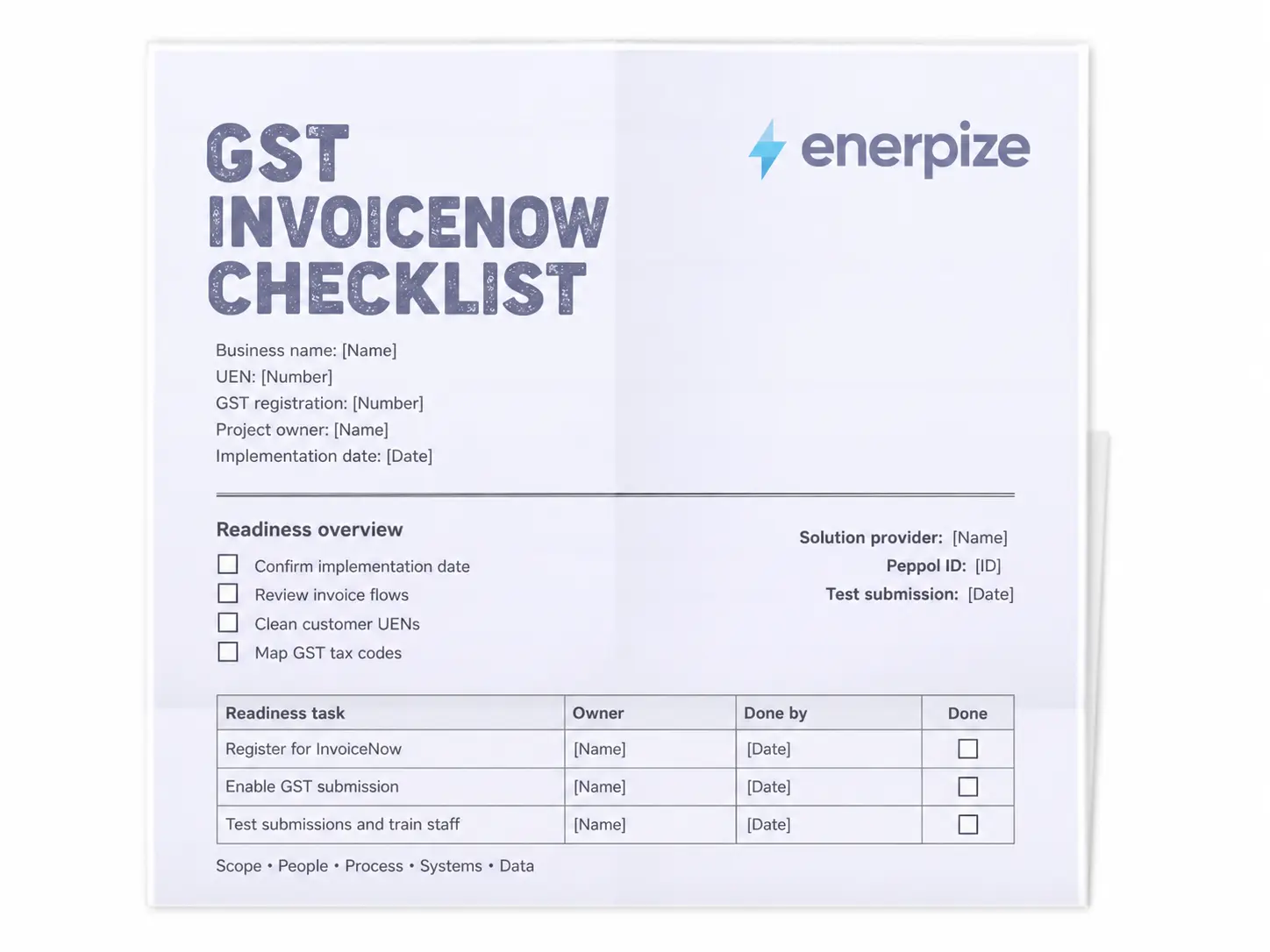
The Excel version has ten tabs. The Word version gives you the same checks as a printable document with tick boxes and owner columns.
A Calendar That Already Knows Your Date
The Phase Finder takes your 2025 return periods and Box 4 figures, extends a part year to 365 days, applies the exclusions and gives you your mandatory date. It also tells you when to start onboarding: 12 months ahead for an in-house system, matching the top of IRAS’s 3 to 12 month estimate for connecting one, and 3 months for off-the-shelf software.
An X-Ray for Your Invoices
The MDE audit lists 50 elements across supplier, customer, document, line and total groups. You mark each one as captured, missing, partly captured or handled by your provider, and the sheet tells you how many gaps are left.
A Translator for Your Tax Codes
Type in your own tax codes, pick the IRAS code each one maps to, and the mapper returns the official description, the rate and whether that code falls inside or outside the rule.
A Guest List With No Missing Names
The customer audit checks every record for a UEN, an overseas registration number or a valid NA, and builds the Peppol ID for customers who are on the network.
A Countdown You Can’t Ignore
The submission calendar generates your GST periods, filing due dates and invoice data deadlines from one start date, and flags anything due within two weeks.
A Paper Trail That Points Backward
The credit note log and aggregation log keep every correction tied to its original invoice and every grouped POS, STI or PCP record tied to the right defaults.
What makes it different is simple. It does not stop at telling you the rule exists. It does the arithmetic, cites its sources and leaves you with a task list that has names and dates on it.
How to Use the Checklist
Step 1: Find Your Phase
Open the Phase Finder and enter each 2025 GST return period with its Box 4 figure. This tells you how much runway you really have, and whether IRAS’s letter matches your own numbers.
Step 2: Check Whether Your Software Is InvoiceNow-Ready
Look up your accounting software on IMDA’s accredited InvoiceNow-Ready Solution Provider list. If it is there, the rest of the project gets much smaller.
Step 3: Choose Your Provider
If your software is not listed, shortlist providers using the seven questions in the Provider Onboarding tab. Ask about cost model, aggregation, outage handling and how your Peppol ID moves if you switch later.
Step 4: Register and Get Your Peppol ID
Your provider registers you with your UEN and CorpPass. Your Peppol ID follows the format 0195:SGUEN plus your UEN, and your business appears in the SG Peppol Directory so partners can find you.
Step 5: Clean Your Customer Data
Work through the customer audit until every record shows “Ready”. This is the step most businesses underestimate, and the one IRAS will notice first.
Step 6: Map Your GST Codes
Map every internal tax code once. Decide how you will treat partly claimable expenses and stick to it, because IRAS asks for consistency.
Step 7: Run a Test Submission
Turn on the GST InvoiceNow Submission feature in your solution and send test data before your date, not on it.
Step 8: Reconcile and Keep Records
After each period, compare what you sent with your F5. IRAS accepts legitimate timing differences as long as your records explain them, and those records need to last five years, including the Peppol XML files.
How Enerpize Handles the GST InvoiceNow Requirement
Let me be straight with you, because this is a compliance topic and you deserve a clear answer. Enerpize is not on IMDA’s list of InvoiceNow-Ready Solutions today, so the transmission to IRAS itself runs through an accredited provider.
Where Enerpize earns its place is everything that happens before that moment. Clean data is the hard part of this project, and clean data is what a good ERP produces every day.
Tax Invoices and Credit Notes in One Module
Enerpize’s Sales module issues invoices with a product, description, unit price, quantity, discount, tax and account on every line. Credit notes live in the same module, so the original invoice is one search away when you need to raise a correction. If you only need a quick one-off document, our free invoice maker is there for that.
Custom Fields for the Details IRAS Asks For
Custom fields let you carry a customer’s UEN or overseas registration number on your invoices, so the details IRAS expects are captured at the moment you bill, not hunted down at quarter end.
POS Sessions You Can Total in One Line
Enerpize POS tracks sales by session and shift, and posts them to your books through automatic journals. That makes a daily POS total, the figure you would group for submission, easy to pull.
Reports That Make F5 Reconciliation Boring
Sales, purchase and accounting reports sit in the same system as your invoices, which turns the quarterly comparison between your GST data and your F5 into a routine check instead of a hunt.
Singapore GST and E-Invoicing Rules to Know Before Your Phase
InvoiceNow in Singapore does not arrive in an empty room. It sits on top of GST rules your business already lives with, and the cleaner you are on those, the less painful your go-live will be. Think of this section as the house rules for e-invoicing in Singapore.
GST at 9% and the Registration Rules Behind Your Phase
GST has been 9% since 1 January 2024. Registration becomes compulsory once your taxable turnover passes S$1 million, and businesses that register voluntarily must stay registered for at least two years.
That last point matters more than it used to. Since 1 April 2026, adopting InvoiceNow is a condition of voluntary registration itself. If you are thinking about registering early to claim input tax, budget for an accredited solution in the same breath.
Tax Invoices, Simplified Invoices and Receipts
The documents IRAS reads through InvoiceNow are the same ones the GST rules already ask you to issue.
- Tax invoice: issued to GST-registered customers within 30 days of the time of supply
- Simplified tax invoice: allowed when the total, including GST, is S$1,000 or less
- Receipt: enough for customers who are not GST-registered
Get the document type right today and the data behind it will be right tomorrow.
Filing, Records and Penalties
Most businesses file their GST F5 quarterly, due one month after each period ends, and use a GST F7 to correct mistakes in a return already filed. Records need to be kept for at least five years. The IRAS GST InvoiceNow Requirement page is the official reference for the phases, scope and deadlines, and the IRAS e-Tax Guide carries the worked examples behind every rule on this page.
Miss a filing and the meter starts running: a S$200 penalty for each month a return is late, up to S$10,000 per return. Your invoice data deadline is tied to that same filing date, so a late return now means late data too.
Grants and Free Packages
There is also real money on the table. The S$1,000 GST InvoiceNow Transition Grant runs from 1 July 2026 to 31 March 2030 for GST-registered businesses with total annual supplies of S$4 million or less. It is not open to new voluntary registrants from 1 April 2026, or to businesses on free packages. Businesses with supplies above S$4 million that integrate their own ERP through an Access Point can claim a separate S$5,000 InvoiceNow grant if the project, including activation, is finished by 31 March 2028. IMDA’s grant FAQ lists the full conditions. Free-of-charge packages also run until 31 March 2027, with a new set promised for 1 April 2027 to 31 March 2031.
Where to Get Help
You are not expected to figure this out alone. IMDA’s InvoiceNow page points you to accredited providers and free packages, and its InvoiceNow helpdesk takes calls on +65 6470 4490, Monday to Friday, 9am to 5pm. IRAS also runs webinars with IMDA for businesses preparing to onboard.
The government has been just as clear about where this is heading for its own suppliers. About half of government vendors are already registered on InvoiceNow in Singapore, and the plan is to make it the default channel for invoicing government agencies, replacing Vendors@Gov for registered businesses within the next few years.
What to add for Singapore transactions:
- Your UEN and GST registration number on every invoice
- An IRAS GST category code on every line
- Customer UEN, overseas number or NA on every customer record
- The original invoice number and date on every credit note
- Your Peppol ID shared with key customers and suppliers once you are registered
Practical note for Singapore businesses: claim before you commit. The S$1,000 grant only covers costs incurred after 26 February 2026 and before your mandate date, and renewals do not count, so read the conditions before you sign anything.
InvoiceNow by Industry
The rules for InvoiceNow in Singapore are the same for every sector. The pain points are not.
Retail and F&B
POS sales and receipts are where grouping earns its keep. A shop can send one grouped record per day instead of hundreds of individual sales, as long as the register totals match the books. Enerpize’s retail store management software tracks sales by POS session and shift, with barcode invoicing and automatic journals behind it.
Construction
Construction runs on progress claims, variations and disputes, which means credit notes. Lots of them. Since nothing can be recalled, every correction needs a credit note that tallies with the original. Enerpize’s construction management software handles installment and lump-sum invoices, retention calculated after tax, quotations and cost centers per project.
Property and Leasing
Property is where one invoice can carry three GST treatments. Commercial rent is standard-rated, residential leases are exempt but still in scope, and refundable deposits are outside GST altogether. Enerpize’s property management software separates residential, commercial and mixed-use property types and tracks recurring rent and late fees.
Professional Services
Consultants, tutors and agencies often bill individuals. For those clients, the UEN, name and address fields take NA, and your records still need to support it.
Import, Export and Wholesale
Export sales are zero-rated and in scope. Import permits are excluded, because the permit is your evidence for input tax. Sales of goods between two other countries sit outside the rule.
Key Takeaways
- The GST InvoiceNow Requirement reaches every GST-registered business in Singapore by 1 April 2031, and your phase is fixed by your 2025 Box 4 supplies.
- You must send data for invoices, simplified invoices, receipts, debit notes and credit notes, whether or not your customer is on the network.
- Customer UENs, GST category codes and linked credit notes are where most SMEs will find their gaps.
- Only POS, simplified tax invoice and petty cash transactions can be grouped before submission.
- Invoice data is due by the earlier of your filing date and the GST return’s due date.
- Grants of S$1,000 and S$5,000 can offset onboarding costs, but the conditions are strict, so check them before you sign.
Frequently Asked Questions
What is the GST InvoiceNow Requirement?
It is an IRAS rule requiring GST-registered businesses to send invoice data for their supplies and purchases to IRAS through an InvoiceNow-Ready Solution on the Peppol network. It started on 1 November 2025 for some new registrants and will cover every GST-registered business by 1 April 2031.
Is InvoiceNow mandatory in Singapore?
For GST-registered businesses, yes, in phases. New voluntary registrants are already covered. Existing businesses join between 1 April 2028 and 1 April 2031, depending on their 2025 supplies. Using InvoiceNow to swap invoices with partners stays optional for businesses that are not GST-registered.
Do I need InvoiceNow if I am not GST-registered?
No. The reporting rule applies to GST-registered businesses only. You can still join the network voluntarily to send and receive e-invoices, and the government plans to make it the default channel for its vendors, but you have no obligation to send invoice data to IRAS.
Which documents must be sent to IRAS through InvoiceNow?
Sales and tax invoices, simplified tax invoices, serially numbered receipts, debit notes and credit notes, for both supplies and purchases. Sales orders, pro forma invoices and statements of account are not invoice data, so they stay out.
What is the deadline to transmit invoice data to IRAS?
The earlier of the date you file the GST return covering the transaction and that return’s due date, which is one month after the period ends. Peppol invoices reach IRAS in near real time, while other data goes out on your daily or weekly extraction schedule.
What is a Peppol Access Point, and how is it different from an IRSP?
A Peppol Access Point is an IMDA-accredited gateway that connects systems to the network. An IRSP builds InvoiceNow into accounting software and connects through an Access Point for you. Small businesses usually go to an IRSP. Large businesses with in-house systems go to an Access Point provider.
Do I have to send every customer an e-invoice?
No. You can keep sending PDF or paper invoices to customers who are not on the network. What you cannot skip is recording those invoices in your InvoiceNow-Ready Solution so the data still reaches IRAS.
Is there an InvoiceNow grant or a free solution?
Yes. A S$1,000 transition grant is available to eligible businesses with supplies of S$4 million or less, a S$5,000 grant covers larger businesses integrating their own ERP, and free-of-charge packages run until 31 March 2027, with a new set planned to 2031.
So open the drawer now, while it is still your choice. In a few years, IRAS will be looking inside it with you.
About the Author
Omar El Bahr is a Senior Digital Growth Specialist at Enerpize, where he leads SEO, content strategy, and organic growth across international markets. He is a Forbes Communications Council contributor and has written for Entrepreneur on business communication and digital strategy.
Disclaimer: This page and checklist are for general information and planning only, not tax or legal advice. Rules, dates and grants change, so confirm your position with IRAS, IMDA or a qualified tax advisor before acting.