Posted on 28 April 2026
Employee Leave Tracker Template Excel & Sheets
- The employee leave tracker template is available in Excel and Google Sheets.
- It centralizes all employee leave data in a single structured monthly dashboard for easy tracking and visibility.
- Reduces payroll and attendance errors by standardizing leave categories and ensuring consistent recording.
- Improves workforce planning by helping HR teams instantly identify absence patterns and staffing gaps.


What is the Employee Leave Tracker Template?
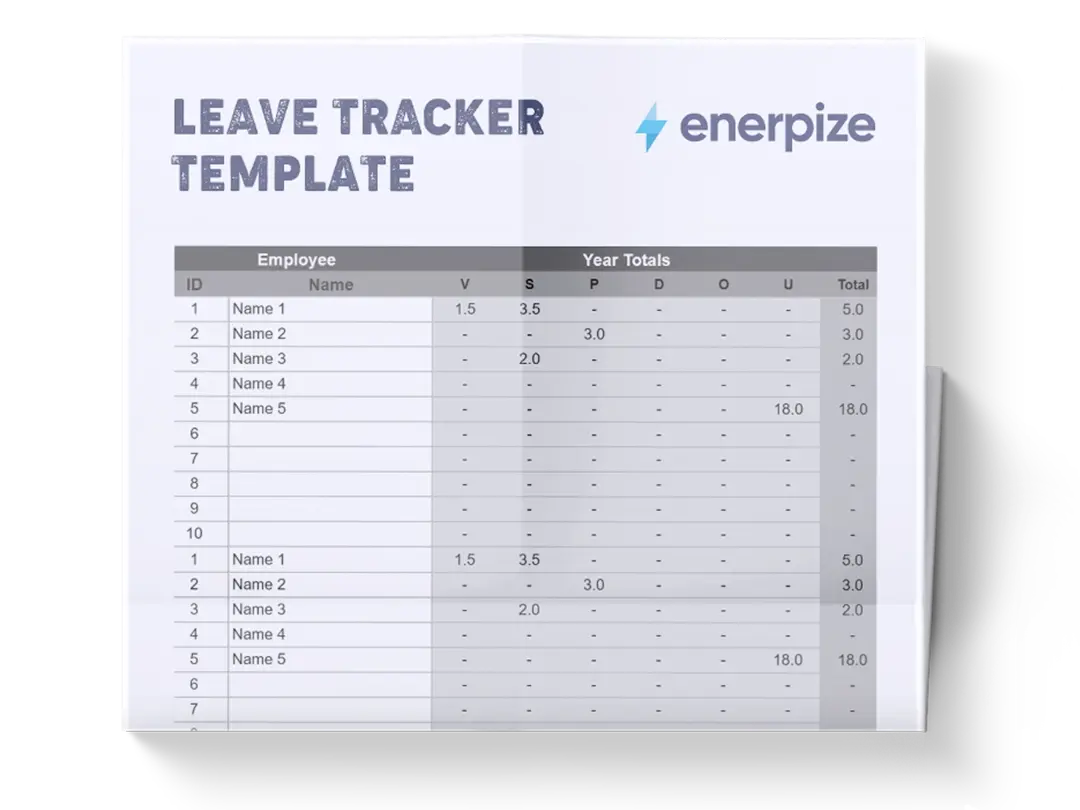
An employee leave tracker template is a management tool to record, organize, and monitor employee absences across multiple leave categories within a defined time period. It provides a monthly grid-based system where each employee’s attendance and leave activity is tracked day by day, enabling HR teams and managers to maintain full visibility over workforce availability.
What Does the Employee Leave Tracker Template Contain?
Annual Calendar Grid (January to December):
The annual leave tracker template is structured across all 12 months of the year, with each month represented as a detailed grid of individual days. This allows organizations to track attendance continuously throughout the year in a consistent format.
Daily Date Columns (1–31):
Each month includes numbered day columns that represent individual calendar dates. These columns are used to mark employee attendance or leave status on a day-to-day basis.
Employee Name Column:
This section lists all employees in the organization. Each row corresponds to one employee, ensuring that leave data is recorded individually and can be analyzed per staff member.
Total Leave Summary Column:
A calculated field that summarizes the total number of leave days taken by each employee across the tracked period, providing a quick performance and attendance overview.
Leave Category Columns
These predefined categories classify the type of leave taken. Each column captures the frequency or count of each leave type per employee, ensuring standardized tracking across the organization.
Categories are: Vacation, Half Day, Sick, Maternity, Casual, and Unpaid.
Day Label Row (Weekday Indicators):
This row maps each date to its corresponding weekday (e.g., Mon, Tue, Wed), helping HR teams identify patterns such as weekend adjacency or recurring absenteeism trends.
How to Use the Employee Leave Tracker Template
1. Set Up Employee Records
Begin by entering all employee names into the “Name” column. Ensure consistency in spelling and formatting, as this will be the primary identifier throughout the template. Assign each employee their own row to avoid duplication or misalignment of records.
2. Define Leave Categories
Familiarize yourself with the predefined leave types: Vacation, Half Day, Sick, Maternity, Casual, and Unpaid. These categories should align with your internal HR policy to ensure consistency in reporting and payroll integration.
3. Record Daily Attendance and Leave
For each day of the month, input the appropriate leave code (V, H, S, M, C, or U) into the corresponding date cell. If an employee is present, leave the cell blank or use your organization’s attendance marker. This step ensures a real-time view of workforce availability.
4. Update Monthly Totals
At the end of each month, verify that the “Total” column accurately reflects the number of leave days taken. Cross-check this against the category-specific columns to ensure data consistency and eliminate entry errors.
5. Review Weekly and Monthly Patterns
Use the weekday row to identify behavioral trends such as frequent Monday absences or clustered leave periods. This helps HR teams anticipate staffing shortages and adjust scheduling proactively.
6. Maintain Continuous Updates
Update the template regularly rather than retrospectively. Daily or weekly input reduces errors and ensures data remains reliable for payroll and reporting cycles.
Related Templates
Importance of Employee Leave Tracker Template
Improves Workforce Visibility and Planning
An employee leave tracker template provides a structured overview of who is available and who is absent at any given time. This visibility is critical for managers who need to allocate tasks, schedule shifts, or manage project deadlines efficiently. Without a centralized system, teams often rely on fragmented communication, leading to scheduling conflicts and operational inefficiencies. By consolidating leave data into a single monthly grid, organizations can anticipate staffing shortages and plan resources more effectively. Over time, this improves productivity and ensures smoother day-to-day operations across departments.
Reduces Payroll and Attendance Errors
Manual tracking of employee leave often leads to miscalculations in payroll, especially when different leave types affect compensation differently. This template standardizes how leave is recorded, ensuring that every absence is categorized and counted accurately. HR teams can cross-check totals before processing salaries, reducing disputes and correction cycles. The structured format also minimizes human error caused by inconsistent record-keeping or missing entries. As a result, payroll becomes more reliable, transparent, and aligned with actual attendance data.
Strengthens HR Compliance and Audit Readiness
Organizations must maintain accurate attendance records for legal, tax, and internal audit purposes. This template creates a clear historical record of employee absences across all months and categories. In the event of audits or compliance checks, HR teams can quickly retrieve structured data without manual reconstruction. This reduces compliance risks and ensures adherence to labor regulations. It also strengthens internal accountability by maintaining a transparent record of employee attendance behavior.
Enables Data-Driven HR Decision Making
Beyond tracking absences, the template provides valuable insights into workforce behavior and trends. HR teams can identify patterns such as frequent sick leaves, seasonal vacation spikes, or departmental absenteeism issues. These insights support better workforce planning, policy adjustments, and employee engagement strategies. Instead of relying on assumptions, management can make informed decisions based on actual attendance data. This transforms the template from a simple tracking tool into a strategic HR asset.
Who Can Use the Employee Leave Tracker Template?
HR Managers and Human Resource Teams
HR professionals are the primary users of a leave tracker template because they are responsible for monitoring attendance, managing leave policies, and ensuring workforce compliance. The template simplifies daily tracking tasks and provides a structured system for reviewing employee absences. It helps HR teams maintain accurate records without relying on complex software systems. This ensures consistency across departments and improves communication with payroll and management teams. Ultimately, it allows HR professionals to focus more on strategic workforce planning rather than manual data entry.
Small and Medium Business Owners
Business owners who manage lean teams often lack dedicated HR systems, making manual tracking essential. This template offers a simple yet effective way to monitor employee attendance without additional software costs. It provides full visibility into workforce availability, helping owners make informed decisions about staffing and project allocation. It also ensures payroll accuracy, which is critical for maintaining trust and financial stability in small organizations. For SMEs, it acts as a lightweight but powerful operational tool.
Operations and Project Managers
Operations managers rely heavily on team availability to ensure deadlines and deliverables are met. This template allows them to quickly identify who is available, who is on leave, and when staffing gaps might occur. It supports better project scheduling and resource allocation across teams. By understanding leave patterns, managers can avoid overloading employees or delaying critical tasks. This leads to more efficient project execution and improved team performance.
Finance and Payroll Teams
Finance professionals use leave data to ensure accurate salary calculations, especially when different leave types impact compensation. The structured format of the template allows for easy verification of paid and unpaid leave days. It reduces payroll discrepancies and ensures that financial records align with actual attendance. This improves accuracy in financial reporting and minimizes reconciliation efforts at the end of each pay cycle. For finance teams, it is a critical tool for maintaining payroll integrity.
One Easy Platform for Everything HR
While this employee leave tracker template helps you manually organize, monitor, and analyze workforce absences with structure and clarity, growing teams often need more automation, accuracy, and real-time visibility. That’s where Enerpize, our all-in-one ERP platform, comes in.
With Enerpize Online Leave and Attendance Management System, you can:
- Automatically track employee attendance and leave in real time across remote and on-site teams
- Eliminate manual errors with synchronized attendance logs, shift rules, and approval workflows
- Gain instant access to attendance insights, compliance-ready reports, and payroll-aligned data
If you’re ready to move beyond spreadsheets, Enerpize brings enterprise-grade control to growing teams.