Posted on 8 June 2026
Free Contractor Invoice Template: Excel, Word, PDF & Google Sheets
- Bills services clearly with itemized labor, materials, and unit rates so clients know exactly what they are paying for.
- Calculates subtotal, discount, tax, and balance due automatically when you use the Excel or Google Sheets version.
- Covers all four major markets: United States, United Kingdom, Australia, and Canada, with country-specific compliance fields built in.
- Includes a retainage section for construction contractors to track amounts withheld and released across billing periods.
- The contractor invoice template is available in Word, Excel, PDF, Google Sheets, and Google Docs.
A contractor invoice template is a ready-to-edit billing document that independent contractors, general contractors, and subcontractors use to formally request payment after completing a job. It captures everything the client needs to approve payment and everything you need to stay compliant at tax time.


You finished the job. The client shook your hand. The work looks good and you both know it.
Then you go home, open your laptop, and spend 40 minutes staring at a blank Word document trying to remember what you charged for the pipe replacement.
That is not a billing problem. That is a documentation problem. And it costs contractors more money than bad clients do.
A solid contractor invoice template does not just ask for payment. It tells the full story of the job in one page. What was done, how much each piece cost, when payment is due, and exactly how to send it. Clients who receive a clear invoice pay faster. Clients who receive a vague one ask questions, delay approval, and sometimes just wait to see if you follow up.
This page gives you a free contractor invoice template in every format you need, Word, Excel, PDF, and Google Sheets. It also covers what actually goes on each line depending on your trade, what your country requires by law, and where a template stops being enough and software takes over.
Download the template. Fill it in. Get paid.
Managing more than a few clients? Enerpize generates your invoices automatically. Start for free.
What Is a Contractor Invoice?
A contractor is done with the job. The work is signed off. Materials are on site or already installed. The only thing standing between that completed work and actual money in the bank is a piece of paper.
That piece of paper is the contractor invoice.
A contractor invoice is a formal billing document that records what work was done, who did it, how much it costs, and when payment is due. It is different from a purchase order, which a client sends before the work begins. It is different from a work order, which authorizes the scope. And it is different from a receipt, which confirms payment after the fact.
The invoice sits in the middle. It is the request. It is also a legal record. In most jurisdictions it is what triggers the formal payment obligation, starts the payment clock, and creates the paper trail you need for tax filings, dispute resolution, and audit.
If you are an independent contractor billing by the hour, a general contractor running progress draws on a construction site, or a subcontractor passing your invoice up the chain, the document is the same. The structure does not change. The details do.
What to Include in a Contractor Invoice Template
There is no universal law that dictates every field on a contractor invoice. But after looking at what gets invoices paid fast versus what gets them queried, delayed, or rejected, the pattern is clear. Here is every field that earns its place.
| Field | What to Include | Why It Matters |
|---|---|---|
| Company name and logo | Your registered business name and logo | Establishes identity and professionalism |
| Your contact details | Address, phone, email, website | Lets clients reach you without hunting |
| License or ABN number | Trade license, contractor registration, or ABN | Required in the US, UK (CIS), and Australia |
| Client name and address | Full billing name and address | Ensures the invoice routes to the right person |
| Invoice number | Sequential, unique (e.g., INV-2026-001) | Required for tax records and audit trails |
| Invoice date | Date the invoice is issued | Starts the payment clock |
| Due date | A specific calendar date, not just "Net 30" | Removes all ambiguity on when payment is expected |
| PO or reference number | Client's purchase order number if applicable | Required by most B2B clients for accounts payable |
| Job site address | Where the work was performed | Separates billing address from project location |
| Service description | One clear line per service or material | Reduces disputes before they start |
| Quantity and unit | Hours, days, meters, units, jobs | Shows the client how the number was reached |
| Unit price | Rate per unit | Proves the calculation |
| Line total | Quantity multiplied by unit price | Gives the client a clear per-item cost |
| Subtotal | Sum of all line items before adjustments | Required for transparent tax calculation |
| Discount | Amount or percentage if applicable | Shown separately so the client sees the original rate |
| Tax rate and amount | GST, VAT, HST, or sales tax shown separately | Legally required in most jurisdictions |
| Balance due | Final amount owed after all adjustments | The number the client actually pays |
| Payment instructions | Bank details, accepted methods, reference to use | Without this, clients do not know how to pay you |
| Payment terms | Net 30, milestone structure, late fee policy | Protects you legally if payment is delayed |
| Retainage line | For construction: amount withheld and released | Tracks what is held back per billing period |
Contractor Invoice Template by Country
This is where most free templates fall short. They hand you a generic layout and leave you to figure out what your country actually requires. That gap costs contractors. A missing ABN on an Australian invoice can void the client's GST claim. A subcontractor in the UK billing without a CIS line can trigger a compliance issue with HMRC. A Canadian contractor missing their HST number on an invoice over $30 is technically non-compliant with CRA.
Here is what each of the four major markets actually requires.
United States
The IRS does not prescribe a specific invoice format for contractors, but it does expect your records to match your 1099-NEC filings. If you are an independent contractor, every invoice you issue is part of that income trail.
A few things that do not show up on generic templates but matter in practice:
If you work in a licensed trade (electrical, plumbing, HVAC, general contracting), your contractor license number belongs in the header. Some states require it on the invoice by law. All of them expect it during a dispute or audit.
In construction, retainage is standard. Clients typically withhold 5 to 10 percent of each progress payment until the project reaches substantial completion. That withheld amount should appear as a separate line on the invoice, not buried in the total. For formal construction payment applications, the AIA G702/G703 format is the industry standard. See the AIA G702/G703 template if your project requires certified payment applications.
For independent contractors billing at the end of a project, the invoice is also your main documentation if the client files a 1099-K through a third-party payment processor. Keep every invoice on file for at least seven years.
United Kingdom
HMRC has specific requirements for what a valid invoice must contain. Miss any of these and the invoice can be challenged:
Your business name and address. Your client's name and address. A unique invoice number. The date of supply (the tax point date, which can differ from the invoice date). A clear description of the services provided. The total amount excluding VAT. The VAT rate applied. The VAT amount charged. Your VAT registration number if you are VAT registered.
The VAT registration threshold in the UK is currently 90,000 GBP. Below that, you are not required to register or charge VAT. Above it, you must.
Now here is the field that almost every free contractor invoice template completely ignores for UK users: the CIS deduction.
Under the Construction Industry Scheme, if you are a subcontractor working in construction, the contractor paying you is required to deduct tax at source before they pay your invoice. A registered subcontractor is deducted at 20 percent. An unregistered subcontractor is deducted at 30 percent. That deduction must appear clearly on your invoice. Show the gross amount, the CIS deduction rate and amount, and the net payable. If you leave it off, the paying contractor has to calculate it themselves, which slows down payment and creates friction.
For more detail on HMRC's CIS rules, see HMRC's Construction Industry Scheme guidance.
Australia
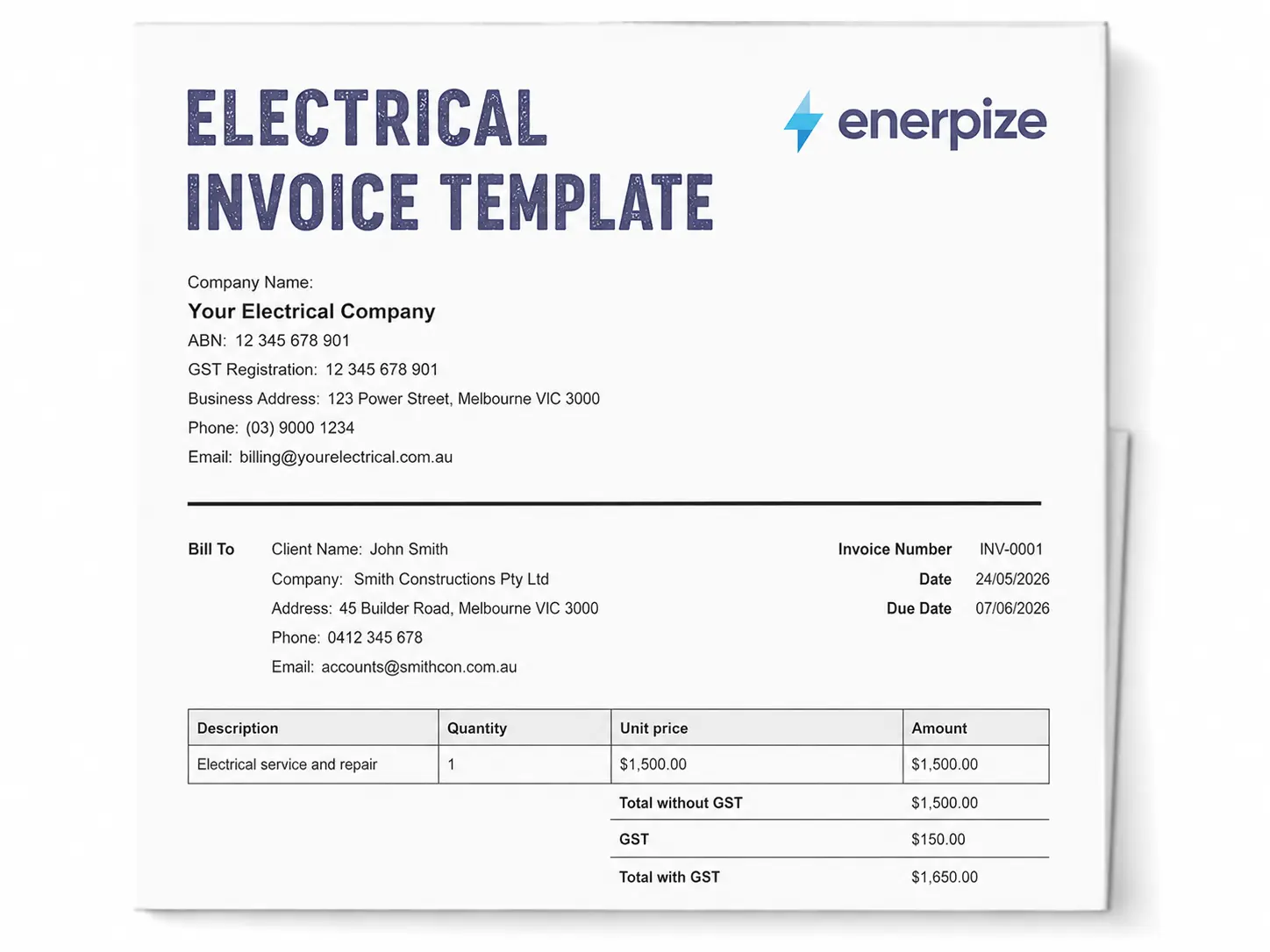
GST-registered contractors in Australia must issue a tax invoice for any supply over AUD 82.50. The ATO is specific about what that tax invoice must include:
The words "Tax Invoice" must appear on the document. Your Australian Business Number. The date the invoice is issued. A description of what was sold or the service provided. The GST amount charged, either as a separate line or as a statement that the total price includes GST. The total price.
For supplies over AUD 1,000, the invoice must also include the recipient's identity or ABN.
If you are not registered for GST (because your turnover is below AUD 75,000), you issue a standard invoice without GST. You do not include the words "Tax Invoice" and you do not charge GST. The AUD 82.50 threshold only applies once you are already GST registered. Contractors below the AUD 75,000 annual turnover threshold are not required to register at all and issue standard invoices in all cases. See the Australian invoice template without GST and the Australian GST invoice template for ready-to-use versions of both.
Contractors working in the disability support sector under the NDIS have additional requirements. NDIS invoices must reference the support item number, the NDIS participant's name, and the relevant price guide line item. See the NDIS invoice template for the correct format.
For the full ATO requirements, see ATO tax invoice requirements.
Canada
CRA has its own set of requirements depending on the total amount of the invoice.
For invoices under CAD 30: you need the supplier name, the date, a description of the goods or services, and the total amount paid.
For invoices between CAD 30 and CAD 150: add the invoice number and the GST/HST registration number.
For invoices over CAD 150: add the recipient's name or business name on top of everything above.
If you are registered for GST/HST, you must show the registration number and the tax amount separately on every invoice. If you collect PST (in British Columbia, Saskatchewan, or Manitoba) or QST (in Quebec), that is a separate line again.
For the full CRA rules, see CRA invoice requirements for Canadian businesses.
How Enerpize Handles Contractor Invoicing
A template is the right tool when you have a handful of clients and the jobs are straightforward. When the volume goes up, or the jobs get more complex, the template becomes the bottleneck.
Generic templates give you empty rows and tell you to fill them in. That works until you are on a job site at 6pm trying to remember how to bill a plumbing call-out correctly, or figuring out how to separate paint materials from labor in a way that makes sense to a client.
Here is what Enerpize does that a downloaded file cannot, and how it works for the four most common contractor types.
Invoicing with Retention and Installments
Generate contractor invoices in installments with retainage calculated and shown as a separate line. When retainage releases at project completion, the system tracks it without a manual adjustment.
Work Order to Invoice in One Step
Create a work order, assign it to a technician, record expenses and completion, then convert it directly into an invoice. No double entry. The job cost data flows straight through.
Cleaning Contractors
Cleaning invoices are usually straightforward but clients want to see the detail, especially for commercial accounts. Include the type of service (regular clean, deep clean, post-construction clean), the number of hours, the number of cleaners if you are billing a team, consumables used, and the frequency if it is a recurring contract.
If you are running a cleaning business with multiple clients and recurring jobs, a template gets limiting fast. Enerpize's cleaning business software lets you schedule visits, generate invoices automatically, and send payment links without building every document by hand.
Plumbing and Heating Contractors
Plumbing invoices need a call-out fee line, labor hours at the trade rate, and parts listed separately. Clients want to see what they paid for the part and what they paid for the labor to fit it. Mixing them into a single line creates disputes.
If the job ran after hours or over a weekend, add an emergency or after-hours surcharge as a separate line rather than inflating the hourly rate. It is more transparent and harder to argue with.
In mixed-supply jurisdictions like the UK and Australia, the tax treatment of labor versus materials can differ. Check with your accountant if your jobs are split between the two. Enerpize's plumbing and heating software tracks job costs, assigns technician time, and generates invoices directly from work orders.
Painting Contractors
Painting invoices should break out surface preparation, priming, and the number of finish coats as separate line items. Add the paint cost itemized by volume (liters or gallons), the brand if the client specified it, and access equipment rental if you brought a scaffolding tower or elevated platform.
If the job is priced by square footage, include the total area covered as the quantity. If it is day-rate, show the number of days and the day rate. Do not mix the two on the same invoice without labeling which is which.
For paint shop owners managing both retail and service, Enerpize's paint shop software tracks product stock, seller performance, and invoicing in one place.
General and Construction Contractors
Construction invoices have the most moving parts. On a fixed-price project you are billing progress draws, which means showing how much of the contract value has been completed to date, how much was completed this period, and how much retainage is being withheld.
On a time and materials job you are billing labor hours at trade rate, materials at cost plus markup, subcontractor pass-throughs with your overhead and profit added, and any permit or inspection fees as reimbursable line items.
For formal payment applications on AIA contracts, the download on this page is a good starting point but you will eventually need the AIA G702/G703 format for certified applications where an architect or owner's representative signs off on each draw.
Skip the template and let Enerpize auto-generate your contractor invoices. Track payments, manage retainage, and send professional PDFs from any device. Start for free.
Contractor Invoice vs. Related Documents
A lot of contractors use these terms interchangeably. That is how disputes start.
| Document | When It Is Issued | What It Does |
|---|---|---|
| Work order | Before work begins | Authorizes and describes the scope |
| Contractor invoice | After work is complete | Requests payment for completed work |
| Receipt | After payment is received | Confirms the payment was made |
| Delivery note | When materials arrive on site | Records what was delivered and when |
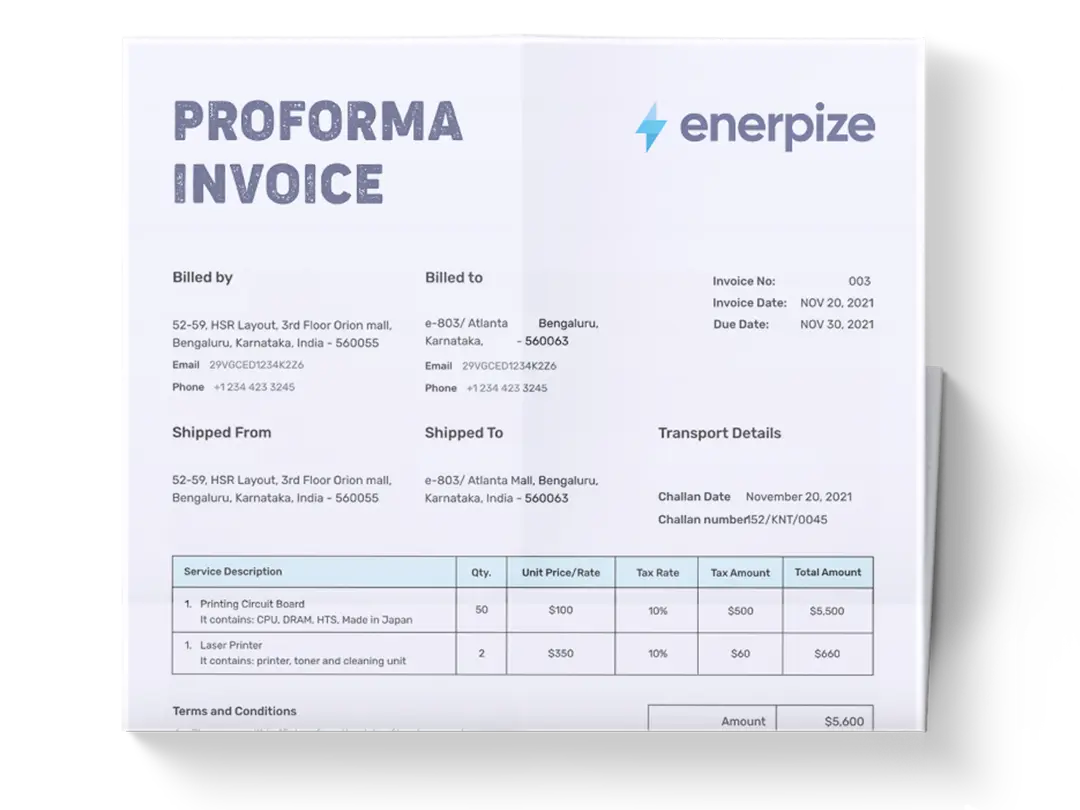
| Proforma invoice | Before work begins | Estimates expected cost, not a payment demand |
The sequence matters. A work order template opens the job. The contractor invoice closes it. A receipt template confirms the money moved. Sending a receipt before the money arrives, or an invoice before the work is done, creates confusion on both sides.
How to Fill Out a Contractor Invoice
No jargon. No theory. Here is the sequence.
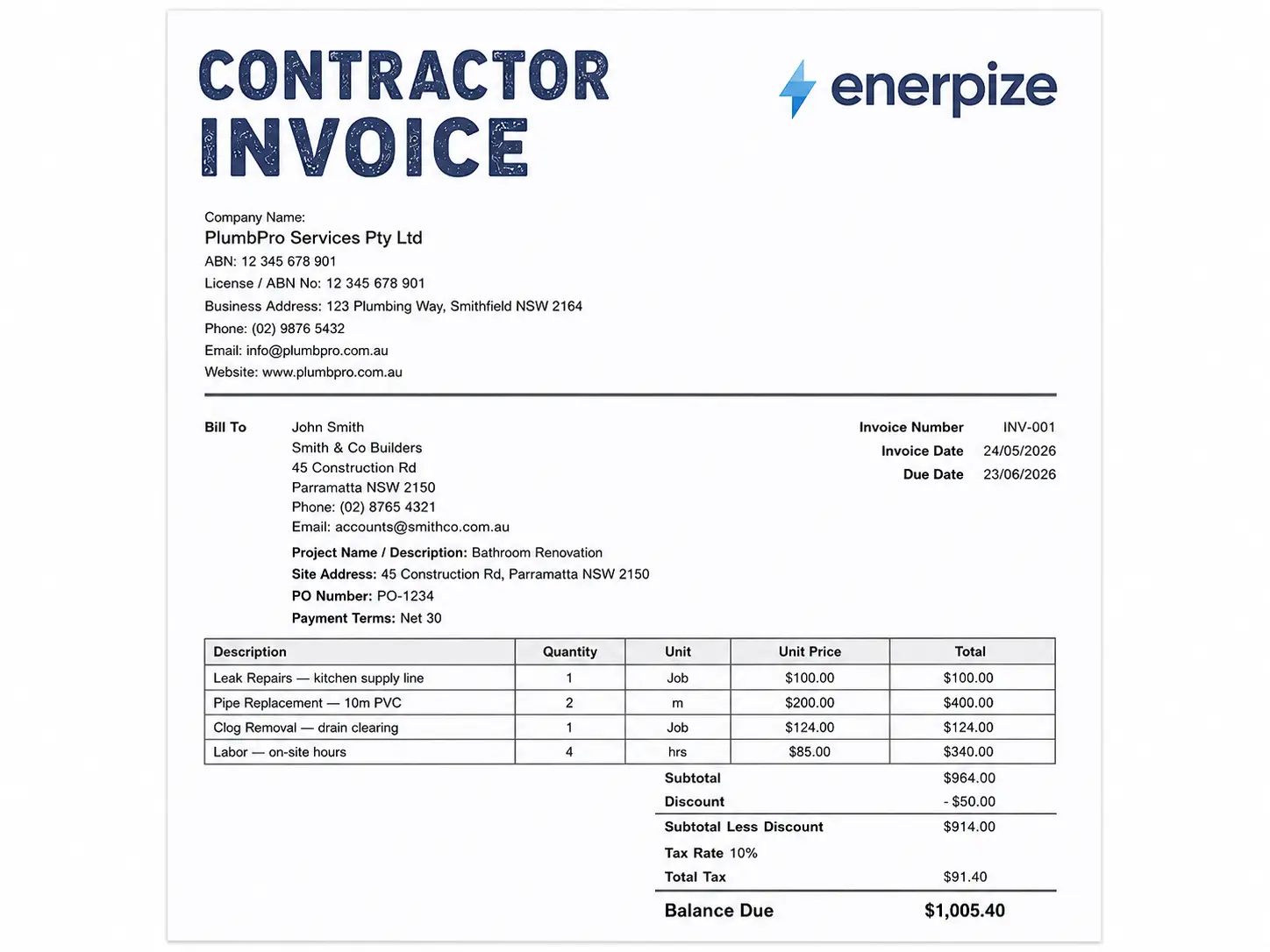
Step 1. Put your business name, address, phone, email, and license or ABN number at the top left. If you have a logo, it goes there too.
Step 2. Enter your client's full billing name and address, not the job site, the billing contact.
Step 3. Assign a sequential invoice number. Start at INV-001 and count up. Never reuse a number.
Step 4. Set the invoice date (today) and the due date (a specific calendar date, not just "30 days").
Step 5. Add the job site address and a PO or reference number if the client gave you one.
Step 6. List each service or material on its own line. Include quantity, unit, unit price, and line total.
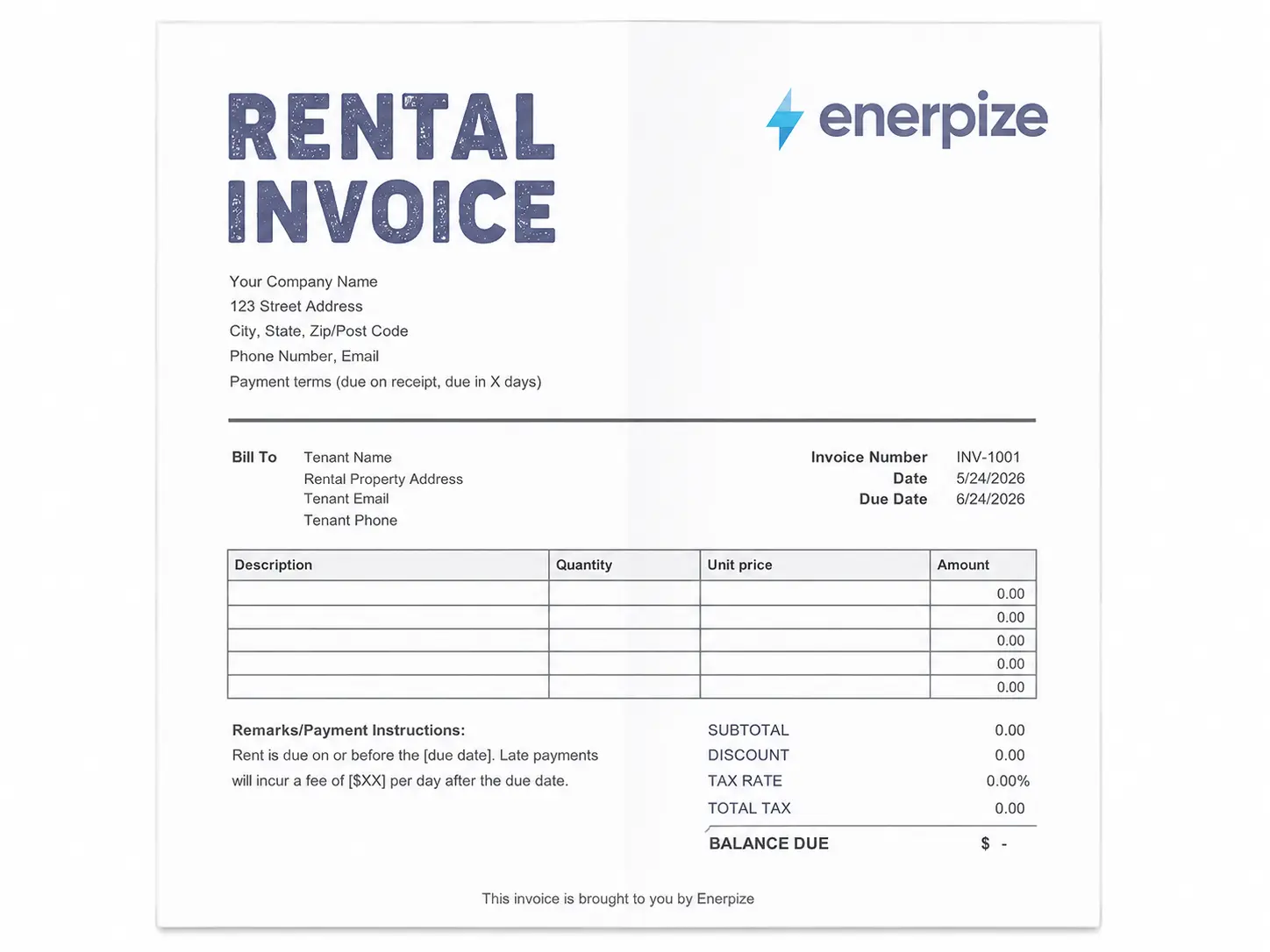
Step 7. Add the subtotal, discount if applicable, tax rate, total tax, and balance due.
Step 8. Include your payment instructions. Bank name, account name, account number, routing or sort code. Add any alternative payment methods you accept.
Step 9. State your payment terms and late fee policy clearly.
Step 10. Save as PDF before sending. Keep a copy.
When to Send a Contractor Invoice
The answer most contractors give is "when the job is done." That works for small, short jobs. For anything more complex, the timing of your invoice is as important as the content.
On completion. For day jobs, cleaning visits, call-outs, and small maintenance work, send the invoice the same day the work is completed. The longer you wait, the more the client's sense of urgency fades.
Milestone billing. For larger projects, bill at agreed milestones rather than waiting for the end. Typical splits are 40 percent deposit upfront, 30 percent at the midpoint, 30 percent on completion. This protects your cash flow and gives the client a predictable payment schedule.
Recurring billing. For ongoing contracts (regular cleaning, maintenance retainers, monthly service agreements), send invoices on a fixed day each month. The client builds it into their accounts payable cycle and you get paid more consistently. This is where a template breaks down and invoicing software becomes worth it. When you are sending 20 or 30 invoices a month on a fixed schedule, doing it manually from a Word document is not a system. It is just time you are spending on admin.
Common Contractor Invoicing Mistakes
Most delayed payments trace back to one of these.
| Mistake | Why It Happens | How to Fix It |
|---|---|---|
| No license or ABN number | Contractors forget it is required | Add it permanently to your template header |
| Vague due date | Writing "Net 30" with no start date | Always use a specific calendar date |
| Labor and materials on one line | Faster to fill in | Separate lines for each, always |
| No late fee policy | Feels confrontational to include | Add "1.5% monthly on overdue balances" to your terms |
| Wrong tax handling | GST on labor vs. materials differs by jurisdiction | Use software that handles it, or ask your accountant |
| Missing CIS deduction (UK) | Most templates do not include this field | Show gross amount, deduction rate, and net payable separately |
| No payment instructions | Assumed the client knows how to pay | Bank details on every invoice, every time |
| Non-unique invoice numbers | Started over at INV-001 for a new client | One sequential number series across all clients |
Frequently Asked Questions
What is the difference between an independent contractor invoice and a subcontractor invoice?
An independent contractor invoices a client directly for services they personally provide. A subcontractor invoices a general contractor or primary contractor who has engaged them for part of a larger project. In construction, subcontractor invoices typically include a retainage line and reference the primary contract number.
Do independent contractors need to send invoices?
Yes. Even when payment arrives through a payment processor or bank transfer, the invoice creates the income record you need for tax compliance, dispute resolution, and audit. In most jurisdictions it is also what formally triggers the payment obligation.
What is a CIS deduction on a UK contractor invoice?
Under the Construction Industry Scheme, contractors in the UK must deduct tax from subcontractor payments before they are made and pass it to HMRC. A registered subcontractor is deducted at 20 percent. An unregistered one at 30 percent. The invoice must show the gross amount, the CIS deduction rate and amount, and the net payable.
What formats should a contractor invoice template come in?
Excel or Google Sheets for automatic calculations. Word or Google Docs for straightforward text editing. PDF for sending to clients in a format that cannot be accidentally altered. Having all four means you can work in the format that suits the job and send in the format that suits the client.
How is a contractor invoice different from a work order?
A work order is issued before the job starts and authorizes the scope of work. A contractor invoice is issued after the work is complete and requests payment. They are sequential, not interchangeable.
When should a contractor include retainage on an invoice?
Retainage applies mainly in construction and formal project contracts. If your contract specifies it, show it as a separate line: "Retainage withheld (10%): -$X." Do not absorb it into the total. The client needs to see exactly how much is being held back and why.
What tax number should Australian contractors include?
GST-registered contractors must include their ABN and show GST as a separate line or state that the total price includes GST. The words "Tax Invoice" must appear on the document. Contractors below the GST registration threshold use a standard invoice and do not include those elements.
Does a contractor invoice need to be signed?
In most jurisdictions, no. A contractor invoice is not a contract and does not require a signature to be valid as a payment request. For certified payment applications in construction (especially on AIA contracts in the US), the payment application form does require signatures. In that case you want the AIA G702/G703 format, not a standard invoice.
Ready to stop managing invoices by hand? Enerpize automates contractor invoicing, tracks payments, and keeps your books clean. Start for free.
About the Author
Omar El Bahr is a Senior Digital Growth Specialist at Enerpize and a contributor to Forbes Communications Council and Entrepreneur. He writes about invoicing, financial operations, and business growth for small and medium-sized businesses.
Disclaimer: This template and the information on this page are provided for general informational purposes only. They do not constitute legal, tax, or accounting advice. Invoice requirements vary by country, state, and industry. Consult a qualified accountant or tax advisor to ensure your invoices meet the specific legal and compliance requirements in your jurisdiction.