Posted on 11 December 2025
Sales Commission Sheet Template: Free Excel & Google Sheets
- The commission sheet template is available in Excel and Google Sheets.
- It records detailed sales transactions, including salesperson identifiers, sales region, customer details, product data, and calculated commission.
- Used for managing payouts, analyzing individual performance, and ensuring accuracy across monthly or quarterly sales periods.
- Perfect for sales managers, teams, freelancers, and organizations seeking a reliable, structured, and error-free commission tracking system.
A commission sheet template is a structured document used to record individual sales transactions, apply commission rates, and calculate total payouts for each salesperson.


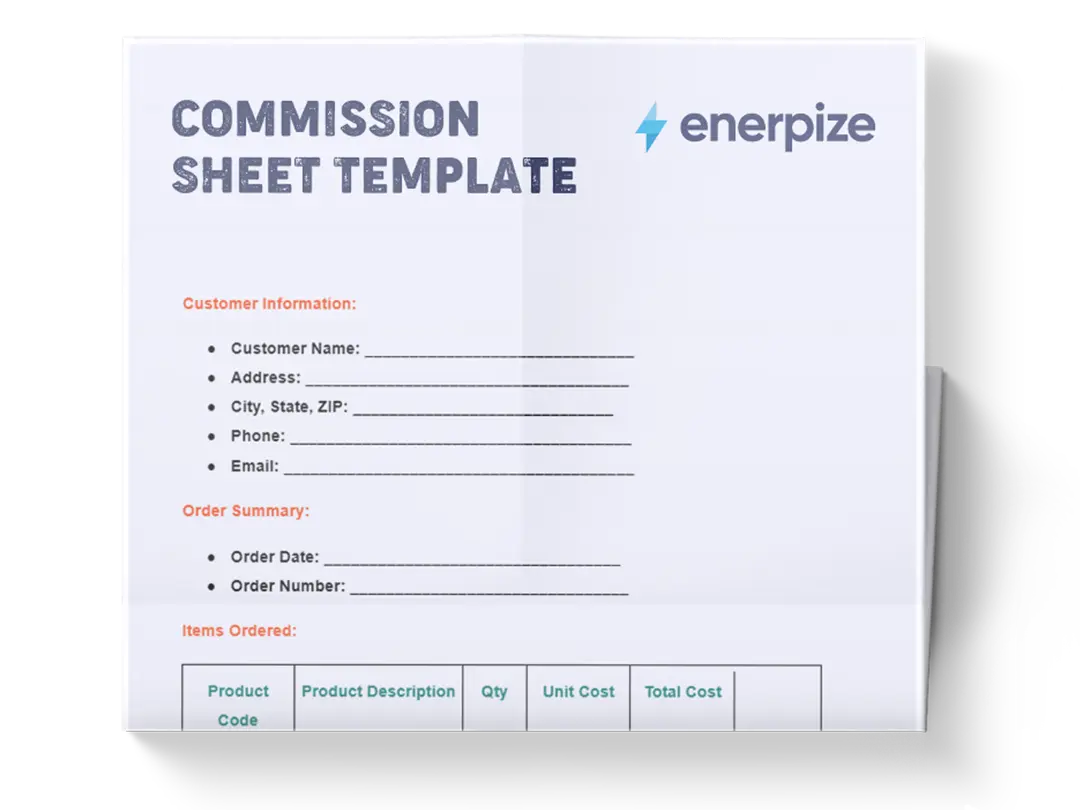
What is the Commission Sheet Template?
A sales commission sheet template is a structured tracking document that records individual sales transactions and automatically calculates the commission owed to each salesperson based on a set rate or percentage. It gives sales managers a single, organized view of who sold what, at what price, and how much commission they've earned, without manual calculations or disconnected spreadsheets.
Businesses use commission sheets to ensure payout accuracy, compare performance across team members and regions, and maintain a clear record for payroll and accounting purposes. Whether you're running a small sales team or managing commissions across multiple territories, this template provides a reliable, repeatable format for every pay period.
A template tracks commissions. Enerpize calculates and pays them automatically — tied directly to your sales, payroll, and accounting records. Start for free.
What Does the Commission Sheet Template Contain?
Sales Transaction
This main data table captures all transaction-level information.
- Sales Date: Records the date each sale occurred, allowing analysis by day, week, month, or quarter.
- Sales Transaction Number: A unique identifier that organizes and distinguishes individual sales entries.
- Salesperson Name: Identifies the employee responsible for the sale, forming the basis for individual commission calculations.
- Employee ID: A precise numerical identifier that ensures sales are mapped correctly to the right employee.
- Sales Region: Indicates the geographic region where the sale took place, supporting performance comparisons across territories.
- Product Description: Describes the sold product, helping categorize and analyze performance across different items.
- Product Category: Groups products by type (e.g., Electronics, Apparel), allowing category-based revenue and commission insights.
- Customer Name: Captures the customer involved in each sale, supporting record-keeping and review when needed.
- Sale Price: Shows the selling price per unit for each product.
- Purchase Price: Provides the cost per unit, enabling margin-based analysis.
- Quantity Sold: Captures the number of units included in the sale, feeding into total revenue calculations.
- Total Value: Automatically calculates the full revenue generated from the sale (Sale Price × Quantity Sold).
- Commission Rate: The percentage applied to the total value to determine commission earned.
- Commission Earned: The calculated commission amount based on the rate and total value.
- Sales Channels: Indicates where or how the sale was made (e.g., online, in-store), offering an additional dimension of performance tracking.
For a complete picture of how commission payouts are recorded in your books, see our guide to sales journal entries.
Commission Breakdown
This section summarizes revenue and commissions by employee, offering a consolidated view of individual contributions.
- Employee: Lists each salesperson included in the reporting period.
- Revenue: Total sales value attributed to each employee.
- % of Total Sales: Shows each employee’s share of total company revenue.
- Total Commission: Displays the sum of all commissions earned by each employee.
- % of Total Commission: Indicates the portion of total commissions attributed to each employee.
- Change from Last Month: Left blank for user input; allows monitoring of performance trends month over month.
- Total Sales (bottom row): Aggregates all revenue and commissions for the period to provide a complete summary.
How to Use the Commission Sheet Template
1- Begin with the Sales Transaction table
Start by entering the raw sales data line-by-line. Begin with the Sales Date, then add the Sales Transaction Number for proper referencing. Continue filling in Salesperson Name and Employee ID to ensure each sale is tied to the correct individual.
2- Enter Product and Customer Details
Fill in Sales Region, Product Description, Product Category, and Customer Name according to each transaction. These fields contextualize each sale and support later analysis.
3- Input Pricing and Quantity Information
Enter the Sale Price, Purchase Price, and Quantity Sold. These values automatically support the calculations for Total Value, which should reflect the actual revenue from each sale.
4- Add the Commission Rate for Each Sale
Enter the Commission Rate based on the compensation structure. The template uses this percentage to calculate Commission Earned, which reflects the payout the salesperson deserves for that transaction.
5- Review the Total Value and Commission Earned columns
After entering the pricing and rate data, the template outputs the Total Value and Commission Earned automatically (or according to provided formulas). Verify these numbers for accuracy before proceeding.
6- Move to the Commission Breakdown section
Once all transactions for the period are entered, review the Commission Breakdown section. This area summarizes totals for each employee.
7- Fill in “Change from Last Month” if applicable
This column is provided for manual input. Compare the current period’s numbers with the previous month and calculate performance changes for each employee.
8- Review the Bottom “Total Sales” Row
The final row consolidates all revenue and commissions from the period. Confirm that the totals match the sum of all entries to ensure no data was missed or duplicated.
Eight steps to fill one commission sheet. Enerpize does it automatically — every sale logged, every rate applied, every payout calculated in one place. Start for free.
For a broader look at how commission fits into your overall payroll process, read our payroll guide.
Importance of the Commission Sheet Template
Ensures Accurate Commission Calculation
Accurate commission payouts are critical to maintaining trust within any sales organization. This template eliminates manual errors by providing clearly defined fields and structured calculations, ensuring that every commission is based on verifiable sales entries. By tracking sale price, quantity, and commission rate together, the template guarantees precision in calculating payouts.
Enhances Performance Visibility
The Commission Breakdown section transforms raw sales activity into actionable insights. Managers can quickly identify top performers, analyze revenue distribution, and pinpoint employees needing support. Clear visibility into individual contributions helps drive targeted coaching and fair recognition.
Simplifies Monthly or Quarterly Payouts
Instead of manually aggregating numbers from multiple sheets or systems, this template consolidates all data into a single view. The bottom-row totals and employee-level summaries accelerate payout approvals and reduce administrative friction. This efficiency is especially valuable in large teams with recurring commission cycles.
Supports Data-Driven Decision Making
By showing product categories, sales regions, and channels alongside financial outcomes, the template reveals patterns that help optimize strategy. Managers can evaluate which regions contribute most, which products perform best, or which channels generate the highest commissions — all from the same dataset.
Improves Transparency Across the Sales Team
Clear, consistent documentation builds trust between managers and sales staff. Every transaction is logged, every calculation is visible, and every commission is traceable. This transparency minimizes disputes and increases confidence in the fairness of the compensation system.
Accurate commissions build trust. Enerpize automates every calculation and keeps a full audit trail — so your team always knows the numbers are right. Start for free.
Who Can Use the Commission Sheet Template?
Sales Managers
Sales managers can use the template to track team performance, allocate commissions correctly, and identify high- or low-performing representatives. With built-in summaries, managers gain a fast, reliable snapshot of the entire team’s productivity.
Sales Representatives
Individual reps benefit by reviewing their own revenue contribution and commission earnings. The template provides clarity on how each sale affects their compensation, enabling them to track progress toward monthly targets.
Finance and Accounting Teams
Finance teams rely on structured, accurate sales data to process payroll and verify commission payouts. The template’s consolidated structure reduces back-and-forth communication and accelerates approval processes.
Business Owners and Executives
Executives gain a macro-level view of revenue performance, profitable regions, and team contributions. This visibility can inform hiring decisions, compensation adjustments, and overall sales strategy.
Freelancers and Independent Contractors
Freelancers who earn commission-based income can use the template to document transactions, track payments, and maintain accurate records for financial reporting or client audits.
FAQs
What is a sales commission sheet template?
A sales commission sheet template is a pre-structured spreadsheet that records sales transactions, applies commission rates, and calculates total earnings for each salesperson. It eliminates manual calculations and gives managers a clear, organized view of team payouts for any given period.
What should a commission sheet include?
A complete commission sheet should include: salesperson name and ID, sales date and transaction number, product details, sale price and quantity, total revenue, commission rate, commission earned, and a summary breakdown by employee. Our template covers all of these fields.
How do I calculate sales commission?
Sales commission is calculated using this formula: Commission Earned = Total Sale Value × Commission Rate. For example, if a salesperson closes a $5,000 deal at a 10% commission rate, they earn $500. The template calculates this automatically once you enter the sale price, quantity, and commission rate.
Can I use this template for monthly and quarterly commission tracking?
Yes. The template is designed to work for any pay period — daily, monthly, or quarterly. The Sales Date field and Commission Breakdown section both support period-based filtering and comparison, including a "Change from Last Month" column for trend tracking.
Is a commission sheet the same as a payslip?
No. A commission sheet tracks sales transactions and calculates commission earned. A payslip summarizes total employee compensation — including base salary, bonuses, deductions, and net pay — for a pay period. Commission data from the sheet typically feeds into the payslip calculation. Download our free payslip template to see how commission is reflected in final pay.
Related Templates
Ready to Stop Managing Commissions in Spreadsheets? Enerpize connects your sales, commissions, and payroll in one system so every payout is accurate, automatic, and audit-ready. Start for free.