Posted on 15 December 2025
Job Description Template Word & Google Docs
- The job description template is available in Word and Google Docs.
- It captures every essential detail of a role using a clear, standardized structure aligned with traditional job description formats.
- Provides a repeatable framework that supports hiring, role clarity, internal alignment, and consistent documentation.
- Designed for HR teams, managers, and executives who need clarity, transparency, and structured role definition.


What is the Job Description Template?
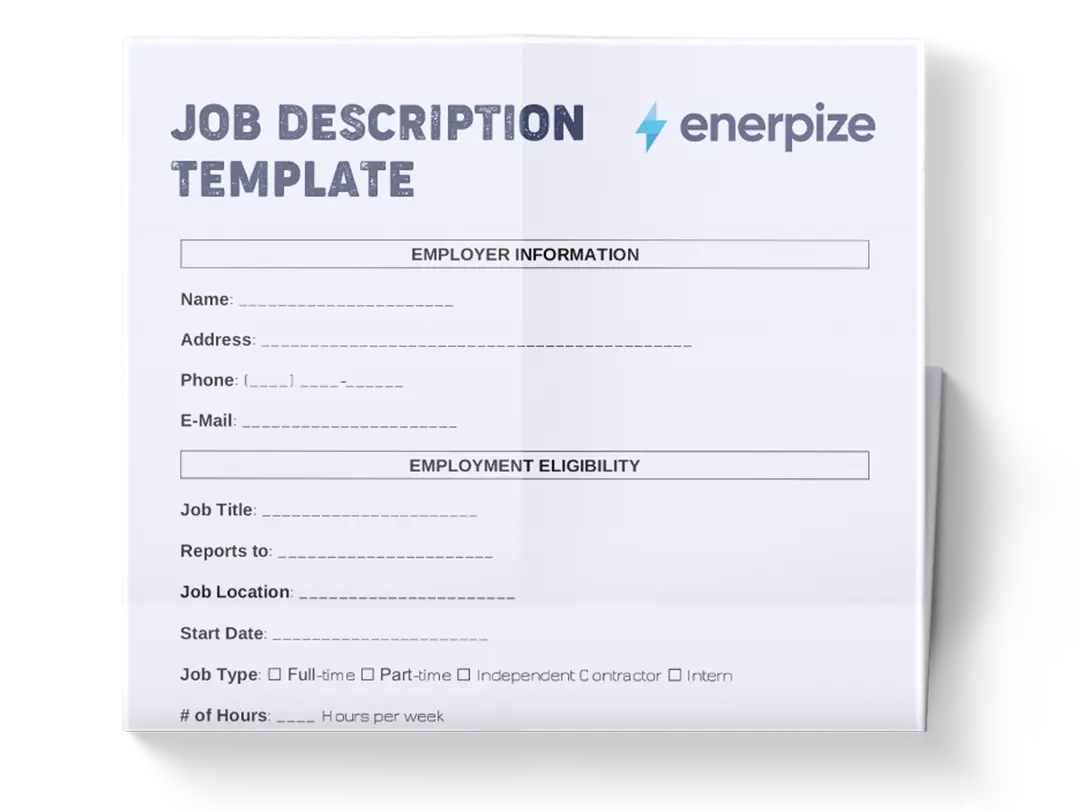
The job description template is a structured, professional document designed to capture all essential elements of a role in one clear, standardized format. It follows the same logic as a traditional job description, allowing roles to be defined and communicated consistently.
What Does the Job Description Template Contain?
Job Header & Role Identification
The opening section establishes the role’s identity and reporting context. These fields ensure the position can be tracked internally, benchmarked, and approved without ambiguity.
- Job Title: The official name of the role used internally and externally.
- Department: The business unit the role belongs to.
- Reports To: The direct reporting manager.
- Location: Physical or remote working location.
- Employment Type: Full-time, part-time, contract, or temporary.
- FTE %: Full-time equivalent allocation.
- Job ID & Job Grade/Band: Internal identifiers used for compensation alignment, workforce planning, and reporting.
Job Summary
This section captures the strategic purpose of the role—not just what the employee does, but why the role exists. A strong job summary explains how the position contributes to organizational objectives and sets the context for all sections that follow.
Key Responsibilities
Responsibilities are documented as clear, outcome-oriented statements. This section defines what the role is accountable for on a day-to-day basis while allowing flexibility through an “additional tasks as assigned” clause.
Required Qualifications
This section defines the non-negotiable criteria needed to perform the role effectively. It typically includes minimum education, certifications, mandatory technical or professional skills, and required years of experience.
Preferred Qualifications
Preferred qualifications capture value-adding attributes that strengthen a candidate’s profile without excluding qualified applicants. These may include additional certifications, industry exposure, or advanced technical skills.
Competencies / Skills
Competencies describe how the role is performed. This includes behavioral traits (communication, collaboration, leadership) and functional skills (analysis, problem-solving, technical execution).
Working Conditions / Schedule
This section defines how the role operates in practice. It includes expected working hours, on-site or remote requirements, overtime rules, travel expectations, and any physical or operational conditions relevant to the role.
Compensation & Benefits
It documents agreed compensation components such as salary range, bonus eligibility (if applicable), benefits, and leave policy, without extending into cost modeling or financial forecasting.
Employment Terms
This section formalizes employment conditions, including probation period, notice period, contract type notes, and any role-specific employment conditions required for clarity and compliance.
Approval
Final sign-off fields ensure the role has been reviewed and approved by management and HR before use.
How to Use the Job Description Template
Step 1: Define the Role Identity
Start with the job header fields: Job Title, Department, Reports To, Location, Employment Type, and FTE %. Assign a Job ID and Job Grade/Band to ensure the role can be tracked, benchmarked, and approved internally.
Next, write the job summary. Focus on the role’s purpose and contribution rather than listing tasks. This summary should explain why the role exists and how it supports organizational goals.
Step 2: Document Responsibilities and Requirements
List the Key Responsibilities as clear, outcome-driven statements. Avoid vague language and focus on accountability.
Then complete the required qualifications section by defining the minimum education, certifications, skills, and experience needed. Follow with preferred qualifications to capture value-adding attributes without narrowing the candidate pool unnecessarily.
Step 3: Define Competencies and Working Conditions
Document the competencies and skills required for success, including behavioral and technical capabilities.
Clarify the working conditions and schedule by specifying working hours, remote or on-site expectations, overtime policy, travel requirements, and any physical or operational constraints. This step reduces misalignment during hiring and onboarding.
Step 4: Enter Compensation and Benefits Data
Document the base salary range, bonus eligibility (if applicable), benefits, and leave policy. This section should reflect agreed compensation parameters without extending into cost calculations or financial forecasting.
Step 5: Finalize Employment Terms and Approval
Finalize the document by collecting manager and HR approvals to formally authorize the role.
Importance of the Job Description Template
Standardizes Role Documentation Across the Organization
This sample job description template ensures that every job description follows the same logical format, reducing inconsistency and confusion. When roles are captured uniformly, from responsibilities to qualifications and compensation structure, HR, Finance, and Leadership can collaborate more efficiently and benchmark roles accurately.
Supports Transparent and Fair Compensation Decisions
By documenting salary ranges, bonus eligibility (if applicable), benefits, and leave policy, the template helps organizations maintain pay equity and consistent compensation practices.
Enhances Hiring Accuracy and Reduces Time-to-Fill
Clear role definitions help recruiters source better candidates and enable hiring managers to screen more efficiently. When responsibilities, qualifications, and competencies are already documented, the hiring process becomes faster and more aligned with actual role needs.
Supports Clear Role Expectations
By clearly defining responsibilities, qualifications, competencies, and working conditions, the template helps managers and employees align on what the role is responsible for and how it is expected to operate.
Who Can Use the Job Description Template?
HR Departments
HR teams use this template to create accurate job descriptions, align them with salary bands, manage hiring workflows, and ensure compliance with internal standards. It becomes a central reference for audits, job evaluations, and policy consistency.
Hiring Managers
Managers rely on the template to clarify role expectations before posting vacancies or onboarding new employees. The responsibility lists qualification criteria that help ensure the right talent is selected and evaluated effectively.
Finance and Compensation Analysts
Finance teams use the compensation sections to review salary ranges, compare roles against internal bands, and support consistent compensation alignment across the organization.
Organizational Leaders and Executives
Executives use consolidated job descriptions to understand structural needs, evaluate workforce alignment, and approve headcount based on clear role definitions and documented compensation parameters.
Employees and Candidates
For employees, the template clarifies expectations, performance criteria, and compensation structure. For candidates, it offers transparency that builds trust and improves the recruitment experience.