Posted on 3 May 2026
Product Traceability Template Excel & Sheets
- The product traceability template is available in Excel and Google Sheets.
- It tracks every product’s lifecycle, from supplier and production to storage, shipment, and final delivery.
- Maintain full batch-level traceability to quickly identify issues, recalls, or inefficiencies.
- Improve inventory accuracy, compliance, and operational decision-making with structured, real-time data.


What is the Product Traceability Template?
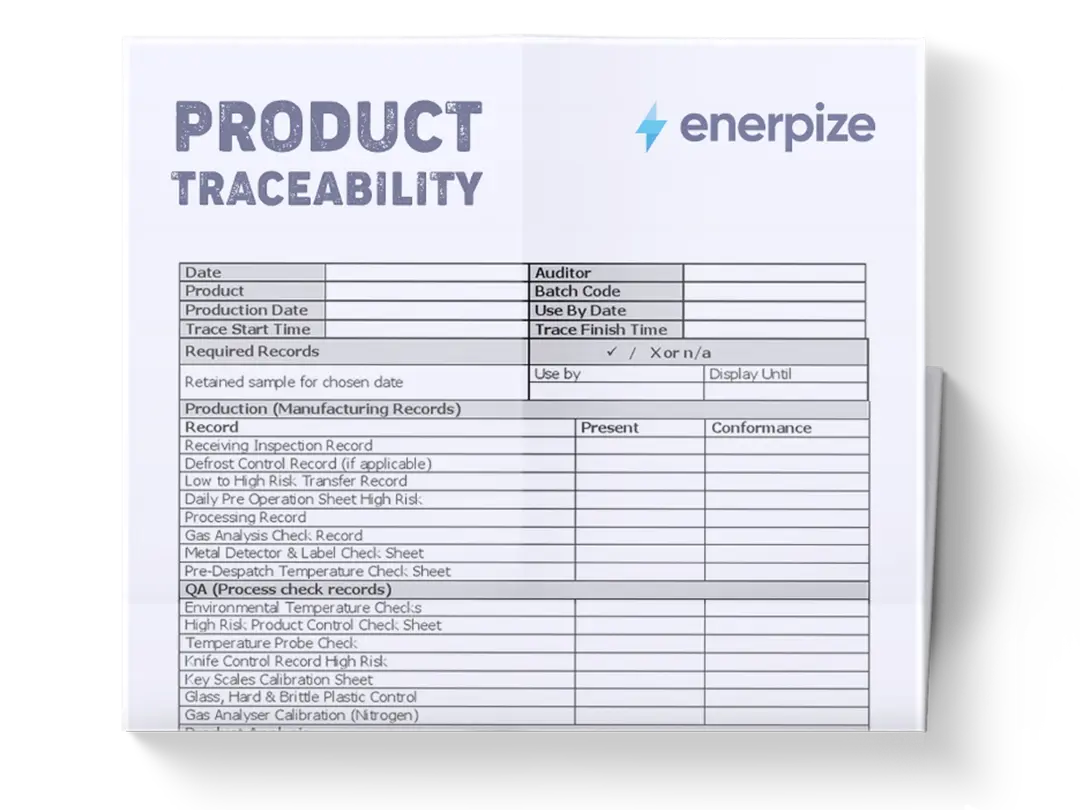
A Product Traceability Template is a structured tracking system designed to monitor the full lifecycle of products across the supply chain, from sourcing and production to storage, shipment, and final delivery. It centralizes critical data such as product identifiers, batch or lot numbers, supplier information, production and expiry dates, quantities, locations, and movement status in one unified table.
What Does The Product Traceability Template Contain?
Date:
Records the exact date of each transaction or status update, ensuring chronological tracking of product movement.
Product ID:
A unique identifier assigned to each product for consistent referencing across all entries.
Product Name:
Specifies the name or description of the product being tracked.
Batch/Lot Number:
Identifies the specific production batch, enabling traceability at the lot level for quality control and recalls.
Supplier:
Indicates the source or vendor responsible for supplying the product or raw materials.
Production Date:
Captures when the product was manufactured or processed.
Expiry Date:
Tracks when the product is expected to expire, critical for perishable or regulated goods.
Quantity:
Shows the number of units involved in each record, supporting inventory tracking and reconciliation.
Location:
Defines where the product is currently stored or moved (e.g., warehouse, truck, client site).
Status:
Represents the current state of the product (e.g., Stored, In Transit, Sold).
Customer/Shipment ID:
Links products to specific shipments or customers, enabling forward traceability.
Notes:
Provides additional context such as shipment details, initial stock, or delivery confirmations.
How to Use The Product Traceability Template
1. Set Up Your Initial Inventory Records
Start by entering your existing stock as “Initial stock” entries. For each product, fill in the Date, Product ID, Product Name, Batch/Lot Number, Supplier, Production Date, Expiry Date, Quantity, and Location. Set the Status to “Stored” and leave the Customer/Shipment ID blank unless the stock is already allocated. This step establishes your baseline inventory.
2. Record Incoming Products and New Batches
Whenever new products arrive or are produced, create a new row with all relevant details. Assign a unique Batch/Lot Number for each production run or supplier delivery. This ensures that even identical products can be traced back to their specific origin.
3. Track Product Movement Across Locations
As products move (e.g., from warehouse to truck), log a new entry rather than editing the old one. Update the Location and change the Status to reflect the transition (e.g., “In Transit”). Maintain the same Batch/Lot Number and Product ID to preserve continuity.
4. Link Shipments to Customers
When products are shipped, fill in the Customer/Shipment ID field. This connects inventory movement to specific deliveries, allowing you to trace which customer received which batch. Update the Status to “In Transit” or “Sold” depending on the stage.
5. Confirm Deliveries and Final Status
Once delivery is completed, create a final entry marking the Location as the customer and the Status as “Sold” or “Delivered.” Add relevant details in Notes for confirmation. This completes the forward traceability chain.
6. Monitor Expiry and Batch Performance
Regularly review the Expiry Date column to identify products nearing expiration. Combine this with Quantity and Location to prioritize stock rotation or clearance actions.
7. Maintain Data Consistency and Accuracy
Ensure all entries follow the same format for Product ID, Batch/Lot Number, and Status values. Avoid duplicate or inconsistent naming, as this breaks traceability. Regular audits of the sheet help maintain reliability.
Related Templates
Importance of Product Traceability Template
Enables Rapid Product Recall and Risk Mitigation
In industries dealing with perishable goods or regulated products, the ability to quickly identify and isolate affected batches is critical. A product traceability template allows businesses to pinpoint exactly where a specific batch originated, where it is stored, and which customers received it.
This drastically reduces the time required to execute recalls, minimizing financial losses and reputational damage. Without structured traceability, companies risk broad, inefficient recalls that impact unaffected inventory. By maintaining precise batch-level records, businesses can act decisively and confidently in high-risk scenarios. This level of control is essential for maintaining customer trust and meeting regulatory expectations.
Improves Inventory Accuracy and Operational Visibility
Tracking products across multiple locations and statuses can quickly become chaotic without a structured system. This template provides a single source of truth, where every movement, storage, transit, or sale, is documented with clear timestamps and quantities. As a result, businesses gain real-time visibility into inventory levels and locations.
This reduces discrepancies, prevents stockouts or overstocking, and improves coordination between warehouses, logistics teams, and sales operations. Accurate inventory data directly impacts forecasting, procurement decisions, and overall efficiency. It transforms inventory management from reactive guesswork into a controlled, data-driven process.
Supports Compliance with Industry Regulations
Many industries, including food, pharmaceuticals, and manufacturing, require strict traceability standards. Regulatory bodies often demand detailed records of product origin, handling, and distribution. A product traceability template ensures that all required data, such as supplier details, batch numbers, and expiry dates, is consistently documented and easily accessible.
This not only simplifies compliance audits but also reduces the risk of penalties or legal issues. During inspections, businesses can provide clear, organized records without scrambling to reconstruct data. Compliance becomes a built-in process rather than a last-minute effort.
Enhances Quality Control and Supplier Accountability
When quality issues arise, identifying the root cause is often the most challenging part. With a traceability template, businesses can trace defects back to specific suppliers, batches, or production dates. This enables targeted investigations and corrective actions rather than broad assumptions.
Over time, this data helps evaluate supplier performance and identify recurring issues. Businesses can make informed decisions about which suppliers to continue working with and where improvements are needed. This level of insight strengthens quality control processes and ensures consistent product standards.
Who Can Use the Product Traceability Template?
Manufacturers and Production Managers
Manufacturers rely heavily on tracking raw materials, production batches, and finished goods. This template allows production managers to monitor each stage of the manufacturing process, ensuring that materials are used efficiently and products are properly documented. By linking batches to production dates and suppliers, manufacturers can maintain strict quality control and respond quickly to defects or inefficiencies. It also supports better planning by providing visibility into production output and inventory levels. For growing operations, this structured tracking becomes essential for scaling without losing control.
Warehouse and Inventory Managers
Managing inventory across multiple storage locations requires precise coordination. This template helps warehouse managers track where each product is stored, how much is available, and its current status. By updating entries as products move, managers can maintain accurate, real-time records without relying on fragmented systems. This reduces picking errors, improves stock rotation, and ensures that perishable goods are handled correctly. It also simplifies inventory audits and reconciliations, saving time and reducing operational friction.
Logistics and Supply Chain Teams
For logistics teams, visibility into product movement is critical. This template provides a clear record of shipments, including which products are in transit, their quantities, and their destination customers. By linking shipments to batch numbers, logistics teams can ensure accurate deliveries and quickly resolve discrepancies. It also improves coordination between suppliers, warehouses, and customers, reducing delays and miscommunication. Over time, this data can be used to optimize routes, improve delivery performance, and enhance overall supply chain efficiency.
Retailers and Distributors
Retailers and distributors benefit from knowing exactly where their products come from and how they move through the supply chain. This template allows them to track inventory from supplier to shelf, ensuring product freshness and authenticity. In case of recalls or quality issues, they can quickly identify affected products and take action without disrupting the entire inventory. It also helps maintain accurate stock levels, improving replenishment planning and customer satisfaction. For businesses handling high volumes or perishable goods, this level of traceability is indispensable.
Looking for Beyond Just Product Tracking?
While this Product Traceability Template helps you track inventory, batches, and shipments with clarity, businesses often need more advanced capabilities. That’s where Enerpize, our all-in-one ERP platform, comes in.
With Enerpize manufacturing management software, you can:
- Track real-time material consumption and inventory movement by integrating manufacturing with inventory systems
- Automate workflows across production stages, from Bill of Materials (BOM) to manufacturing orders and cost allocation
- Gain full operational and financial visibility with detailed cost reports, inventory insights, and production tracking
If you’re ready to move beyond spreadsheets, Enerpize brings enterprise-grade control to growing teams.