Posted on 2 November 2026
Free Invoice Generator: Create and Download a PDF Invoice
- A free invoice generator with no signup: create as many invoices as you need and download each one as a PDF
- Choose from 12 countries and the tax name, rate, currency and tax ID label fill in for you
- Covers line items, your logo, discounts, shipping, amounts already paid and a different tax rate on any line
- Calculates line amounts, tax per rate, the total and the balance due as you type
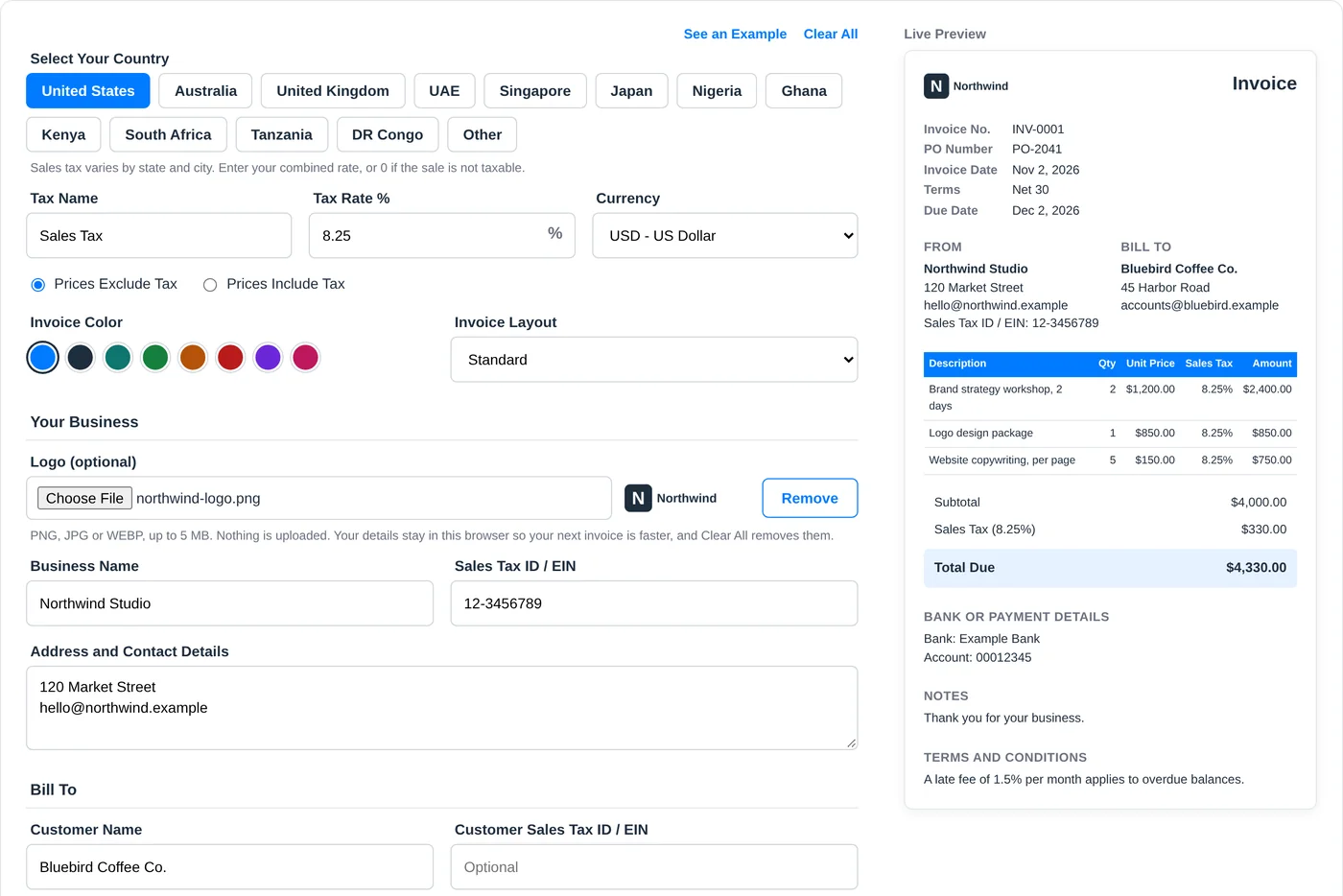
PNG, JPG or WEBP, up to 5 MB. Nothing is uploaded. Your details stay in this browser so your next invoice is faster, and Clear All removes them.
Last updated: November 2, 2026
What it does
Lets you create an invoice online, right in your browser, with the tax for your country already set up.
When to use it
When you need to bill someone today and you don't want to install anything or open an account first.
What you get
A PDF in one of three layouts and eight colors, with your logo, ready to print or email.
Rather have a file you can edit?
Download the free invoice maker template in Word, Excel, PDF, Google Docs or Google Sheets.
What Is an Invoice Generator?
An invoice generator is an online tool that turns your business details, your customer's details and the items you sold into a finished invoice, working out the tax and totals for you, so you can download it as a PDF and send it for payment.
The work is finished. The client is happy. Now you owe them one document, and until it arrives, they owe you nothing.
That document shouldn't take an evening.
An online invoice generator, sometimes called an invoice creator, gives you a form instead of a blank page. You fill in who you are, who is paying and what they bought. The page does the arithmetic, lays everything out and hands you a PDF.
tax fills in
you and your customer
totals update
catch mistakes
ready to send
This free invoice generator also knows that a sale in Sydney and a sale in Accra aren't taxed the same way. Choose your country and it changes the tax name, the rate, the currency and even the label on your tax ID. If you are still learning how to create an invoice, our complete guide to invoices covers the basics.
How to Create an Invoice With the Enerpize Invoice Generator
You can create an invoice online here in about the time it takes to make coffee. Wondering how to make an invoice for the first time? Click See an Example at the top of the tool, and the form fills itself with sample data.
1- Select your country
The tax name, rate, currency and document title change to match. US sellers enter their own combined sales tax rate, since it differs by state and city.
Tip: Your choice is only a starting point. Every one of those fields stays editable.
2- Add your business details and logo
Enter your business name, address and tax ID, then upload a PNG, JPG or WEBP logo of up to 5 MB.
Tip: These details stay saved in your browser, so your next invoice starts with them already filled in. Use Clear All on a shared computer.
3- Add your customer
Enter who is paying. Tick the shipping box if the goods are going somewhere else.
Tip: Billing a larger company? Ask for their purchase order number and add it. Accounts teams often can't approve an invoice without one.
4- Set the number, dates and terms
Pick your payment terms and the due date works itself out from the invoice date.
Tip: Change the due date by hand and the terms switch to Custom Due Date automatically.
5- List what you are charging for
Give each item its own line with a quantity and a unit price. Each line can carry its own tax rate.
Tip: Write descriptions your customer will recognize. "March bookkeeping, 12 hours" gets approved faster than "services."
6- Add discounts, shipping and payments received
Enter a discount as a percentage or a fixed amount. If the customer paid a deposit, enter it in Amount Paid and the total becomes a balance due.
Tip: The generator leaves shipping untaxed unless you tick Charge tax on shipping, so check how your country treats it.
7- Add your payment details
Tell the customer how to pay. Bank details, notes and terms each have their own field.
Tip: State any late fee here, before it is ever needed. A fee nobody saw coming starts an argument.
8- Download, print or email
Click Download PDF. You can print the invoice from the next screen too, or open an email draft.
Tip: Your browser can't attach files to an email by itself, so attach the PDF that just downloaded before you hit send.
What Should an Invoice Include?
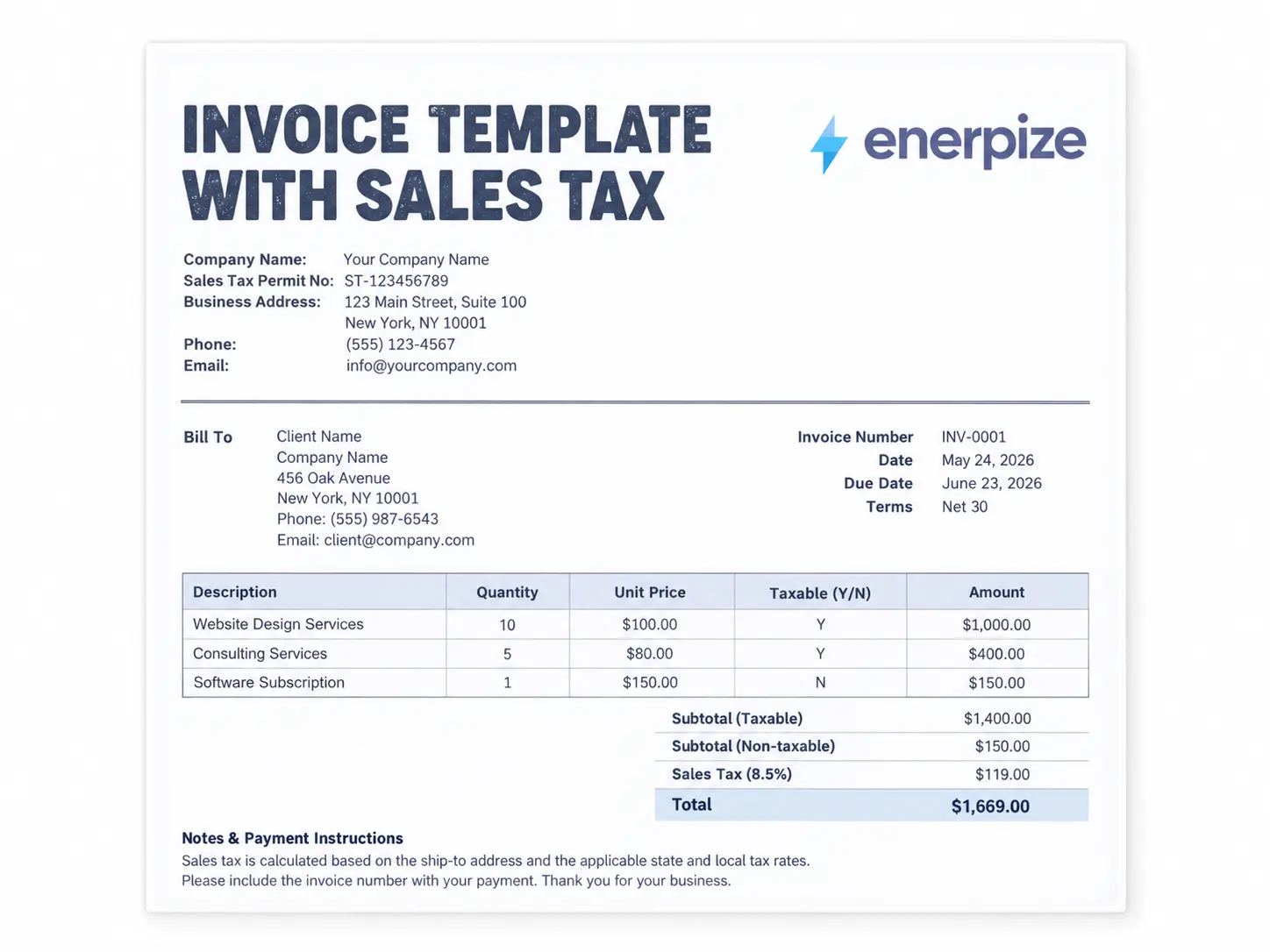
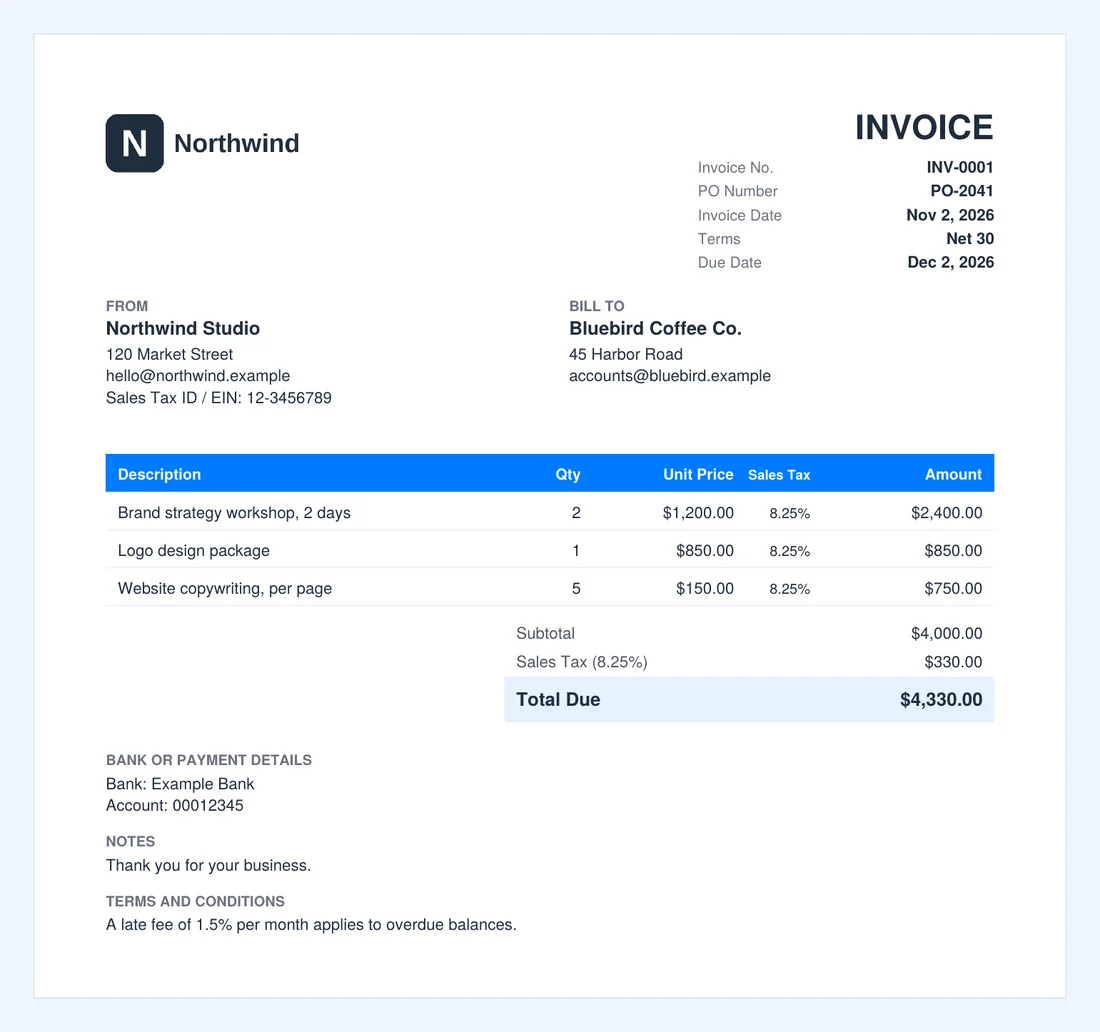
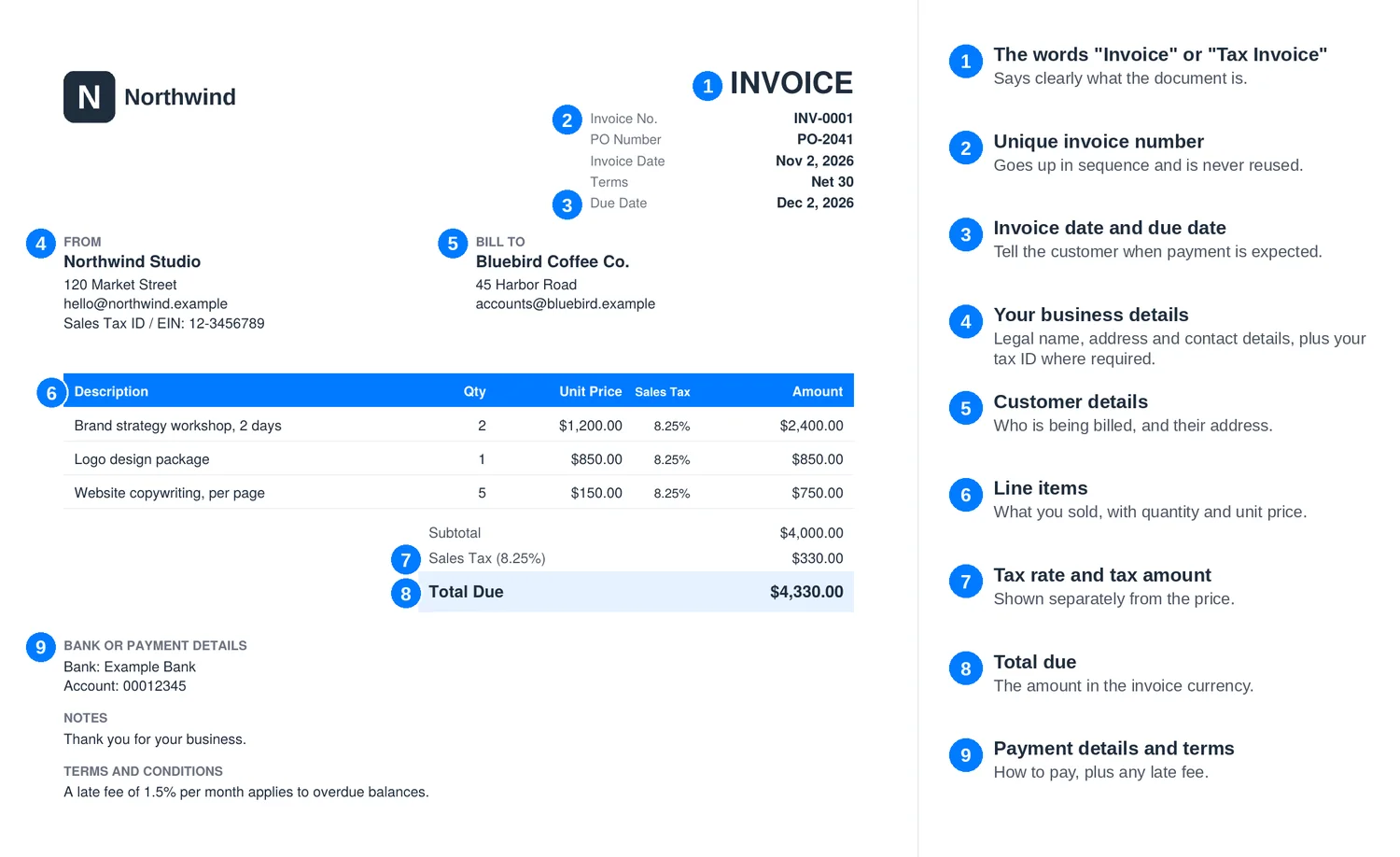
Learning how to make an invoice starts with knowing what goes on it. An invoice has one job: to get paid without a follow up question. Nine things make that possible, and the invoice below shows where each one goes.
| Field | Why It Matters |
|---|---|
| Document title | Tells accounts payable this is a bill, not a quote. Some countries require specific wording. |
| Invoice number | Lets both sides refer to this exact invoice forever. |
| Invoice date and due date | The first one anchors your tax records. The second one starts the clock. |
| Your business details | Your legal name, your address and, where required, your tax ID. |
| Customer details | Who owes the money. Tax rules often require this on larger sales. |
| Line items | Quantity, unit price and a description someone else can understand. |
| Tax rate and amount | Shown separately, so a registered customer can claim it where the rules allow. |
| Total due | The one number your customer is really looking for. |
| Payment details and terms | How to pay, by when, and what happens if they don't. |
How to Number Your Invoices
Keep it boring. Boring numbers survive audits.
Pick a pattern such as INV-0001 or 2026-0001, and go up by one every time. Don't restart for each customer, and don't reuse a number after a mistake. Click Start Over after you finish an invoice and the generator moves to the next number for you.
What the Enerpize Invoice Generator Includes
Plenty of tools can put your name on a PDF. We built this one for the part that usually goes wrong: the tax.
Tax That Starts With Your Country
Select one of 12 countries and the form adjusts. An Australian invoice asks for an ABN and calls it GST. A Kenyan one asks for a KRA PIN. A Ghanaian one splits the 20% charge into VAT, NHIL and GETFund, the way it needs to read. Outside those countries, Other lets you enter your own.
A Different Rate on Any Line
Real invoices are rarely one rate. Set 20% on one UK line, 5% on the next and 0% on the third. The generator totals each rate separately and shows the amount taxed at each one, so the math stays visible.
Tax Inside or On Top of the Price
Quoted a customer a price that already includes GST? Switch to Prices Include Tax. The total stays what you promised, and the tax gets pulled out and shown.
Your Invoice, in Your Own Colors
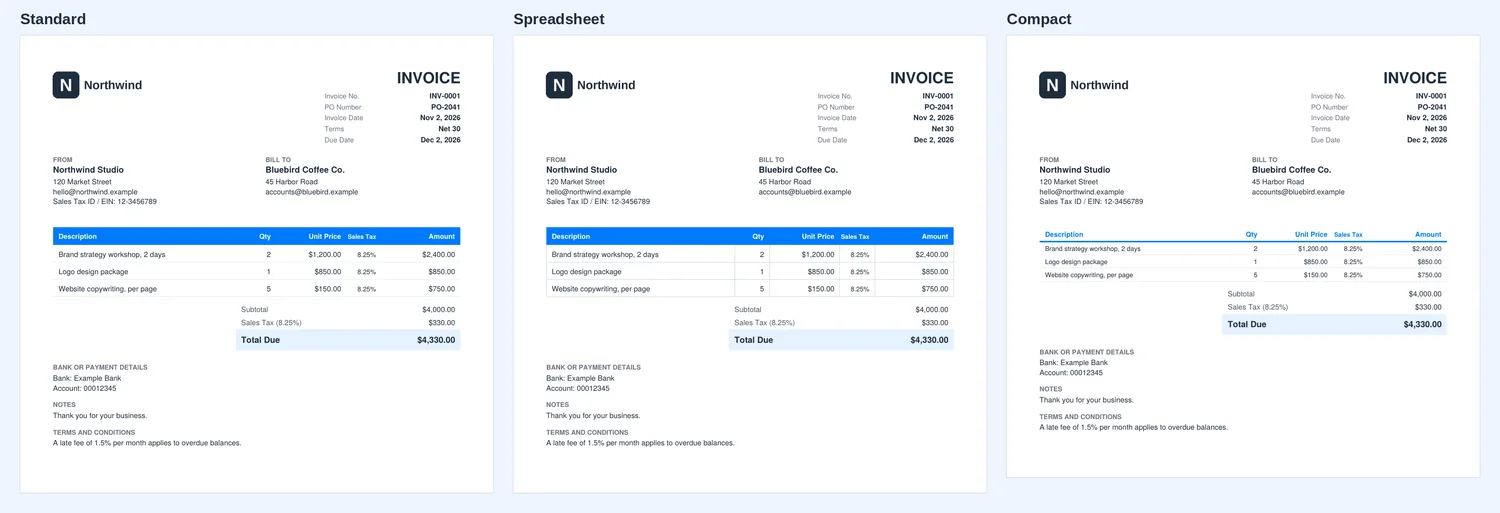
Choose from eight colors and three layouts. Standard suits most invoices, Spreadsheet adds full grid lines, and Compact fits more lines on a page.
Private by Design
A free invoice generator shouldn't cost you your customer list. Your invoice is built in your browser. Your customer list, your prices and your logo aren't uploaded to us. There is no account to create and no email to hand over before you can download.
It Remembers You
Come back next month, on the same browser, and your business details, logo and bank details are still there. Click Start Over after an invoice and your numbering carries on too.
Which Invoice Type Fits Your Situation?
Not every bill is a standard invoice. This online invoice generator lets you rename the document title, but some situations deserve a document built for the job.
| If your situation is... | Use this |
|---|---|
| You finished the work and want to be paid | This generator, with the title set to Invoice or Tax Invoice |
| You are VAT or GST registered and your customer needs to claim the tax | Tax invoice template or VAT invoice template |
| You need payment or a commitment before you start | Proforma invoice template |
| You are pricing a job that hasn't been agreed | Quotation template |
| You billed too much and need to correct it | Credit note template |
| The customer paid and wants proof | Receipt template |
| You want a summary of everything a customer owes | Statement of account template |
Invoice Tax by Country
These are the starting points built into the generator. They are standard rates only, and your own goods or services may sit at a different rate, so edit the line if yours does.
| Country | Tax | Standard rate | ID label | Worth knowing |
|---|---|---|---|---|
| United States | Sales tax | Set by state and city | Sales Tax ID / EIN | Enter your own combined rate. See our sales tax calculator for a quick check. |
| Australia | GST | 10% | ABN | Mark any GST-free line with 0%. |
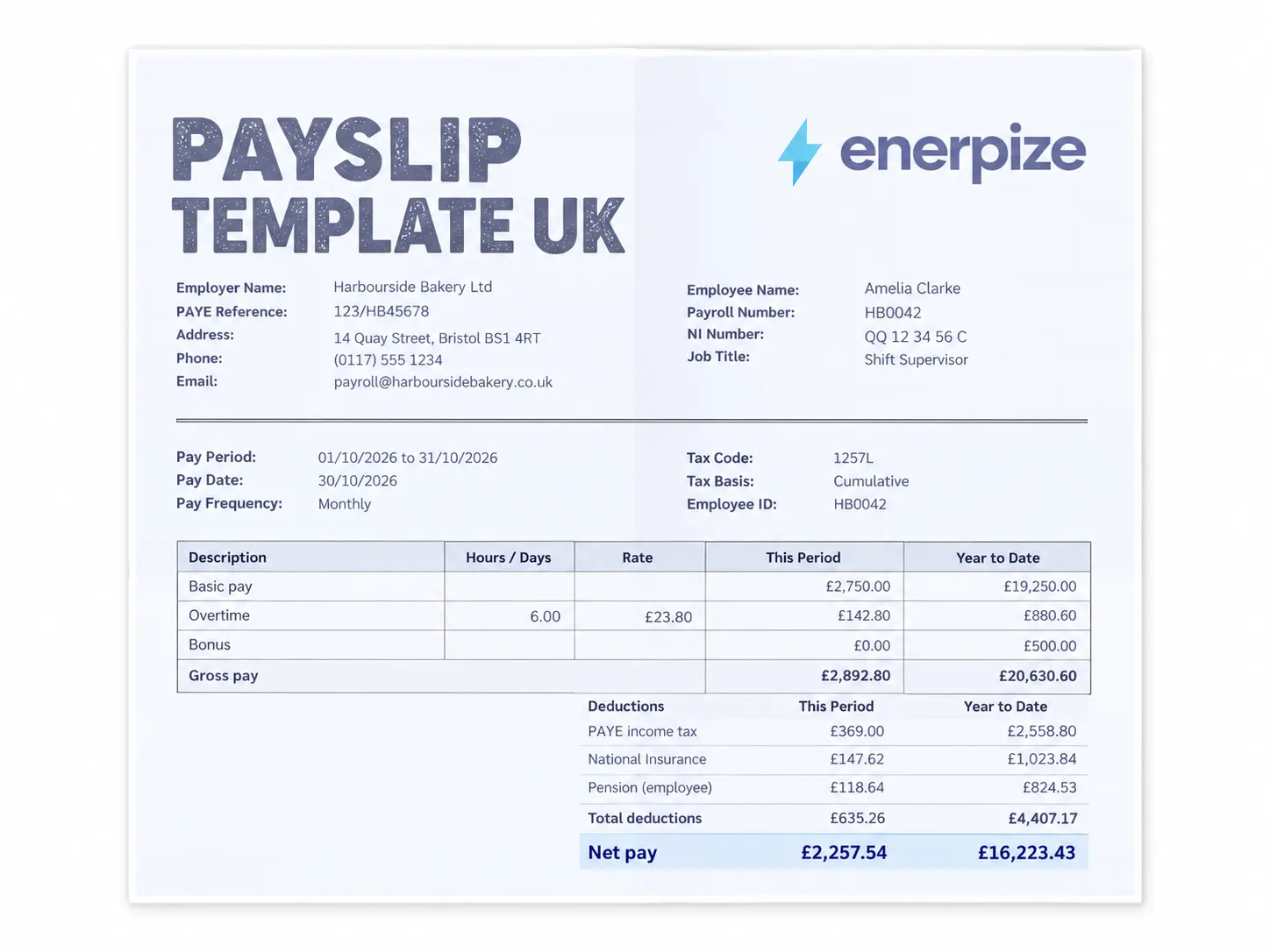
| United Kingdom | VAT | 20% | VAT Reg. No. | Reduced 5% and zero rates apply to some supplies. |
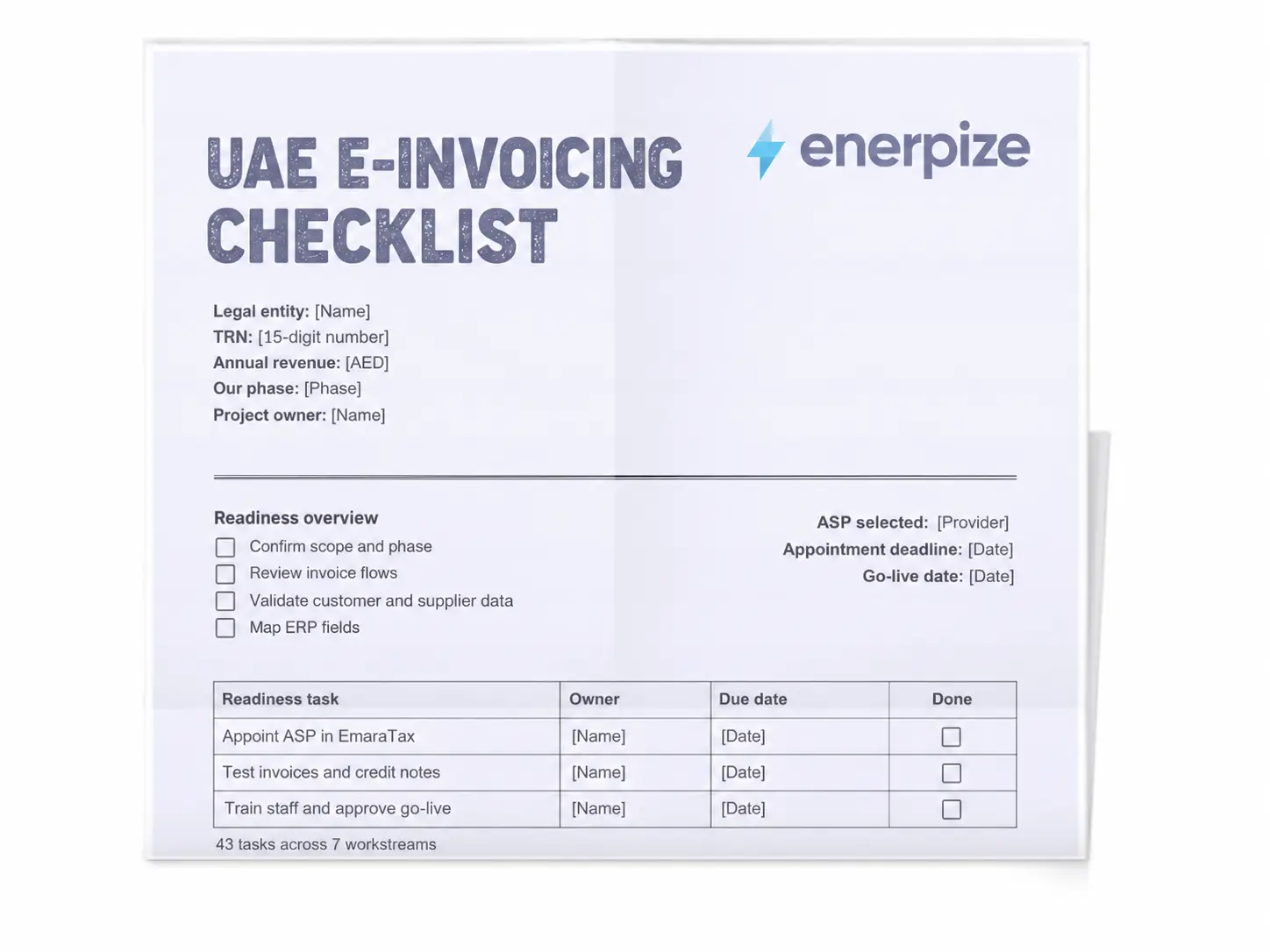
| UAE | VAT | 5% | TRN | Some supplies are zero rated or exempt. |
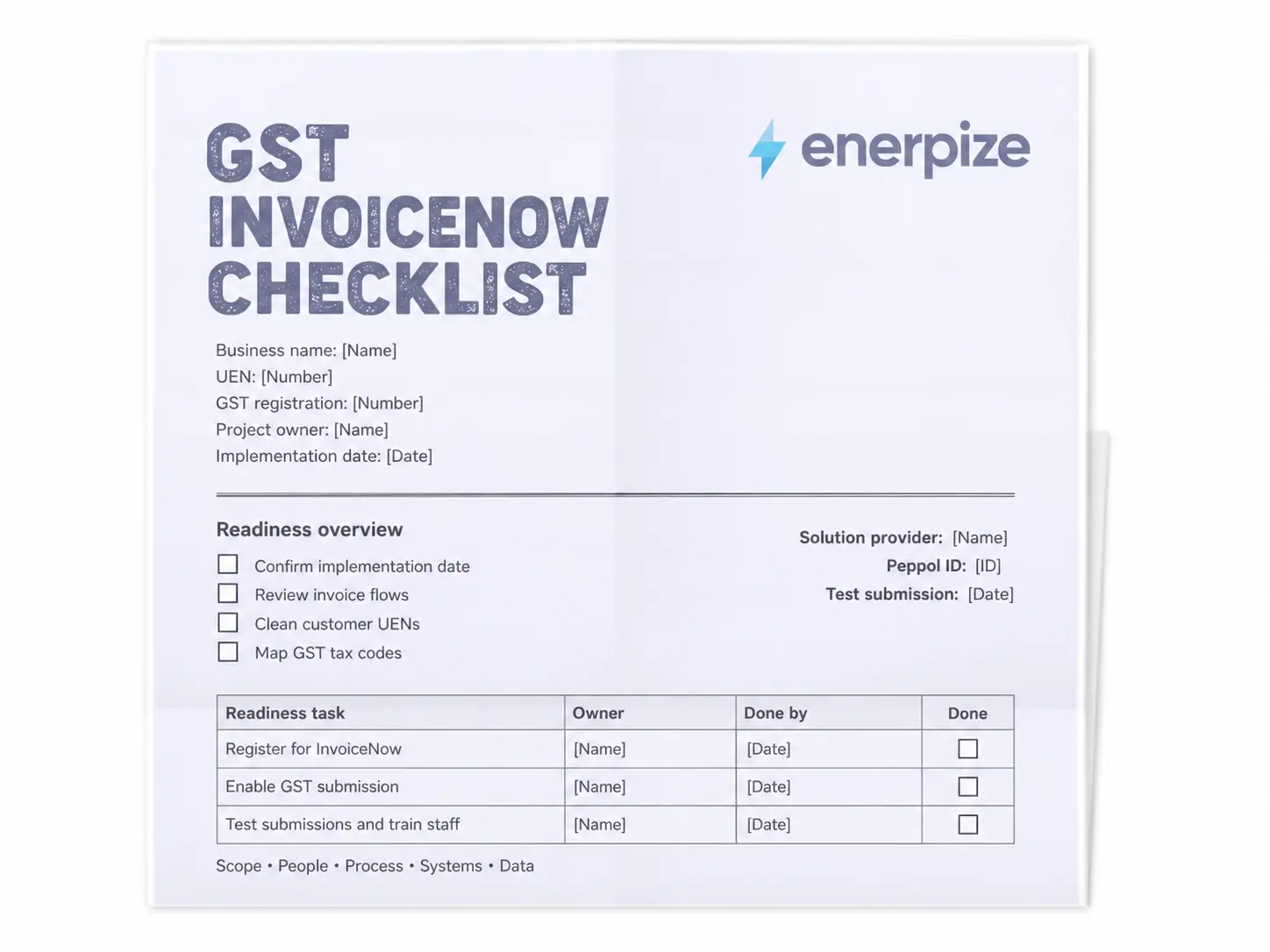
| Singapore | GST | 9% | GST Reg. No. | Check our GST calculator for one-off amounts. |
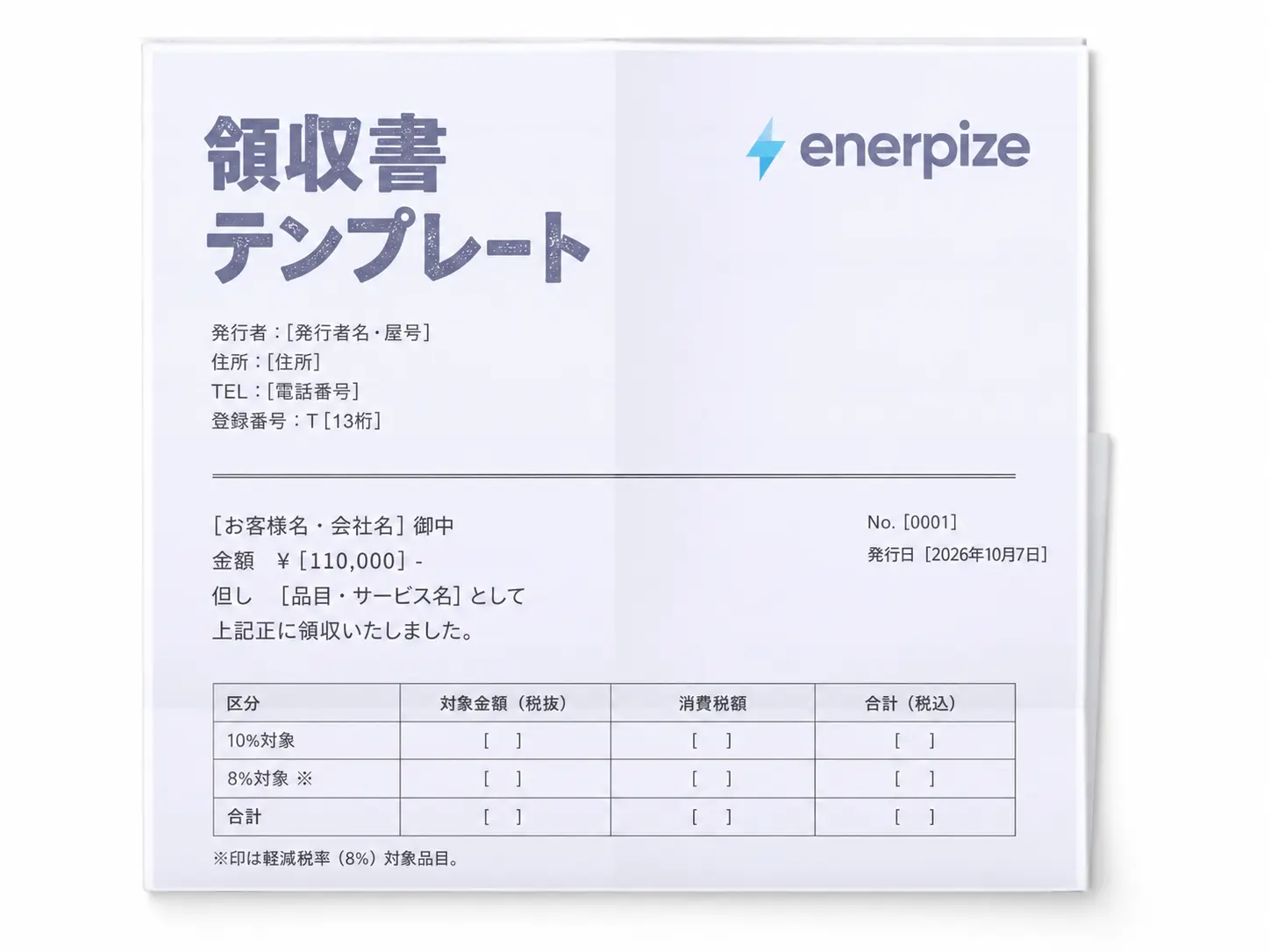
| Japan | Consumption tax | 10% | Registration No. | A reduced 8% covers food, non-alcoholic drinks and some newspapers. Tax rounds down to the yen. |
| Nigeria | VAT | 7.5% | TIN | The rate stayed at 7.5% under the Nigeria Tax Act 2025. |
| Ghana | VAT, NHIL and GETFund | 20% combined | TIN | Shown as 15%, 2.5% and 2.5% since January 1, 2026. |
| Kenya | VAT | 16% | KRA PIN | Tax invoices must go through KRA eTIMS. This PDF doesn't replace that. |
| South Africa | VAT | 15% | VAT No. | A full tax invoice is needed above R5,000. |
| Tanzania | VAT | 18% | TIN | That is the Mainland rate. Zanzibar's standard rate is 15%. |
| DR Congo | TVA | 16% | Numero Impot | VAT taxpayers must issue a facture normalisee through a DGI fiscal device. This PDF doesn't replace that. |
Invoice Rules for Businesses in the United Kingdom
The UK cares about the small details. HMRC's record keeping notice says a full VAT invoice needs a sequential number, the time of supply, your VAT registration number, your customer's name and address, and for each item the quantity, the VAT rate and the amount excluding VAT. It should normally go out within 30 days of the supply.
Non-retailers can use a simplified invoice when the total is £250 or less including VAT.
What to add for UK businesses:
- Enter your VAT registration number in the tax ID field.
- Set the Tax % on each line, using 5 or 0 where they apply.
- If the date of supply differs from the invoice date, write it in Notes.
Practical note for UK businesses: if you aren't VAT registered, don't charge VAT. Set the rate to 0 and change the title to Invoice. GOV.UK lists what a standard invoice must show, including extra details for sole traders and limited companies.
Invoice Rules for Businesses in the United States
America has no national sales tax, so there is no single rate for this generator to fill in. Your rate depends on where the sale is taxed, and it can change from one town to the next.
What is national is the paperwork. The IRS says to keep records for 3 years in general, and for 7 years if you claim a loss from worthless securities or a bad debt deduction. If a customer never pays you, that invoice could matter for a long time.
What to add for US businesses:
- Enter your combined state and local rate.
- Set Tax % to 0 on lines that aren't taxable.
- Keep a copy of every PDF, and a copy of any resale or exemption certificate you relied on.
Practical note for US businesses: selling across state lines can create sales tax duties in other states, so check where you are required to collect before you assume your home rate applies.
Invoice Rules for Businesses in Australia
In Australia, the words matter. The ATO says a tax invoice has to identify itself as a tax invoice and show your identity and ABN, the issue date, what you sold, and the GST. That GST can be shown separately, or you can state that the total price includes GST when it is exactly one eleventh.
Sales of $1,000 or more also need the buyer's identity or ABN. If a customer asks for a tax invoice, you have 28 days to provide one, unless the sale is $82.50 or less including GST.
What to add for Australian businesses:
- Enter your ABN in the tax ID field, and keep the title as Tax Invoice.
- Fill in the Customer ABN on sales of $1,000 or more.
- Set Tax % to 0 on GST-free lines, so the invoice shows which items are taxable.
Practical note for Australian businesses: if you aren't registered for GST, set the rate to 0 and change the title to Invoice. Calling it a tax invoice would suggest GST you never charged.
Invoice Rules for Businesses in South Africa
South Africa sorts invoices by size. According to SARS guidance on tax invoices, a supply above R5,000 needs a full tax invoice, one of R5,000 or less can use an abridged version, and at R50 or less no tax invoice is required, though a till slip showing the VAT is still needed to support an input tax claim.
The document must say Tax Invoice, VAT Invoice or Invoice, carry a serial number, and be issued within 21 days of the supply.
What to add for South African businesses:
- Enter your VAT number, plus your customer's if they are a vendor.
- Include your customer's name and address on every full tax invoice.
- If goods are second-hand, say so in the line description.
Practical note for South African businesses: SARS puts the compulsory registration threshold at R2.3 million of taxable supplies a year. If you are below it and not registered, you shouldn't be charging VAT at all.
Common Invoice Mistakes
✕ Charging tax you aren't registered for
Why it matters: Your customer may pay tax you have no right to collect, and fixing it means reissuing the invoice.
Fix: Set the rate to 0 and title it Invoice until you register.
✕ Writing "services" as the description
Why it matters: Accounts payable can't match it to anything, so your invoice sits in a queue.
Fix: Say what you did, when, and how much of it.
✕ Leaving off the purchase order number
Why it matters: Larger companies may refuse to process an invoice without one.
Fix: Ask for it before you invoice, then fill in the PO Number field.
✕ Using one tax rate for mixed items
Why it matters: One rate across different supplies means the tax is wrong on at least some of them.
Fix: Set the Tax % on each line.
✕ Reusing an invoice number
Why it matters: Two invoices with one number make your records and your customer's system unreliable.
Fix: Keep the sequence going, even after a mistake.
✕ Waiting to send it
Why it matters: Every day you wait moves your due date back by a day.
Fix: Send the invoice the day the work is finished.
How to Fix an Invoice You Already Sent
It happens. What matters is that your customer never ends up with two live invoices and no explanation.
How to Get Paid Faster
A beautiful invoice doesn't pay itself.
Late payment is close to normal in business. In the Atradius 2026 survey of Western Europe, nearly four in five companies reported late payments. In its North American survey, 23% of receivables were past due.
You can't control your customer's cash. You can control what is on the invoice.
- Name a date, not a mood. "Due December 2" beats "please pay soon."
- Choose shorter terms when you can. A small customer can often pay on Net 14. A large one may have fixed terms, so ask before you assume.
- Make paying easy. List your bank details or payment link in full, so nobody has to email you to ask.
- Ask for a deposit on bigger jobs. Record it in Amount Paid, and the invoice shows the balance.
- Follow up early and plainly. Quote the invoice number, the amount and the date. Most reminders don't need an apology.
Once several invoices are out at once, the real question is who owes what. That is accounts receivable, and it deserves more than a memory and a folder of PDFs.
Invoice Generator vs Template vs Invoicing Software
None of these is the right answer for everybody. You can use this invoice generator free for as long as it fits. It comes down to how often you bill and how much you need to track.
| Invoice generator | Template file | Invoicing software | |
|---|---|---|---|
| Best for | Occasional invoices | A reusable file you control | Regular billing |
| Setup | None | Download and edit | Create an account |
| Tax math | Automatic | Excel and Sheets versions only | Automatic |
| Saved details | Your details, in this browser | In your own file | Clients and items, in your account |
| Payment tracking | No | No | Yes |
| Recurring invoices | No | No | Yes |
| Linked to your accounts | No | No | Yes |
How Enerpize Handles Invoicing
A PDF is the end of the road for a generator. In Enerpize, it's where the record starts.
Enerpize Invoicing and Billing Software
Enerpize invoicing and billing keeps every invoice, client and item in one account. Set up a recurring invoice with its dates and interval, and it goes out by itself. Reminder rules follow up on what is due, and you can see what has been paid without opening a spreadsheet.
Enerpize Sales Management
Agreed a price already? With Enerpize sales management, an estimate becomes an invoice in one click, so nobody retypes the line items. Your clients can use a portal to approve estimates, pay invoices and view their statements.
Enerpize Accounting Software
Every invoice in Enerpize accounting posts to your books as a journal entry. No exports, no month-end retyping. That leaves you with reports you can trust when someone asks what your business earned last quarter.
Invoice Glossary
| Term | What it means |
|---|---|
| Line item | One row on an invoice: a product or service with its quantity and price. |
| Subtotal | The sum of the line items, before tax and shipping. |
| Balance due | What is still owed after any deposit or part payment. |
| Net 30 | Payment is due 30 days after the invoice date. |
| Purchase order (PO) | The buyer's own reference for approving a purchase. |
| Tax invoice | An invoice that meets a country's rules for showing tax. |
| Proforma invoice | A preliminary bill that states the price before the sale is final. |
| Credit note | A document that reduces or cancels an amount already invoiced. |
Key Takeaways
- An invoice generator turns a simple form into a finished PDF invoice, with the tax and totals worked out for you.
- Your country decides your tax name, your rate and the ID your invoice needs, so start there.
- Nine details do most of the work: title, number, dates, your details, customer details, line items, tax, total and payment terms.
- One invoice can carry several tax rates, and each rate should be totaled separately.
- If you aren't registered for VAT or GST, you shouldn't charge it.
- In some countries, including Kenya and DR Congo, a PDF doesn't replace the required invoicing system.
- Clear terms, a specific due date and easy payment details do more for your cash flow than any design choice.
- A generator suits occasional invoices. Regular billing and payment tracking are where invoicing software earns its place.
Frequently Asked Questions
Is this invoice generator really free?
Yes. You can create and download as many invoices as you need, with no signup and no credit card. Each PDF carries a small Enerpize credit line in the footer.
Do I need to create an account?
No. Everything works in your browser. Your details are saved on your own device so the next invoice is faster, and Clear All removes them.
Is my invoice data safe?
Your customers, prices and logo aren't sent to Enerpize. The invoice is built on your device. The page counts basic usage, such as which country was selected and how many lines were used, but not what you typed.
Can I add my logo?
Yes. Upload a PNG, JPG or WEBP file of up to 5 MB, and it appears at the top of your invoice.
Can I use different tax rates on one invoice?
Yes. Each line has its own Tax % field. The generator totals each rate separately and shows the amount taxed at that rate.
Can I change the currency?
Yes. The list includes the main world currencies. Choosing a country sets its currency, and you can change it afterward. Amounts aren't converted, so the currency you pick is the currency your customer sees.
Is an invoice from this generator legally valid?
An invoice is judged by what it contains, not by the tool that made it. The generator gives you the fields, but you are responsible for checking that your details and tax treatment meet your local rules.
Does this replace e-invoicing systems like eTIMS?
No. Where a government requires invoices to pass through its own system, such as KRA eTIMS in Kenya or the fiscal device in DR Congo, a PDF from this page doesn't replace it. Use it as a draft or proforma there.
What is the difference between an invoice and a receipt?
An invoice asks for payment. A receipt confirms payment has happened. You send the first one before the money arrives, and the second one after.
What is the difference between an invoice and a proforma invoice?
An invoice bills for an agreed sale. A proforma invoice is a preview of that bill, sent before the sale is final, and it doesn't usually go into your accounts as a sale.
How do I send my invoice?
Download the PDF and attach it to an email. The Send by Email button downloads the file and opens a draft for you. Include the invoice number in the subject line, so it is easy to find.
Can I create recurring invoices?
Not with this free invoice generator, which makes one invoice at a time. Recurring invoices that send on their own schedule are part of Enerpize.
About the Author
Omar El Bahr is a Senior Digital Growth Specialist at Enerpize, where he leads SEO, content strategy, and organic growth across international markets. He is a Forbes Communications Council contributor and has written for Entrepreneur on business communication and digital strategy.
Disclaimer
This generator and the information on this page are for general guidance only and are not tax, legal or accounting advice. Tax rates and invoice rules differ by country and change over time, so check your invoices with a qualified professional before you rely on them.